
A Visa card on Solana that its own documentation contradicts
 Available in US
The Solayer card is a Visa card you load with stablecoins and spend like an ordinary payment card, with the wallet side of it sitting on Solana. On paper it is a sensible fit for someone who already holds stablecoins and has been turned away by a normal bank. In practice, when I went through the card’s own pages, I kept finding two documents saying different things about the same thing — whether the physical card exists yet, whether you can withdraw cash, how much a foreign purchase costs, and how the money is held. None of that makes the card unusable. It does make it a card you have to read carefully rather than one you can sign up for on a whim.
I’d give it 6.2 out of 10. It scores well where it matters for daily use and poorly on the things that decide whether a card is safe to depend on: who is behind it, how the custody actually works, and how much a transaction ends up costing.
The conditions described here are current as of October 28, 2026.
Verdict: a competent card with an unfinished paper trail
The number is not a rounding of something better. Six points out of ten is the middle of the road, and the shape of the score matters more than the total: this is a card that works well in the shop and says very little about the ground underneath it.
Who this suits: someone who already sits on stablecoins, is comfortable moving money on Solana, lives in an eligible country, and wants a Visa number for ordinary spending without opening another bank relationship. The audience note is narrow and honest — stablecoin holders on Solana outside restricted countries.
Who this does not suit: anyone who needs to know exactly who holds their money and under which licence before they touch it; anyone who lives in a country the card refuses; anyone who plans around cash withdrawals; and anyone who plans around spending limits, because the limits are described as changeable at any time and the figures are not published.
| Criterion | Mark | Why |
|---|---|---|
| Who can get it | 7 / 10 | Closed to residents and citizens of listed countries — most of the EU, the UK, Switzerland, Turkey, the UAE, India, China, and a long restricted-US-state list; CryptoCardHub counts 120 available and 94 restricted |
| Cost | 5 / 10 | $20/year membership, physical card $24.99 or $59.99; non-USD spend $0.10 + 1.5%, cross-border up to 3%; the top-up fee is given three different ways |
| Top-up options | 5 / 10 | Stablecoins, specific coins not named; Solana, with other networks added at the issuer’s discretion |
| Reliability and complaints | 6 / 10 | Issuer Third National; Solayer’s legal entity and licences not disclosed; no complaints found, but the custody provider and the “non-custodial” marketing contradict each other |
| Everyday use | 8 / 10 | Virtual and physical Visa, Apple Pay and Google Pay, up to $250 per ATM withdrawal; the pages disagree about the physical card and about cash |
| Total | 6.2 / 10 | A good everyday card wrapped around a company story you cannot fully see |
Will they give you the card
Yes, but the rules are narrower than the marketing and wider than the list, and that gap is the first thing to understand.
Eligibility turns on both residence and citizenship. The card states that residents *or* citizens of listed countries are not eligible to sign up “regardless of their current place of residence.” That single sentence does a lot of work: moving abroad does not rescue you if your citizenship is on the list, and living abroad does not rescue you if your residence is on the list. It also means that two people with the same wallet balance in the same city can get opposite answers.
The list includes Russia and Belarus, Ukraine, Georgia, Serbia, Montenegro, Moldova, Turkey, the United Arab Emirates, most EU states, the UK and Switzerland. It also names restricted US states: AZ, DE, GA, ID, LA, MD, MT, NV, NM, ND, OH, OR, RI, SD, VT, WA, WI.
Some countries are simply absent from the exclusion list — Armenia, Kazakhstan, Azerbaijan, Uzbekistan, Kyrgyzstan — and absence is not permission. The card’s own page is explicit that it does not list the eligible countries, only the excluded ones. So “not on the list” means the door is not visibly shut, not that it is open. You find out at KYC, which is after you have handed over your documents.
There is one more wrinkle worth knowing about before you apply. The eligibility documents and the card terms conflict on the United States: the eligibility list describes the card as “intended for those outside of the United States” while separately requiring you to attest that you are not a US citizen, and the restricted-states list only covers part of the country. If you are anywhere near that question, this is a support conversation, not something to guess at.
CryptoCardHub, a third-party comparison site, counts 120 available and 94 restricted countries. Those are unofficial figures — the card does not publish a count, and I could not confirm them against an official page.
How to get it
You need to be 18 or older and pass KYC. That is the whole of the stated requirement: the card’s public pages do not say which documents or which proof of address are needed in the general case, and they do not publish the review stages, the rejection reasons or the verification levels.
What the flow does look like, from the integration the card uses: country of residence, address, occupation, annual salary, an emailed code, then an identity document — passport, driver’s licence or Aadhaar card — photographed both sides in JPG, PNG, HEIC, WEBP or PDF up to 50MB, followed by a face liveness check. Review and approval take 3–5 business days after KYC. Those details come from the verification provider’s flow as the card presents it; treat the document list as unofficial in the sense that the card’s own summary pages do not restate it.
The card is a Visa, issued by the issuer under licence from Visa. You get a virtual card, and a physical card can be ordered. Currency is USD; spend in another currency is converted to USD.
Shipping for the physical card:
| Shipping | Price | Time | Notes |
|---|---|---|---|
| US Express | $24.99 | 2–5 business days | Tracked |
| International Express | $59.99 | 5–11 business days | Tracked, includes production |
Shipping is the only charge for the card itself — the physical card is free apart from delivery. New users also pay a one-time $20 account activation fee, which covers the virtual card for the first year. Your address cannot be changed after you order. If the card is lost or stolen you freeze it in the app and order a replacement; no replacement fee is stated.
One thing to get in your head early: the fee page describes the cards as digital only, with a physical card “coming soon,” while a separate Physical Card page describes ordering one with prices and delivery windows. The product is live; the documentation is behind or ahead of itself depending on which page you read.
Fees: what it really costs
This is where I would tell you to slow down, because the card’s three fee pages do not agree.
The membership is $20 a year, which covers card access and maintenance for 12 months. There is no tier structure: one product, one price. A points system runs on spending and referrals and unlocks benefits, but there is no published cashback rate and no ladder to climb. Issuance and monthly fees are not stated and the product page lists no card fees at all. The terms do mention a late payment fee of up to $40, a returned payment fee of up to $29, and APR of 0% which “may be introduced later” — which is an odd thing to publish about a card that draws on a stored balance.
Here is the cost picture as far as the card’s own pages allow it to be drawn:
| Fee or limit | What the card says |
|---|---|
| Issuance / monthly fee | Not stated; no card fees listed on the product page |
| Membership | $20 a year, covers the virtual card for the first year |
| Physical card | Free, plus shipping ($24.99 US Express / $59.99 international) |
| USD transaction | $0.15 |
| Non-USD transaction | $0.10 + 1.5% on the fee page, $0.10 + 1.75% in the FAQ |
| Cross-border fee | Up to 3% |
| Crypto conversion fee | Not stated |
| Top-up fee | Given three ways: 1%, 0.5%, and $0.10 per transaction |
| ATM | Cash advances not available per the terms; $250 max per withdrawal, three attempts per rolling 24 hours, standard ATM and network fees may apply per the fee page |
| Late payment / returned payment | Up to $40 / up to $29 |
| APR | 0%, may be introduced later |
| Spending limits | Dynamic and may be modified at any time; figures not stated |
| Cash-like transactions | Restricted: travellers’ cheques, foreign currency, money orders, wire transfers, cryptocurrency |
Three everyday payments, priced the way the card’s own numbers imply.
A $20 shop purchase in the United States. This is the clean case. The balance sits in USD, the transaction fee is $0.15, and nothing else applies. That is the number the card is built for.
A €40 dinner in Paris. You have the conversion to USD, then the non-USD fee — $0.10 plus 1.5% or 1.75% depending on which page you believe — and then possibly a cross-border fee of up to 3% on top, since the terms add it separately. On €40 that is roughly $1 to $2 depending on the rate, and the spread between the two published versions is small but real. This is the purchase where the cost becomes noticeable, and where a merchant that declines foreign-issued cards (see the background section) is also more likely.
A $60 subscription billed in a different currency, or a foreign app. The percentage is the same shape, but subscriptions repeat. If the merchant treats the charge as a foreign, recurring payment it may decline it, and a declined authorisation can leave a hold on your funds for several days — typically up to seven.
Two more things about costs. The $20 activation fee and the $20 annual membership are separate from each other in the way the card describes them: the activation fee is one-time and covers the virtual card for the first year. And the three different top-up fees are not a rounding difference. One percent on a $2,000 top-up is $20; fifty cents on the same top-up is $10; a flat $0.10 is $0.10. Nobody reading those three pages can tell you what you will pay, and that is not a rounding issue I can smooth over.
Unofficial figures circulate for spending limits — $10,000 daily and $30,000 monthly, and $500 at the ATM — but they come from an undated Chinese-language listing on a third-party site and may predate the current structure. The official position is simply that limits are dynamic and may change at any time.
Top up: how the money gets in
You move stablecoins in from a wallet, and that is the only top-up route described. The specific coins are not named. Solana is the supported network, and other networks are added at the issuer’s discretion — meaning the list can grow without your asking, which is convenient for the provider and means you should not assume a coin or chain you saw six months ago still works.
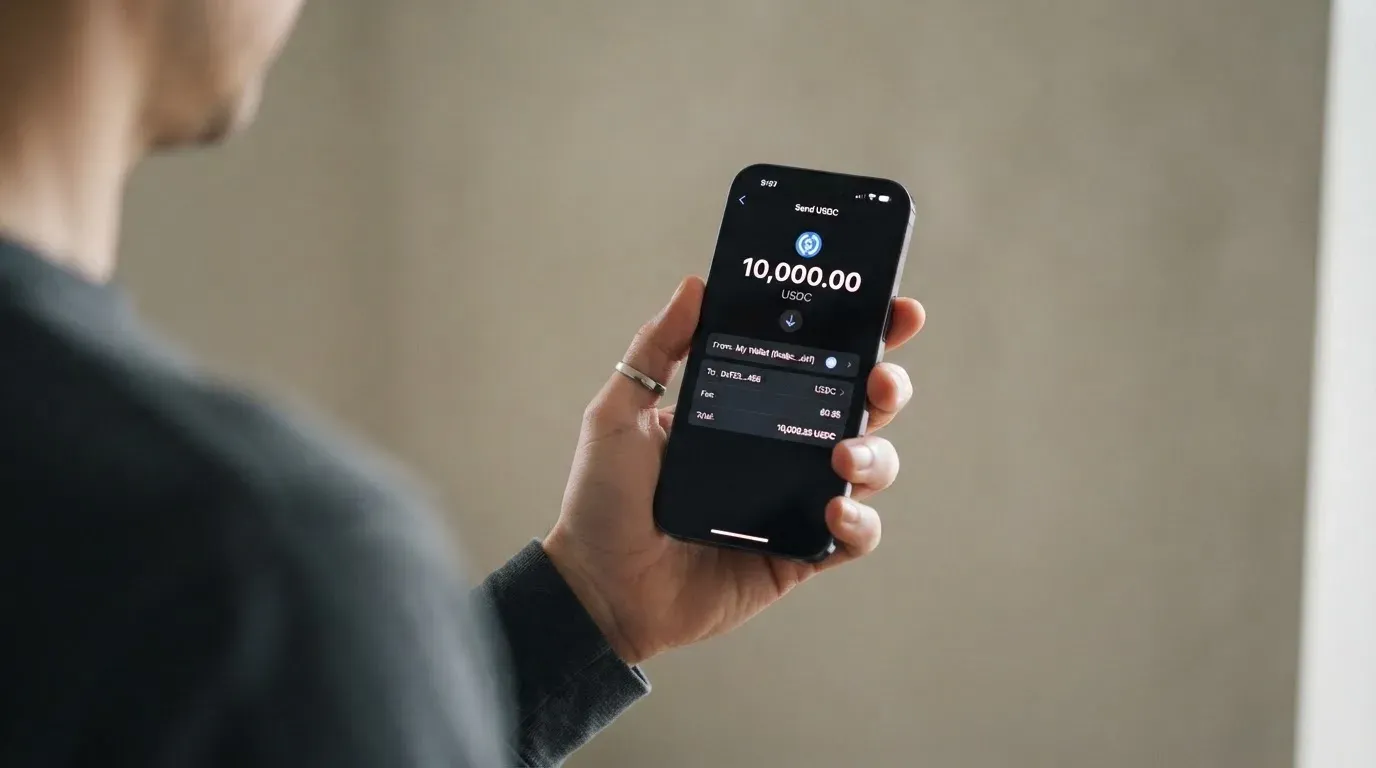
The flow the card gives: app, Card tab, Deposit, then approve in your wallet. That last step matters more than it looks. You are signing a blockchain transaction from a wallet you control, and the usual dangers of that apply — a wrong network or a wrong address can send funds somewhere you cannot get them back, and blockchain transfers are irreversible by design.
The top-up fee is the single most confusing number on the card’s site: 1% per top-up on the fee page, 0.5% in the FAQ, and $0.10 per top-up transaction in the top-up tutorial. All three are official. I would treat the percentage as the worst case and confirm in the app what you are being charged before you send.
A minimum top-up amount and any fiat on-ramp are not stated. There is no mention of paying by bank transfer or card, so if you are reading this hoping to buy your way in with fiat, the card does not describe that.
One rule that catches people out: cards deactivate after six months of inactivity, and getting back in requires a new card issuance. If you are not a regular spender, a card that sleeps is a card you may have to order again.
How do you get money back out? The card does not say. The top-up page and the terms do not cover withdrawing a card balance to a wallet. The terms do say the balance can be repaid at any time without penalty, that chargebacks resolved in your favour are credited to the Solayer Account, and that on termination you must surrender the card — but the mechanism for moving a balance back to your own wallet is not published. For a card aimed at people who think in crypto, that is the most surprising gap on the page.
Paying with it every day
This is the card’s strongest section, and the score of 8 out of 10 is deserved. It behaves like a normal Visa in the ways that matter.
You get a virtual card for online use and a physical card for everything else, both Visa, both spending from your balance in USD. Apple Pay and Google Pay are supported for contactless payments, which is how most people will actually use a card linked to a phone wallet. Merchant categories are restricted in ways worth knowing before you are surprised: gambling-related activity is on the prohibited list, along with cash-like transactions such as travellers’ cheques, foreign currency, money orders, wire transfers and cryptocurrency itself.
Rewards exist but are thin on detail. There is no stated cashback rate. What is described is a points system fed by spending and referrals, plus ecosystem perks and yield on eligible balances. A much-quoted 1% cashback and a 10% first-purchase offer appear as a 2025 campaign in third-party reporting; treat that as historical, not as your current rate.
The app is the Solayer Pay app on the Apple App Store and Google Play. Its store presence is thin: a US App Store rating of 5.0 from just 2 ratings, and 500+ Google Play downloads per CryptoCardHub as of 11 August 2026 — not read from the stores directly, so unofficial — while a third-party report from 3 March 2026 showed 0.0. A young app with almost no public footprint is not a red flag on its own, but it does mean the reviews will not help you much.
If something goes wrong with a payment, the route is: ask the merchant first, then start a chargeback through the Solayer Account if it is unresolved or unauthorised. You must report within 60 days of the charge posting on the periodic statement. The card network may ask for extra documents, the disputed amount can stay due while the dispute runs, and anything you win is credited to the Solayer Account.
What can go wrong
Two risks sit above the others, and both are about things the card chooses not to tell you.
Who is behind it. The card terms name Third National as the issuer. Solayer’s own legal entity and its licences are not stated on the pages I read. That is not automatically a problem — many crypto card brands are front-ends over someone else’s licence — but it means you cannot check a register for the entity whose name is on your account. There is no public complaint record either: no Trustpilot page for the Solayer card and no Reddit or forum complaints, and CryptoCardHub noted on 11 August 2026 that independent feedback is minimal. No complaints can mean a small user base rather than a clean one.
Custody. This is the contradiction I keep coming back to. The documentation describes provider-operated hybrid custody: hot wallets holding a small operational balance, cold wallets holding most assets offline with multi-signature, and “circuit breakers that freeze suspicious activity,” plus instant freeze and unfreeze of a lost card in the dashboard. The marketing calls the card non-custodial and fully on-chain. Those are different architectures, and they carry different risks. Under provider custody, someone else holds the keys and a provider failure is your loss — the category has a history of it, from Mt. Gox and Coincheck to the Ronin Network. Under self-custody, the funds stay in your wallet and the risks are key loss, phishing and malware that swaps an address. You cannot pick which risk you are taking while the documentation says both. Two-factor authentication, spending controls and insurance are not stated.
Then there is the ordinary stuff, which is worth a paragraph because it is where most people are actually bitten:
- A card issued in one country can look foreign to a shop in another. Merchants can look up the issuer and country from the first digits of the card number, and some decline prepaid or foreign-issued cards outright. This is a much more common complaint than fraud.
- Address verification, which compares the street number and postcode you type with the issuer’s records, is mainly available in the US, Canada and the UK and generally is not offered for foreign-issued cards — so an online checkout can decline for a reason that has nothing to do with your balance.
- A declined authorisation can leave a hold on your funds for several days, typically up to seven.
- Online payments may add an identity step, branded Visa Secure for Visa. Under it, liability for a fraudulent payment can shift towards you rather than the merchant.
- Networks charge their own fee for your deposit — gas on Ethereum, resources on Tron — and that is the blockchain’s fee, not the card’s.
- A stablecoin can lose its peg. TerraUSD collapsed in May 2022 and USDC temporarily lost its peg in March 2023. A card that holds dollars for you holds *that* dollar.
- This history is not theoretical for crypto cards specifically. Visa terminated its global agreements with FTX on 13 November 2022 and the FTX US debit card was wound down; WaveCrest, a Visa issuer that supplied crypto card brands, was suspended by Visa in Europe in 2018 and all its programmes closed. Programme shutdowns follow a shape — a notice period, then spending and loading stop, then you are asked to withdraw what is left. The issuer may stop the card; the network may end it.
One thing the card does well here is freezing a card instantly in the app. What it does not state is two-factor authentication, spending controls, or insurance — so the security story rests on the custody description, which is the part in dispute.
Support is reachable through the Solayer Discord and, per the terms, at [email protected] and +1 (734) 510 1402. That is three routes, which is better than most cards in this category manage.
What to take instead
None of these is a recommendation for you specifically — they are the comparison you would reasonably make, with the same questions asked of each.
MetaMask card — 7.1 out of 10. The strongest of the four on this list. Mastercard, sign-ups open in 45 listed countries and territories, proof of residency required, other regions on a waitlist, and US and UK sign-ups temporarily closed per the FAQ. The virtual card is free with no annual or maintenance fee; the metal card is $199 a year. It spends directly from your connected wallet across Linea, Base, Monad and Solana, with named tokens including USDC and USDT. Fees are described as minimal per transaction with no MetaMask fee and no foreign transaction fee, but the amount is not on the pages I read — the fee table is linked rather than shown. Cashback is the best of the group: 1% on the virtual card, 3% headline on metal, though the footnote caps metal at 3% on the first $10,000 spent and then 1%. If you want to know what you are paying before you pay it, MetaMask’s published cashback beats the card under review on which nothing is published.
KAST — 6.1 out of 10. Almost the same score, with far more clarity. Residence-based eligibility is shown at KYC, and the honest detail is that you can live in a supported country and still fail if you only hold an ID from a restricted region; dual citizens may pass with a supported ID. Cards are virtual and physical, up to 10 per user, across Standard, Premium and Private. The tiers are expensive at the top — Standard 0 USD, Premium 1,000 USD a year, Private 10,000 USD a year — but Standard’s numbers are the most transparent in this comparison: 0% stablecoin top-up, 0% card spend, 0% transaction fee, 0% Apple and Google Pay, a 0.5%–1.75% non-USD fee depending on where you live and which programme you are on, and 1.5% cashback on the first $2,000 a month. It supports USDT, USDC, PYUSD and RLUSD, though its own terms say the acceptable tokens are “currently USDT and USDC” — the same documentation-versus-reality pattern, milder here.
TokenPocket — 5.8 out of 10. A Visa debit for a list of European countries and territories, a Mastercard debit for Australia, Canada, Hong Kong, Japan, Taiwan, New Zealand, Singapore, South Korea and the UK, with the Americas “planned for Q2 2025”. It runs on Arbitrum, the Fiat24 cards are virtual, and balances are held in EUR24 and USD24. An NFT creation fee is partly covered by TokenPocket with the user paying “a small portion”, and beyond that “TP Card does not charge any additional fees”. There is a 1% fee on depositing cryptocurrency, which is described as refunded later through rewards or reduced transaction fees — a promise rather than a price. No cashback rate is stated.
Pulled together, the pattern is instructive. The card that costs the most in dollars (MetaMask Metal at $199) tells you what you get. The card that tells you its fees most precisely (KAST Standard, $0 across the board) is not the most exciting. And the card under review is the one that publishes three different top-up fees.
Who I would recommend it to
If you already hold stablecoins on Solana, you are comfortable approving a blockchain transaction from your phone, you live in a country that is not on the exclusion list, and you want a Visa for ordinary spending without a bank relationship — this is a reasonable card, and it scores well exactly where your use case lives.
I would not recommend it to anyone who cannot tolerate the uncertainty in the paperwork. Not because I expect trouble, but because you are being asked to accept a custody model that the marketing and the documentation describe differently, from an entity whose licence is not stated, into a product whose own pages disagree about whether the physical card exists and what a foreign transaction costs. That combination is manageable if you keep your balance small and treat the card as a convenience rather than a home. It is a bad fit if the card is where your money sits.
Practical things to settle before you put real money in: work out the top-up fee from the app rather than from the website, since the three published numbers do not agree; check whether the ATM limit matters to you, since the terms and the fee page contradict each other about cash; and take a screenshot of your eligibility confirmation, because the country rules are the part most likely to change.
I would not call it a bad card. I would call it an unfinished one — competent at the point of sale, quiet about everything behind it.
Frequently asked questions
What is the Solayer card?
The Solayer card is a Visa payment card that you load with stablecoins and then spend like an ordinary card, with the crypto side running on Solana. You get a virtual card and can order a physical one, in USD, and add the card to Apple Pay or Google Pay. The card does not name which stablecoins it accepts, and it is aimed at people who already hold crypto balances rather than at people who want to buy crypto with dollars.
How does the Solayer card work?
You top up from your own wallet by stablecoins, on Solana, and the card spends that balance through the Visa network. The card’s pages describe a hybrid custody setup: small operational balances in hot wallets, most assets in offline multi-signature cold storage, and circuit breakers that freeze suspicious activity. Marketing calls the card non-custodial and fully on-chain. That contradiction is the single most important thing to understand about this card before you fund it.
Who owns Solayer and who issues the card?
The card terms name Third National as the issuer. Solayer’s own legal entity and its licences are not stated on the pages I read, so you cannot look the entity up in a public register before opening an account. The history of the card itself is short: it launched in April 2025 as the Emerald Card, was renamed Solayer Pay by a May 2026 press release, and gained a physical card through a press release dated 14 May 2026 in Palo Alto.
Who can get the Solayer card and can I use it in my country?
Eligibility depends on both citizenship and residence, and residents or citizens of listed countries are refused “regardless of their current place of residence”. The list covers most of the EU, the UK, Switzerland, Turkey, the UAE, India, China, Russia, Belarus and Ukraine, plus restricted US states. Some countries, including Armenia, Kazakhstan, Azerbaijan, Uzbekistan and Kyrgyzstan, are simply not named — which is not the same as confirmed eligibility.
Does the Solayer card require KYC, and how long does approval take?
Yes. You must be 18 or older and pass identity verification, with review and approval taking 3 to 5 business days after KYC is submitted. The flow described goes through country of residence, address, occupation, annual salary, an emailed code, a passport, driving licence or Aadhaar card, and a face liveness check. The card’s public pages do not state which proof of address is needed or what the rejection reasons are.
What does it cost to use the Solayer card?
Membership is $20 a year and covers the virtual card for the first year; new users also pay a one-time $20 account activation fee. A USD transaction costs $0.15. A non-USD transaction costs $0.10 plus 1.5% on the fee page but $0.10 plus 1.75% in the FAQ, and the terms add a cross-border fee of up to 3%. Issuance, monthly and crypto conversion fees are not stated, so ask before you rely on them.
What is the top-up fee and which coins can I deposit?
The card names stablecoins but not specific ones, and supports Solana with other networks added at the issuer’s discretion. The top-up fee is published three different ways on official pages: 1% per top-up, 0.5%, and $0.10 per top-up transaction. On a $2,000 deposit those are $20, $10 and $0.10 respectively. The steps are app, Card tab, Deposit, then approve in your wallet — and no minimum top-up is stated.
Can I withdraw my balance back to my crypto wallet?
The card does not say. The top-up page and the terms do not describe withdrawing a card balance back to a wallet. The terms do say the balance can be repaid at any time without penalty, that chargebacks won are credited to the Solayer Account, and that on termination the card must be surrendered. For a card built around crypto, that missing mechanism is worth checking with support first.
Is the Solayer card safe, and can I use it at ATMs?
The safety picture is mixed. You can freeze a lost card instantly in the app, and there is a Discord, an email address and a phone number for support. But two-factor authentication, spending controls and insurance are not stated, the custody description contradicts the non-custodial marketing, and no complaint record exists either way. On ATMs, the terms say cash advances are not available while the fee page describes up to $250 per withdrawal — the pages disagree, so ask support before you rely on it.
Is the Solayer card worth it compared with MetaMask, KAST or TokenPocket?
It depends on which question you care about. MetaMask scores 7.1 with a free virtual card, 1% cashback and named tokens across four networks, though its transaction fee is only described as minimal. KAST scores 6.1 and publishes 0% top-up and 0% card spend on its Standard tier, with 1.5% cashback on the first $2,000 a month. TokenPocket scores 5.8 with a 1% crypto deposit fee. Solayer scores 6.2 and is the least transparent on what things cost.
Top wallet cards by score – cryptocardtop
Content created by the «cryptocardtop» team