
A US-issued Visa that spends from a USDC balance, weighed against its gaps
 Available in US
Wallbit gives you a US-issued Visa number that spends from a balance held in dollars and stablecoins. That balance is topped up by transferring USDC or USDT in at a 1:1 rate, or by depositing US dollars through US payment rails. It is one of the narrower crypto cards on the market, and the narrower the product, the more important it is to know exactly where it works and where it does not.
I went through Wallbit’s public pages, the company’s own fee tables, and what users have been saying in public. The picture that came out is a product with a clear hook (a US account and a US-issued Visa for someone holding USDC) and a clear set of gaps (a physical card that is not here yet, a card issuer that is not named in the public materials, and user reports of accounts closed after approval). This review walks through what you actually get, what it costs, who can sign up, and what to check before you commit any meaningful balance.
Conditions are current as of October 28, 2026.
Verdict
Wallbit scores 6.7 out of 10. The product is genuinely useful for a specific reader: someone outside the United States who holds USDC or USDT and wants a US-issued Visa paid from that balance, with dollar rails for receiving and sending money. For that reader, it solves a real problem that ordinary bank cards often do not. For anyone else, the same narrowness becomes a weakness: the card is virtual only for now, the issuer is not publicly named, and there is no cashback or rewards layer to sweeten the everyday spending case.
| Criterion | Mark | Reason |
|---|---|---|
| Who can get it | 8 / 10 | Open to most residents, closed in 17 named countries; rule is by residence, not citizenship |
| Cost | 7 / 10 | $5 to issue, no maintenance, USD spending free, but 2% FX markup and 1% ATM fee |
| Top-up options | 6 / 10 | USDC and USDT free at 1:1, plus US, EUR and bank rails, but the blockchain networks are not named |
| Reliability and complaints | 5 / 10 | SOC 2 cited, partners US-registered, but card issuer not named and account-closure complaints exist |
| Everyday use | 7 / 10 | Apple Pay and Google Pay, ATM via NFC, but virtual-only for now and no cashback |
Who it suits: a dollar saver outside the US who wants a Visa paid from USDC, values low-fee US bank rails for receiving and sending money, and is comfortable with a custodial account.
Who it does not suit: anyone who needs a physical card today, anyone who wants rewards on everyday spending, anyone in one of the 17 countries Wallbit does not serve, and anyone who is not comfortable with a custodial balance and an unnamed card issuer.
Who can get the Wallbit card
Wallbit decides eligibility by where you live or where you are legally registered, not by the passport you hold. That detail matters: a citizen of a blocked country who lives elsewhere may still be refused if their registration is in a blocked country, and the company’s pages do not commit to treating residency alone as enough.
The 17 countries Wallbit does not serve at the moment are Belarus, mainland China, North Korea, Cuba, India, Iraq, Iran, Israel, Myanmar, Nepal, Nicaragua, Russia, Syria, Turkey, Ukraine, Venezuela and Vietnam. If you are resident or legally registered in any of those, the account and the card are unavailable. Wallbit also says FATF grey-list countries are reviewed case by case, with compliance approval required. Purchases are blocked in a smaller subset: North Korea, Cuba, Iran, Russia, Syria, Ukraine and Venezuela. So even if a merchant in another country technically accepts the card, the authorisation should not go through if the merchant sits in one of those purchase-blocked places.
The same restriction set covers both the account and the card. If you can sign up at all, you can apply for the card; the geography check is done once, at the account stage.
How to sign up
The sign-up flow Wallbit describes is standard for this category. You start with an email, a password, your full name and a phone number. You then upload an identity document issued by the country where you live. Wallbit says verification “typically takes up to one business day”. The public pages do not detail if a separate proof of address is collected or the specific reasons for application rejection.
Once your account is verified, the card itself is created in the app. You tap the card button and choose “Activate my card”. The card you get is described as a “U.S.-issued Platinum Visa card” and it is virtual. Wallbit’s pages list a physical card as “Coming soon”, so for now, you do not get a piece of plastic in the post.
One thing the public pages do not say is which bank actually issues the Visa. Wallbit LLC is named, and so are the US-registered partners that handle brokerage (Alpaca Securities LLC, FINRA/SIPC) and investment advisory (W2B, Inc., SEC-registered, CRD# 331220), but the card-issuing bank is left blank. That is a real gap, because the issuer is the entity that ultimately holds the card programme, sets the cardholder agreement, and processes disputes and chargebacks. If you cannot find an issuer on the back of the card or in the cardholder agreement, that is something to ask support for before you load a large balance.
What the Wallbit card really costs
The headline cost picture is friendly: $5 to issue, no monthly fee on the Classic plan, no fee to deposit anything. The complications sit in foreign currency, ATMs and the paid plans.
| Fee or limit | Amount |
|---|---|
| Card issuance (virtual) | $5 one-time |
| Monthly maintenance | $0 |
| Card spending in USD | $0 |
| Foreign-currency spending | Visa exchange rate + 2% |
| Cash from ATM (NFC) | 1%, minimum $5; plus 1% extra for non-USD |
| Per-transaction ATM limit | $250 |
| USDC deposit | Free at 1:1 |
| USDT deposit | Free at 1:1 |
| All other deposits | No fee |
| Inactivity fee | $2/month after 3 months of no activity |
| Account holds balances in | USD, EUR, USDT, USDC |
The everyday case is straightforward. A coffee in New York, a domain renewal in dollars, a US subscription: the card runs at the Visa exchange rate, no extra fee. The moment you spend in a currency other than US dollars, the 2% FX markup appears on top of the Visa rate. That is not unusual for the category, but it is the number that matters if you live in euros or pounds and use the card for daily life rather than US spending.
A foreign-currency purchase is also where the dollar-euro conversion happens inside the app, because the account holds USD, EUR, USDT and USDC separately. If you top up in euros and spend in dollars, the conversion happens at the same Visa rate plus 2% — so the spread shows up once, not twice.
For cash, you can use the virtual card at an ATM that supports contactless withdrawals, with the card loaded into Apple Pay or Google Pay. The fee is 1% with a $5 floor, and an extra 1% if you are withdrawing in a currency other than US dollars. On top of that, ATM operators may charge their own fee. The $250 per-transaction cap is the practical limit: if you need more than that in cash, you are looking at multiple trips.
There are two paid plans above the free Classic tier. Pro is $9 a month and cuts withdrawal fees roughly in half, trims trading commissions, and adds priority support. Max is $19 a month with the lowest investment commissions, the highest APR on cash, and a dedicated account executive reachable on WhatsApp. For a card user who is not actively trading, the paid plans are hard to justify on card economics alone; the value is on the brokerage and cash-yield side.
The inactivity fee is the small print that catches people out. After three months of no activity, the account is charged $2 a month until it is closed or used again. If you only plan to use the card a few times a year, this is a real cost, and worth keeping in mind.
What a $50 dinner looks like
You are in Madrid, paying for a meal at a restaurant that charges in euros. The card is loaded with USDC that you converted to USD at the deposit stage. The Visa rate applies to the transaction, and the 2% foreign-currency fee is charged on top. You pay for the conversion amount plus the 2% fee in dollars from your balance, while the merchant receives the exact euro amount of the purchase.
What a $200 cash withdrawal looks like
You need €200 in cash and the ATM dispenses euros. The fee is 1% with a $5 minimum, plus an extra 1% if you withdraw in a non-USD currency. On a smaller withdrawal, the $5 minimum may make the effective percentage higher than 1%. Any fee charged by the ATM operator is added separately.
What a $10 monthly subscription looks like
You pay for a US-hosted service billed in dollars. The card runs at the Visa rate, no extra fee on the card side, no FX fee because the merchant currency matches the card currency. This is the cheapest case and the reason a US-issued Visa paid in dollars is interesting.
How to top up the Wallbit card
The account is funded in one of two ways: by depositing US dollars through US bank rails, or by transferring USDC or USDT into the USD balance at a 1:1 rate. Both are free on the Wallbit side.
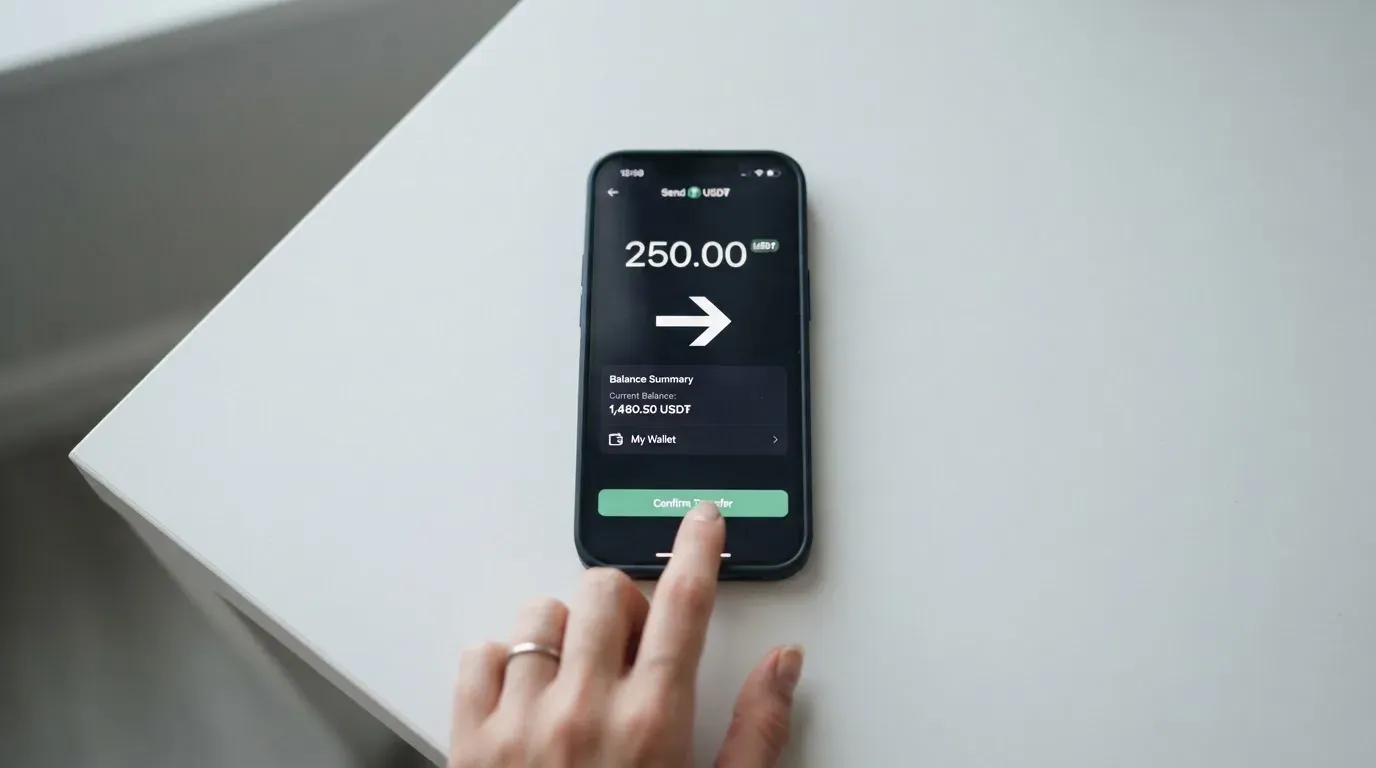
The US dollar rails are USD, SEPA, SWIFT and FedNow. That covers US domestic wires through FedNow, US bank wires through SWIFT, and euro-zone transfers through SEPA. The “USD” line item without further detail covers domestic US payment methods, but the specific networks (ACH versus wire, for example) are not spelled out in the public pages.
For crypto, the instructions are USDC or USDT, free at 1:1. The pages do not say which blockchains the deposits run over. That is a real gap. USDC and USDT each exist on multiple networks (Ethereum, Solana, Tron, Polygon, Base, and so on), and the rule of thumb across the category is that sending on the wrong network means the funds do not arrive or need manual recovery with no guarantee. If you intend to fund Wallbit from a self-custody wallet, the first thing to do is open the Wallbit deposit screen and see which network the deposit address is for, before sending anything.
Withdrawals carry fees that depend on the plan. Crypto withdrawals: USDC is 2% on Classic, 1% on Pro and Max; USDT is 2% on Classic and 1.25% on Pro and Max. Bank withdrawals: ACH 1% with a $5 minimum on Classic, 0.5% on Pro and Max; Wire 1% with a $25 minimum on Classic, 0.5% on Pro and Max; SEPA 1% with a $10 minimum on Classic, 0.5% on Pro and Max; SWIFT 1% with a $25 minimum on all plans. The minimum fee on a small bank transfer can easily be larger than 1% of the amount, so small withdrawals are an easy way to lose money to fees.
The closure balance rule, which is how much you can take out when you close the account, is not stated in the public pages.
Paying with the Wallbit card every day
The card is a virtual Platinum Visa that lives inside the app. You add it to Apple Pay or Google Pay, and that is the form factor for everything: online checkout, in-store contactless, and ATM withdrawals where the terminal supports NFC.
There is no cashback, no points programme, no merchant-specific rewards, and the public pages do not list any bonus for spending in a particular currency or at a particular type of merchant. The only money-back economics are on the brokerage and yield side, not on the card side.
The blocked merchant category list is not stated. That is a small but real gap, because some crypto cards block gambling, adult content, or specific high-risk MCCs, and a cardholder only finds out at the till. The merchant category code (MCC) is the four-digit number that classifies a business; issuers can block entire categories by policy, and the blocked list varies by issuer.
Two practical things to know about US-issued cards used outside the US. First, some merchants require a US billing address. If you check out with a US-issued card and a non-US billing address, the merchant can decline on Address Verification Service (AVS) mismatch, which is mainly a US, Canadian and UK system. Second, merchants can decline prepaid or foreign BINs because the card-issuer country and card type are visible in the BIN lookup. That is not a Wallbit problem specifically, it is a property of any US-issued Visa used abroad, but it does mean a small share of online checkouts will fail for reasons that have nothing to do with your balance.
For in-person payments, the experience is closer to a phone wallet than to a card: tap to pay with the iPhone or Android device, with the Visa tokenisation handling the security side. The card can be locked and unlocked in the app, which is the standard way to freeze a compromised card without cancelling it.
If a payment is declined or stuck pending, the Wallbit help centre has articles on those topics. The full chargeback process, the time frames, and the reasons the issuer accepts or rejects a dispute are not stated in the public pages, and one user report (described in the next section) describes a payment that left no trace on the user’s side. The lack of a published dispute timeline is worth knowing before you load a large balance.
What can go wrong with the Wallbit card
The product itself is narrow, but the risks are familiar crypto-card risks plus a few Wallbit-specific concerns.
Account closure after approval
The most consistent complaint theme in public reviews is an account being closed shortly after it was opened. A user reported in January 2026 that their account was closed after approval, with compliance cited as the reason; another, in October 2025, said support did not respond to emails and no phone line was available. These are single reports, not patterns, but they are worth weighing because the public pages do not state what the compliance triggers are or how the appeals process works. If a meaningful part of your balance is held with Wallbit, the operational risk is real.
Missing payment trace
A third user report, from May to July 2026, describes a Brazilian PIX payment that could not be traced from the user’s side, with no end-to-end identifier to give to support. PIX is a Brazilian instant-payment system, and the complaint is about traceability rather than Wallbit’s policy. Still, the lack of an end-to-end payment reference is a real limitation if you ever need to dispute a transaction.
Custodial balance
The balance is custodial, which means Wallbit holds the credentials on your behalf. The crypto side and the dollar side are both inside Wallbit’s account, and you do not hold the private keys to the stablecoins. The risk is the standard custodial risk: counterparty failure, hack, or operational freeze. Past crypto-platform failures (Mt. Gox, Coincheck, Ronin Network) are the cautionary examples. Wallbit’s published safeguards are SOC 2 Type I and II for the platform and SIPC Excess up to USD 75 million per account for the investment side, which is real but not the same as deposit insurance.
The card issuer is not named
The most surprising gap on the public pages is the absence of a named card-issuing bank. Wallbit LLC is named, and so are the US-registered investment partners, but the Visa-issuing bank is not in the materials I worked from. The card-issuing bank is the entity that holds the card programme, signs the cardholder agreement, and processes disputes. If you cannot find that name on the back of the card, in the cardholder agreement, or in the app, ask support for it before loading funds. A card programme without a publicly named issuer is harder to evaluate and harder to escalate complaints to.
Regulatory and licence changes
The card is listed as “Coming soon” for the physical version, the Wallbit blog has guides dated September 2026, and no licence or issuer changes are in the public material. Under the EU’s MiCA regulation, e-money tokens may be issued only by a credit institution or an electronic money institution, and the transitional period runs until 1 July 2026. If Wallbit’s European access changes, that is something to check before you assume today’s country list will hold.
What this means for you
If the balance you keep with Wallbit is small enough that you can walk away from it, the risks are manageable. If the balance is a meaningful part of your savings, the gaps in the public materials (unnamed issuer, no published dispute timeline, custodial balance, account-closure reports) should make you cautious. The product is genuinely useful, but it is not the kind of account where you want surprises.
What to use instead
Wallbit is not the only US-issued Visa paid from stablecoins. Three alternatives worth looking at, depending on what you actually need.
| Wallbit | UNi Card | Morse | Bitpanda | |
|---|---|---|---|---|
| Score | 6.7 / 10 | 6.1 / 10 | 7.5 / 10 | 6.5 / 10 |
| Network | Visa (Platinum, US-issued) | Mastercard | Visa (prepaid) | Visa (debit) |
| Form factor | Virtual, Apple/Google Pay | Multicurrency | Virtual | Physical |
| Currency | USD card, account in USD/EUR/USDT/USDC | Multicurrency from UNi.Global balance | Any currency from Morse Balance | EUR only |
| Annual fee | None on Classic | None stated | Not stated on card page | None |
| Foreign-currency fee | Visa rate + 2% | “No foreign transaction fee” | “Zero foreign exchange fees or markups” | “VISA mark-up fees apply” |
| Rewards | None | Up to 3% Spend-to-Earn | Not stated on card pages | 1% (page summary “up to 2%”, unreconciled) |
| Custody | Custodial | Custodial (UNi.Global) | Self-custody (Morse Wallet) | Custodial (Bitpanda) |
UNi Card is a multicurrency Mastercard that spends from a UNi.Global account balance. The pitch is “no annual fee, no foreign transaction fee” and assets are converted at live OTC rates. It is the alternative to look at if multicurrency spending and a Mastercard acceptance footprint matter more than US-bank rails, but the public material does not state which countries it serves or how issuance is priced.
Morse is a virtual Visa prepaid card that spends from the Morse Balance in any currency, with “zero foreign exchange fees or markups” and the real-time Visa rate. The wallet is self-custodial, which is the meaningful difference for a reader who is uncomfortable with custodial balances. The catch is the country list: Morse is in closed beta in 16 countries (including the UK, Australia, Singapore, Switzerland and several others) and “cannot serve customers subject to sanctions issued by the United States” (also UK, EU, UN). If you are in a supported country and you want self-custody plus a Visa, Morse is the stronger of the three alternatives on the criteria that matter most for a crypto card.
Bitpanda is the European option. The card is a physical Visa debit, EUR only, and the spend is auto-converted from a chosen main asset (a cryptocurrency, a precious metal, or euro) at payment. There is no FX fee on the Bitpanda side, but the Visa mark-up still applies for non-EUR spending. The rewards layer is where Bitpanda and Wallbit differ most: Bitpanda says 1% cashback on crypto spending (with the page summary saying “up to 2%”, which the public pages do not reconcile). Eligibility is by residence in a euro-area country and a verified Bitpanda account, with users verified through “Bankident” excluded.
The honest answer is that the best alternative depends on what you are optimising for. If you want self-custody and a Visa, Morse. If you want multicurrency and a Mastercard, UNi. If you want a euro-area card with cashback, Bitpanda. If you want a US-issued Visa paid from USDC with US bank rails, Wallbit is the product in this list that does that.
Who I would recommend the Wallbit card to
The narrowness of Wallbit is the point. There is a specific reader for whom this card is the right tool, and a larger group for whom the same narrowness is a reason to look elsewhere.
A good fit if you are outside the United States and you hold USDC or USDT as your long-term dollar savings. The card turns that balance into a US-issued Visa that you can use at any Visa-accepting merchant, with no FX fee on dollar spending and free stablecoin deposits. The US bank rails (USD, SEPA, SWIFT, FedNow) are useful if you also need to receive or send US dollars as part of your work or remittances. The free plan, the no-monthly-fee structure, and the 1:1 stablecoin deposit make the everyday economics reasonable for a dollar saver.
A poor fit if you need a physical card today. The “Coming soon” line is still on the page. A poor fit if you want cashback or rewards on everyday spending, because there is no published rewards layer. A poor fit if you are in any of the 17 countries Wallbit does not serve, or in a FATF grey-list country where approval is not certain. A poor fit if you are uncomfortable with a custodial balance, because the USDC and the dollars are both held by Wallbit on your behalf. And a poor fit if you need a card with a clearly named issuer, a published dispute timeline, and a support channel that includes a phone line, because the public material is light on all three.
The most honest summary is that Wallbit is a useful tool for a specific use case, with real gaps in the surrounding infrastructure. If the use case is yours, the card will do the job. If it is not, the same narrowness becomes friction, and one of the alternatives will fit better.
Frequently asked questions
What is the Wallbit card?
The Wallbit card is a virtual US-issued Platinum Visa paid from a balance held in USDC, USDT, USD or EUR inside a Wallbit account. It is added to Apple Pay or Google Pay for in-store, online and ATM use. A physical card is listed as “Coming soon” and is not yet available.
How does the Wallbit card work?
You deposit USDC or USDT at a 1:1 rate into your USD balance, or fund the account with US dollars through US bank rails. The card then spends that balance at any Visa-accepting merchant, in dollars free of extra fees, and in other currencies at the Visa rate plus a 2% FX fee.
Is Wallbit a bank?
No. Wallbit is a US-registered company (Wallbit LLC) that partners with US-registered firms for brokerage and investment advisory, and the public material does not name a bank as the card issuer. The product is a card account, not a bank account, and the balance is not covered by FDIC deposit insurance.
Who owns Wallbit?
The company operating the product is Wallbit LLC. The public material does not name the company’s owners or investors. The brokerage arm runs through Alpaca Securities LLC (FINRA/SIPC) and the investment advisory through W2B, Inc. (SEC-registered, CRD# 331220).
Is the Wallbit card available in my country?
The card is unavailable to residents and legal registrants of 17 countries: Belarus, mainland China, North Korea, Cuba, India, Iraq, Iran, Israel, Myanmar, Nepal, Nicaragua, Russia, Syria, Turkey, Ukraine, Venezuela and Vietnam. FATF grey-list countries are reviewed case by case. If you are outside that list and can verify with a document from your country of residence, the application is open.
How do I apply for the Wallbit card?
You sign up with an email, password, full name and phone, then upload an identity document from your country of residence. Wallbit says verification typically takes up to one business day. Once approved, you tap the card button in the app and choose “Activate my card”.
Does the Wallbit card require KYC?
Yes. KYC is part of the sign-up flow: identity document, plus the standard anti-money-laundering checks that come with a US-registered financial product. The public material does not state the full list of documents or the rejection reasons.
How do I top up the Wallbit card?
The two cheapest routes are USDC and USDT, free at 1:1 into the USD balance. You can also deposit USD, EUR, or use SEPA, SWIFT or FedNow for bank transfers. The blockchains for USDC and USDT deposits are not named on the public pages, so check the deposit screen in the app before sending from a self-custody wallet.
Is the Wallbit card free?
Issuance is $5 one-time, with no monthly maintenance on the free Classic plan. Card spending in USD is free, foreign-currency spending carries a 2% FX fee, and ATM withdrawals are 1% with a $5 minimum. An inactivity fee of $2 a month applies after three months of no activity.
Is the Wallbit card safe?
The platform cites SOC 2 Type I and II, and the investment side has SIPC Excess up to USD 75 million per account. The balance is custodial, the card issuer is not publicly named, and user reports describe accounts closed after approval. For a small balance, the risk is manageable; for a large balance, the gaps in the public material are worth weighing.
Top app and neobank cards by score – cryptocardtop
Content created by the «cryptocardtop» team