
OnCards review: a Telegram-only virtual card that asks for trust it has not earned
 Available in US
OnCards is a virtual payment card you get inside Telegram, funded by USDT on the BEP-20 network. The idea is simple and, on paper, attractive for someone who struggles to get a normal bank card: you launch a bot, receive a virtual Mastercard or Visa, top it up with stablecoin, and spend through Apple Pay or Google Pay wherever the network is accepted. The reality, at the time of checking, is thinner than the pitch. The site reveals no country list, no licence, no legal entity behind the product, and no fee schedule, so a meaningful part of this review is about what OnCards does not say. I read through the official pages, looked for any third-party experience, and compared it with three similar Telegram-style cards so you can see where it sits.
The conditions below are current as of October 28, 2026.
Verdict
OnCards earns 4.6 out of 10, and that score reflects a real tension. The product does what it says in a narrow sense: you can get a virtual card in Telegram, fund it with USDT BEP-20, and add it to a mobile wallet for everyday contactless and online spending. For that narrow use, the experience is fast. The score is held down by what is missing: no public list of supported countries, no named issuer, no licence, no fee amounts, no support channel, and no third-party reviews to confirm the experience beyond the marketing page. A card that handles your money should be able to answer the basic questions a regulator or a curious user would ask. OnCards cannot, at least not from the public site.
It suits a small audience: someone who already lives inside Telegram, already holds USDT on BEP-20, needs a fast virtual card for online or mobile-wallet spending, understands that they are trusting an un-named operator, and is willing to keep the balance small. It does not suit anyone who needs a physical card, ATM access, predictable fees on a published schedule, a clear path to complaints if something goes wrong, or a card tied to a regulated bank or e-money institution.
Score breakdown
| Criterion | Mark | Why |
|---|---|---|
| Who can get it | 5 / 10 | No country list is published on the site. |
| Cost | 5 / 10 | The site promises “simple and clear fees” but does not publish the amounts. |
| Top-up options | 4 / 10 | Only USDT on BEP-20 is accepted; bank transfers are not. |
| Reliability and complaints | 3 / 10 | No legal entity, no issuer, no licences named, only “© 2026 OnCard”, and no third-party reviews found. |
| Everyday use | 6 / 10 | Virtual Mastercard or Visa in Telegram, plus Apple Pay and Google Pay, but only for goods and services: no plastic card, no ATM. |
| Total | 4.6 / 10 | A fast virtual card in Telegram funded by USDT BEP-20, held back by opacity. |
Who can get the OnCards card
The first thing I look for on any card site is a country list, and OnCards does not publish one. There is no list of supported countries, no list of excluded countries, and no specific mention of how the rules apply to citizens or residents of particular places, including Russia or Belarus. The only thing the public pages tell you about access is that the card is delivered through a Telegram bot and that activation is automatic, which is unusual in this category: most regulated card programmes at least mention the kind of identity check they carry out.
The lack of a list is not necessarily a refusal to serve your country. It means you cannot tell in advance. In practice that puts the burden on you, the reader, to test it: you launch the bot, you see whether your phone number or Telegram account is accepted, and only then do you know. If you are somewhere with restricted access to ordinary banking, this is exactly the situation you are trying to escape, so I would be cautious about taking that step without first understanding what you are committing to.
Age and identity requirements are also not stated on the public pages. A regulated card issuer has to check your identity, and an electronic money institution in the EU is required to record your name, address, date of birth, nationality and identity documents, run a sanctions check, and check whether you are a politically exposed person. If those checks cannot be completed, EU rules require the institution to refuse the transaction or end the relationship. None of that is visible on OnCards, which leaves the question of what the bot actually asks you for, and what happens to the data it collects, completely open.
What we can say is this: the card is virtual only, the site describes it as “a virtual Mastercard / Visa card directly in your Telegram”, and the network is not fixed in advance. The card’s currency is not stated. There is no physical card and no delivery to worry about, because there is nothing to deliver.
How to get the OnCards card
Sign-up is a Telegram flow, not a web form. The site says “Launch the Telegram Bot” and that activation is automatic. There is no separate app to download and no app-store listing to consult, because the product lives inside Telegram. There are also no store ratings or reviews of an app to lean on, which is one less signal you usually get when judging a financial product.
The KYC process is not stated. In a regulated setting you would expect some form of identity verification, perhaps a document upload, a selfie, or a sanctions check, before a card is issued. The site does not say whether that happens here, what data the bot collects, or how long it takes. Activation is described as automatic, which I read as: the moment the bot is satisfied, the card appears.
Once you have the card, you can add it to Apple Pay or Google Pay, and the site specifically invites you to do that. Mobile-wallet support is one of the more useful features, because a virtual card number on its own is only useful for online checkout. With a token in Apple Pay or Google Pay you can pay in shops, on transit where it is accepted, and in apps, which is where most everyday spending actually happens for a person without a traditional bank card.
The card is virtual only. There is no plastic card, no metal card, and no mention of one being planned. If you need something to tap at a turnstile that does not accept phone payments, OnCards is not it.
OnCards fees: what it really costs
The site promises “Simple and clear fees — no hidden charges” but does not publish the amounts. That is a contradiction in plain English, and it is the single biggest practical problem with this product. Without published numbers you cannot compare OnCards to anything, you cannot budget, and you cannot tell whether a payment just cost you a small or a large percentage. The score for cost is 5 out of 10, and the reason is exactly this gap between the promise and the disclosure.

Here is what is and is not on the official pages.
| Fee or limit | What OnCards publishes |
|---|---|
| Issuance | Not stated |
| Monthly fee | Not stated |
| Conversion fee (crypto to fiat at top-up) | Not stated |
| FX fee (non-card-currency payments) | Not stated |
| ATM withdrawal | Not applicable; card “intended for payments of goods and services only” |
| Daily limit | “Up to $250,000” |
| Monthly limit | “No monthly restrictions” |
The high limits are unusual for this category and are worth pausing on. A regulated card programme that advertises $250,000 a day with no monthly cap would normally be tied to a wealth or institutional product, and would have a full KYC and source-of-funds file behind it. The same number on a Telegram bot with no public licence reads very differently. It does not mean the limit is fake, but it should make you ask what kind of customer the operator is actually built for, and what the source-of-funds conversation looks like when a $250,000 day happens.
The ATM question is closed by the site itself: the card is “intended for payments of goods and services only”. If you need cash, you need another card. Cash access through a virtual card is unusual, but in this category some products do allow ATM withdrawals for an explicit fee, so it is worth flagging that OnCards has chosen to exclude it.
A few everyday situations, to make the missing numbers concrete.
- Paying for a coffee in a shop in your home currency with Apple Pay: the network is Mastercard or Visa, the merchant sees a domestic card payment, the card balance is debited. You do not know what fee, if any, the operator takes on the conversion from your USDT BEP-20 top-up, because the fee is not published.
- Paying a foreign online service in euros or dollars from a card balance in a third currency: the operator has to convert at some point, and you do not know the FX margin. Industry norms for similar products range from 0% to 3%, and some charge more for less common currencies.
- Subscribing to a streaming service that holds a small authorisation first and then settles: a hold can stay on a card for several days, and if the operator is slow to release unused authorisations, your usable balance can shrink in ways that are hard to predict.
The honest reading is that until OnCards publishes a fee table, the only way to know what a payment costs is to make a small test payment and inspect the deduction. If you do that, do it with a balance you are prepared to lose.
How to top up the OnCards card
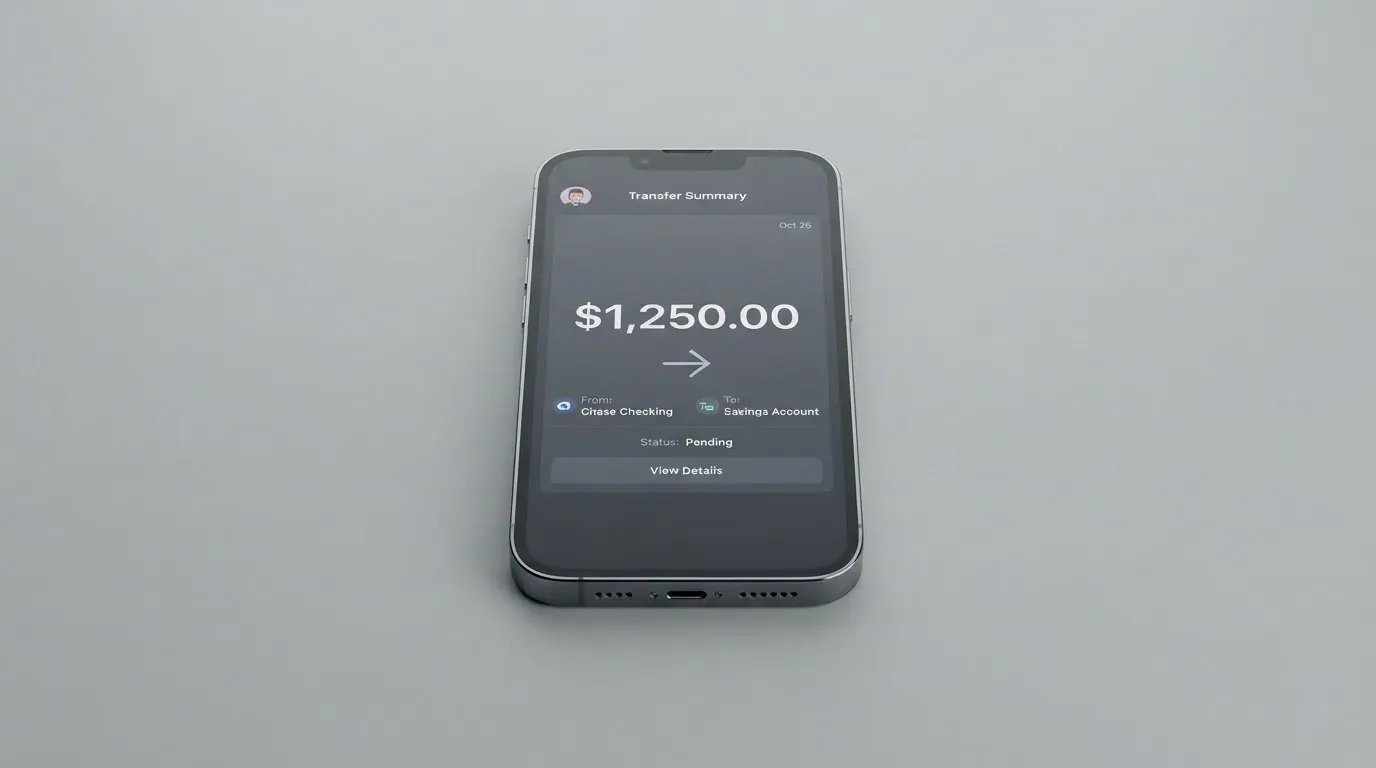
Top-up is the part of the product that is described most clearly, and it is also the part that narrows the audience the most. The site says “Fund your card using USDT BEP20”, which means a single coin, on a single network: Tether on BNB Smart Chain. Bank transfers are not accepted, and no other coin or network is mentioned.
A few things follow from that.
- You need a crypto wallet that can send USDT on BEP-20. If your USDT lives on Tron (TRC-20) or Ethereum (ERC-20), you cannot send it as is. BEP-20 is a different network with different addresses, and sending the wrong network is one of the most common ways people lose stablecoin. Transfers on a public blockchain are generally irreversible, so a deposit sent to the wrong address or on the wrong network can be lost or stuck pending manual support, with no guarantee of recovery.
- You need a small amount of the native coin of the network, BNB, to pay the gas fee for the transfer. On-chain network fees are charged by the blockchain itself, not by the card provider, but if you have only USDT and no BNB, your transaction will not go through.
- You do not get a bank-transfer route. There is no SEPA, no SWIFT, no Faster Payments, no card-to-card funding, and no on-ramp from fiat inside the product. The only way in is through crypto you already hold.
The minimum top-up, the fee, and the time to credit are not stated. The site does not say whether the first top-up is slower, whether there is a confirmation threshold, or what happens if a deposit is below the minimum. With other Telegram-style cards, first top-ups can take a few minutes while the wallet is created, and later top-ups are faster, but that is a general pattern, not a fact about OnCards.
If you are choosing a card primarily for the top-up method, the BEP-20-only design is a real constraint. USDT on BEP-20 is widely supported by exchanges and wallets, so acquiring it is not hard, but the moment you hold USDT on a different network, you have to bridge or swap, and that is a step at which mistakes cost money. Stablecoins themselves are not risk-free: Tether’s USDT is described by its issuer as backed by reserves intended to maintain the peg, but stablecoins have depegged before, including a high-profile USDC event during the US banking turmoil, so the assumption that 1 USDT equals 1 dollar is a working assumption, not a guarantee.
Paying with OnCards every day
For the use case the product is built for, online and mobile-wallet spending, OnCards is straightforward. You add the card to Apple Pay or Google Pay, the wallet stores a device-specific number in its secure element rather than the real card number, and each payment uses a one-time dynamic code. That is the same model used by every modern tokenised wallet and it means a merchant never sees your underlying card number, which reduces the blast radius if a merchant is breached.
Where the card can be used, and where it cannot, depends on a few things the site does not fully spell out.
- The site does not publish a list of blocked merchant categories. Many card issuers block gambling (the MCC 7995 family of codes for casinos, betting and lotteries), and some block categories like adult content, cryptocurrency purchase, or cash-equivalent transactions. OnCards does not say, so the only way to find out is to try.
- For online checkout, the card behaves like any other Mastercard or Visa number. Some merchants apply extra scrutiny when the issuer country shown in the BIN lookup does not match the customer’s billing address, and some decline prepaid or foreign-issued cards outright. If your card is held in a balance denominated in a currency that is not the merchant’s currency, the conversion happens at the operator’s published rate, which again is not published.
- For in-store spending, the path is Apple Pay or Google Pay, which is also where 3-D Secure comes in. Online, the merchant or its acquirer may trigger an extra identity check, sometimes a one-time code, sometimes a biometric challenge, depending on the issuer’s risk decision. With a card whose issuer is not publicly named, you cannot tell in advance how often you will be challenged.
There is no rewards or cashback programme mentioned. Other cards in this category, including the alternatives discussed below, often pay a small cashback or a referral bonus; OnCards mentions neither. There is also no standalone app, so any spending controls, alerts, or freezes have to be set inside the Telegram bot, and it is not clear from the public pages which of those controls exist. The dispute path if a payment goes wrong, for example a duplicate charge, goods not received, or a merchant that does not respond, is not described. A chargeback is a refund ordered by the card issuer, and on a card whose issuer is not named, the practical question of who files it, and against whom, is hard to answer in advance.
What can go wrong with OnCards
The risk picture has three layers: the company layer, the operational layer, and the category layer.
On the company layer, the public footprint is thin. The site carries only “© 2026 OnCard”. There is no legal entity name, no registered company number, no issuer, no banking or e-money licence, and no regulator. The social links present on the site are Instagram and X, and there is no support channel listed. When you cannot name the entity behind the product, you cannot tell which law applies, which court you would sue in if you had to, or which regulator you would complain to. That is not in itself evidence of wrongdoing, but it is a meaningful difference from a card issued by a bank or by an authorised e-money institution, where the regulator’s name is on the product page and the firm’s authorisation can be checked in a public register, for example ESMA’s interim register of crypto-asset service providers in the EU.
On the operational layer, there are no third-party reviews to lean on. I looked for “oncards.pro OnCards Telegram virtual card USDT BEP20 fees review” and the results covered only generic guides to USDT-funded cards, one of which warned against Telegram-only providers that do not operate publicly. The Trustpilot page for oncards.pro could not be read, and no reviews were found. The absence of a public complaints record is not the same as a clean record; it is closer to a record that has not yet been written.
On the category layer, the risks are the ones that apply to any crypto card, with the addition of the specific choices OnCards has made. Funds held in a custodial wallet are only as safe as the custodian: the public history of crypto platforms includes large-scale failures, and a Telegram-only operator with no public licence is a different custodian from a regulated exchange. Stablecoins are pegged, not guaranteed, and have depegged before. Blockchain transfers are generally irreversible, so a deposit to the wrong address, or to an address on the wrong network, can be lost. Issuer-side events can shut a programme down with notice, and when a programme shuts down, the usual pattern is a wind-down period during which new loads are stopped, then spending is stopped, and users are asked to withdraw remaining balances. The protection that funds safeguarded by a regulated e-money institution are segregated from the firm’s own assets does not visibly apply here, because no e-money institution is named.
A short list of the things to check before you put any meaningful balance on the card:
- The legal entity behind the product and the country of incorporation, both of which are absent on the public site.
- The card issuer and the licence under which the card is issued, both of which are absent on the public site.
- The fee table, which is promised as “simple and clear” but is not published.
- The support channel and a realistic dispute path, neither of which is described.
- The handling of personal data collected by the Telegram bot, which is not described.
If those questions are not answered before you load the card, the size of the balance you keep on it is the size of the risk you are accepting.
What to take instead of OnCards
Because the comparison is with other Telegram-style virtual cards, I am only including products that share the same basic shape: a virtual card in a messaging app, funded from crypto, with no physical card in the current product. None of these is a direct recommendation; each has its own trade-offs, and the right choice depends on where you are, what coins you hold, and how you plan to spend.
OnCards vs Azul Card
Azul Card is a virtual-only card scored 5.3 out of 10. Where OnCards is silent on country rules, Azul publishes a long list of excluded territories: Russia, Belarus, North Korea, Iran, Syria, Cuba, Sudan, Venezuela, Ukraine and the Crimea, Donetsk, Luhansk, Zaporizhzhia and Kherson regions, with the rule applying regardless of the user’s nationality. Card creation is $20, refunded after $2,000 of spending, with a $5 monthly maintenance fee. Top-ups are charged at 4%, plus $0.25 per transaction. The card balance is in USD. The network side is Mastercard, accepted anywhere Mastercard is taken, but no physical card is available yet. A referral programme pays up to 40% of the operator’s fees on spending by referred users. Compared with OnCards, Azul is more expensive on a published schedule, but it is also more transparent: you know the cost before you spend.
OnCards vs Telecard
Telecard is a virtual Mastercard scored 6.1 out of 10. The site says it works in over 150 countries wherever Mastercard is accepted, and the only persons explicitly excluded are those blocked or sanctioned by the United States Government, including OFAC. Identity checks are described as available in most major regions, although no full list is published. The card is virtual and instant, in USD, and there is no physical or metal card. Pricing has two plans: a standard plan at $5 one-time, and a VIP plan at $49 setup plus $19 a month, with VIP card reissuance at $15. The main page advertises free signup and no monthly fee on the basic plan, and a $99 minimum deposit, presented as a balance that stays in the wallet rather than a fee. The published fees are 1.5% on non-USD payments, a 0.5 USDT gas fee per successful transaction, and FX and cross-border fees described as up to 3% each. Funding covers USDT on Tron (TRC-20) or Ethereum (ERC-20), USDC on Ethereum, with the main page also listing ETH and TRX, and bank transfers described as coming soon. Compared with OnCards, Telecard has a published fee schedule, accepts more coins and networks, and has a stated minimum deposit that is clearly labelled as not a fee.
OnCards vs Balance Pay
Balance Pay is a virtual Visa product scored 5.7 out of 10. There is no published country list and no published restrictions, and the interface is in English and Russian. The card is virtual Visa now, with metal or plastic physical cards described as planned, and Visa Signature perks described as available once physical cards launch. The card currency is not stated. There is no monthly fee and registration is free, but the operator also says the full tariff table and legal documents will appear later, so the cost picture is incomplete. Funding covers USDT on Tron (TRC-20), Polygon and Base, with more networks described as coming soon. There is a bonus-points or stablecoin-cashback programme for activated referred friends, with amounts not stated. Compared with OnCards, Balance Pay accepts more networks, has a clearer “no monthly fee” position, and is more explicit that the published tariffs are still in progress; OnCards is more explicit about Apple Pay and Google Pay support, and is faster to market with the bot-only flow.
A few patterns across the three
- The country question is the most important one, and only Azul publishes a full excluded list. OnCards publishes nothing, Telecard gives a high-level “over 150 countries” plus a sanctions exclusion.
- Published fees vary widely. OnCards publishes none. Azul and Telecard publish clear amounts, with Telecard’s basic plan being the cheaper of the two for low-volume users. Balance Pay publishes none yet.
- Funding options narrow quickly. OnCards is the most restricted, with USDT BEP-20 only. Telecard is broader, with USDT on Tron or Ethereum, USDC on Ethereum, and bank transfers planned. Balance Pay is in the middle, with USDT on Tron, Polygon and Base.
The honest summary is that none of the four products is fully transparent, and the choice between them is really a choice about which gaps you can live with.
Who I would recommend OnCards to
The narrow case where OnCards makes sense is a person who already keeps the bulk of their crypto in self-custody, needs a fast virtual card for online and mobile-wallet spending, is comfortable holding only a small balance on the card, and accepts that the operator is not a regulated bank or e-money institution. If you live in Telegram, hold USDT on BEP-20, and want a number to put into Apple Pay or Google Pay within minutes, the product is built for that. If you are new to crypto, if you need to move meaningful balances, if you need a physical card or cash access, or if published fees and a named issuer are part of how you judge a financial product, OnCards is not the right fit.
Two practical suggestions for anyone who does try it. First, keep the balance small, and treat the card as a spending tool rather than a place to store funds. Second, do a test payment before you load a meaningful amount, so you can see the deduction and judge whether the cost is acceptable for your use.
A final note on background context. Crypto cards generally sit on top of two licences: the crypto side, which in the EU falls under the markets-in-crypto-assets regulation, and the card side, which is a payment service and falls under payment-services and e-money law. A regulated product in this category typically names both, and you can check the operator in a public register, such as the interim register of authorised crypto-asset service providers. With OnCards, neither side of that stack is visible from the public pages, which is the reason the score is what it is.
Frequently asked questions
What is the OnCards card?
The OnCards card is a virtual Mastercard or Visa payment card delivered inside the Telegram messaging app, funded by USDT on the BEP-20 network, and usable online or through Apple Pay and Google Pay. It is virtual only, with no physical card and no ATM access. The card is intended for payments of goods and services.
How does the OnCards card work?
You launch the official Telegram bot, receive a virtual card number, add the card to Apple Pay or Google Pay on your phone, top up the balance by sending USDT on BEP-20 from a crypto wallet, and spend the balance wherever the network is accepted. The site says activation is automatic, so the moment the bot is satisfied, the card is available to use.
Is OnCards a bank?
No. OnCards is not described as a bank, and the public pages do not name a banking or e-money licence, an issuer, or a regulator. There is no mention of deposit insurance or fund safeguarding that you would normally expect from a regulated e-money institution in the EU or a US money transmitter.
Who owns OnCards?
The public site carries only “© 2026 OnCard” and does not name a legal entity, a country of incorporation, an issuer, or any licence. There are Instagram and X social links on the site, but no support channel, no company registration number, and no public filings to consult.
How do I get the OnCards card?
You get it by launching the official Telegram bot linked from the site. The site says activation is automatic. There is no separate app, no app store listing, and the KYC process is not described, so it is not clear what identity or document checks the bot carries out before issuing the card.
Does the OnCards card require KYC?
The public pages do not state what identity checks are performed. The site says activation is automatic, which is not the same as saying no checks happen, and a regulated card programme would normally describe the KYC process in some detail. Until that is published, the practical answer is that you cannot tell in advance what the bot will ask you for.
How do I top up the OnCards card?
You top up by sending USDT on the BEP-20 network from a compatible crypto wallet to the address the bot gives you. Bank transfers are not accepted, no other coin or network is mentioned, and the minimum top-up, the fee, and the time to credit are not stated. Make sure you have a small amount of BNB to pay the gas fee for the transfer.
How do I add the OnCards card to Apple Pay or Google Pay?
The site invites you to add the card to Apple Pay or Google Pay, and you do this from the wallet app on your phone using the card details the bot provides. The wallet stores a device-specific number in its secure element, and each payment uses a one-time dynamic code, which is the standard tokenised-wallet model.
Is the OnCards card safe?
The site does not publish the legal entity, the issuer, the licence, or the fee table, and there are no third-party reviews to confirm the operator’s track record. The product uses standard tokenised-wallet security through Apple Pay and Google Pay, but the underlying operator is not a named regulated institution, so safety depends on the trust you place in the operator itself. Keeping the balance small is the practical way to manage that.
Is the OnCards card worth it?
The card is worth it for a narrow use case: someone who already lives in Telegram, already holds USDT on BEP-20, needs a fast virtual card for online and mobile-wallet spending, and accepts the lack of a published fee schedule and a named issuer. It is not worth it for anyone who needs a physical card, cash access, predictable fees on a published schedule, or a card tied to a regulated bank or e-money institution.
Top virtual cards by score – cryptocardtop
Content created by the «cryptocardtop» team