
Spending from your own wallet, with Monavate behind it
 Available in US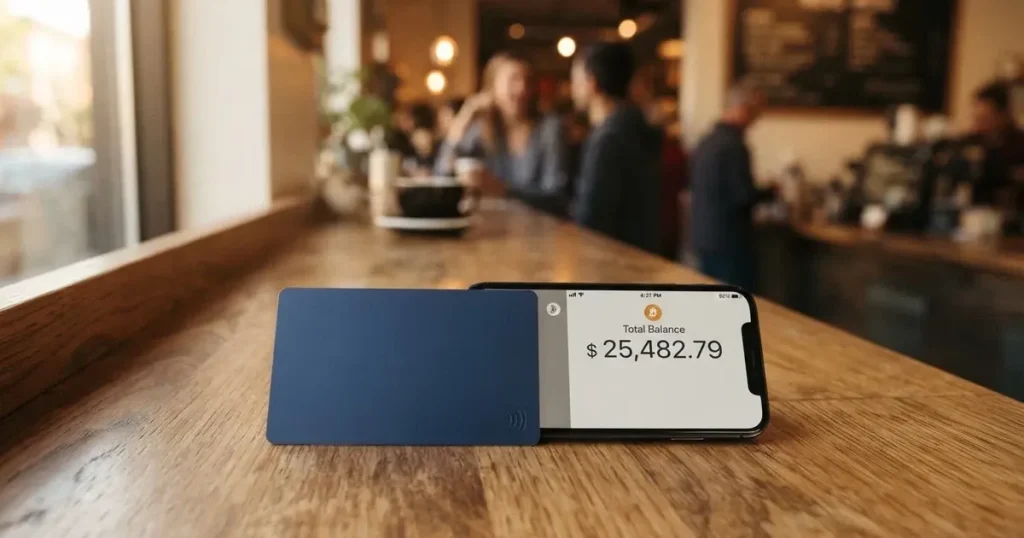
The MetaMask Card is not a bank account in the ordinary sense. It is a Mastercard that draws directly on the tokens sitting in a MetaMask wallet you control yourself, converting as you spend. That design is unusual, and it is exactly what makes the card interesting for people who already live in crypto and slightly awkward for everyone else. I went through the card’s own pages, its help articles and the complaints people actually post, and the short version is this: the product itself is clean and cheap, and the support and refund experience around it is the weak part.
MetaMask Card review score: 7.1 / 10.
The card suits self-custody wallet users in Europe and Latin America who already hold stablecoins and want them spendable without moving money to an exchange first. It does not suit anyone looking for a bank debit card, a quiet banking relationship, or a fallback when a payment goes wrong. It is also, right now, not a US or UK option — sign-ups in both countries are temporarily closed.
The conditions described on this page are current as of October 28, 2026.
Scorecard
Here is the breakdown I worked from, criterion by criterion.
| Criterion | Mark | Why |
|---|---|---|
| Who can get it | 7 / 10 | Sign-up open in 45 listed countries across Europe, Latin America, Canada and others; other regions join a waitlist; US and UK temporarily closed |
| Cost | 8 / 10 | Virtual card free with no annual or monthly fee; Metal is $199 a year; a “minimal fee” per transaction with no amount stated; no currency fee |
| Top-up options | 8 / 10 | Spends directly from the connected wallet on Linea, Base, Monad and Solana; tokens named include mUSD, wETH, EURe, GBPe, USDC and USDT; a Solana-only wallet cannot withdraw |
| Reliability and complaints | 4 / 10 | Issuer Monavate, card provider Crypto Life; complaints about refunds stuck in “Credits”, looping tickets and card freezes; unofficially, a physical card arriving after a month |
| Everyday use | 9 / 10 | Virtual card instantly, plus Metal, Apple Pay and Google Pay; ATM $1,000 a day on Virtual and $5,000 on Metal |
The 4 in the reliability column is doing most of the work in keeping this from being a 9. Everything about the mechanics scores well; what pulls it down is what happens when something goes wrong.
Who will they give you the card
Sign-up is open in 45 listed countries and territories. The examples the card gives are Andorra, Argentina, Brazil, Canada, Mexico, Germany, France, Spain and Uruguay. Everywhere else joins a waitlist rather than a flat refusal, which is worth knowing if you are outside the list — you are not permanently excluded, you are queued.
Two things stand out in the wording. Proof of residence is required. And the card says explicitly that “Ineligible regions limit sign-ups, not spending” — so a card you already hold does not stop working when you travel outside the list. That is a genuinely useful line, and it is the one to remember if you move around.
What is not stated: the citizenship rule. The card does not publish one, and the official pages do not say whether nationality is screened separately from residence. If your citizenship and your address are in different places, that is exactly the kind of question you would want answered in writing before you apply. Ask support rather than assume.
The full official list of 45 sign-up countries, with Russia, Belarus and Turkey absent from it:
Andorra, Argentina, Austria, Belgium, Brazil, Bulgaria, Canada, Chile, Colombia, Costa Rica, Croatia, Cyprus, Denmark, Dominican Republic, El Salvador, Finland, France, Germany, Gibraltar, Greece, Guatemala, Guernsey, Hungary, Iceland, Ireland, Isle of Man, Italy, Jersey, Liechtenstein, Luxembourg, Malta, Mexico, Monaco, Netherlands, Norway, Panama, Poland, Portugal, Romania, Slovakia, Slovenia, Spain, Sweden, Switzerland, Uruguay.
The United States and the United Kingdom are not on it, and the card’s FAQ says sign-ups there are temporarily closed. One page in the same set still describes the Metal card as available in the US, which contradicts that; I would treat the temporary closure as the current position.
How to get it
The application runs inside the MetaMask app. It is a Mastercard, and the virtual card is issued first and available instantly — there is no waiting for plastic. If you want the metal version, you can pre-order it in the app after the virtual card is approved. One card per user.
KYC is handled by Crypto Life, and there is no credit check — nobody is looking at your credit history. Proof of residence is required, and a verified address is needed specifically so the Metal card can be shipped. Not stated: which specific documents are needed, the minimum age, the processing time, the verification levels, and the reasons a sign-up can be rejected. Those are the questions to put in writing before you start, because they are the ones that decide whether you are approved today or stuck.
Some community reporting says the process asks for an email address, a phone number and an ID, and that address proof and a selfie were not required, with approval described as fast or near-instant. That is unofficial, from a third-party card comparison site, and the card’s own material confirms only proof of residence and no credit check. Treat the rest as worth checking rather than as a promise.
On delivery, the official position is that the virtual card activates instantly and no physical card is mailed at sign-up; the Metal card “ships securely to a verified address”. Not stated: how long delivery takes, what it costs, or what a replacement costs. MetaMask Card Support is available 24/7 for assisted replacement in your region. Unofficially, one App Store reviewer reports a promised two-week delivery that took more than a month.
That last item is the pattern to hold on to. The card’s own pages do not commit to a delivery window, and the one delivery story in the open is late. If the Metal card is what you are buying, ask for the expected window in writing.
Fees and what you actually pay
The card is cheap, and the confusing part is that the pages disagree. Here is what is actually published:

| Fee or limit | Virtual | Metal |
|---|---|---|
| Issuance | Free | Metal is $199/year |
| Annual or maintenance fee | None on Virtual | $199/year |
| Per-transaction fee | “Minimal fee for each transaction”, amount not stated | Same wording |
| Additional MetaMask fees | None | None |
| Foreign transaction fee | None; Mastercard rate used | None |
| Card spend limit per day | $15,000 | $30,000 |
| ATM limit per day | $1,000 | $5,000 |
| ATM free allowance | “Up to $1,200/mo”, tier unclear | Same wording, tier unclear |
| Cashback | 1% | 3% to the first $10,000, then 1% |
| $FLY bonus multiplier | 5X | 7X |
| Own limits | Daily, weekly, monthly | Daily, weekly, monthly |
Two caveats sit on top of that table. The card’s own FAQ in an older version cites a different daily spend limit — 8,750 EUR or 10,000 USD per day — so the numbers above are the current card page, and the versions conflict. Same story on ATMs: the card page gives the $1,000 and $5,000 daily figures, while an older FAQ says cash withdrawals were available only to Metal and US Virtual users. Assume the card page is current, and check before you rely on a number.
Now, three everyday payments.
Coffee, about $5. You pay; the card converts the token you have delegated and takes its minimal fee on top. The amount of that fee is not published on the pages I read — there is a linked fee table that did not give me figures. So on a small purchase the percentage feels heavier than on a large one, and I would not promise you a number the card does not give.
An online subscription, $15 a month. Same conversion, same undisclosed per-transaction fee. What matters more is that the virtual card stays active for subscriptions even when you freeze the physical one — that is an explicit design choice, and it is what makes this usable as a recurring payment rail rather than just a tap-to-pay card.
Anything priced in a currency other than dollars. There is no foreign transaction fee, and the card says it uses the best rate Mastercard allows. But the card’s own currency is not stated, and neither is the card currency for either tier. If your account settles somewhere other than USD, ask — because “no FX fee” only helps if the conversion lands where you expect.
One thing to be careful with: a third-party card comparison site lists monthly, issuance, ATM, FX, top-up and decline fees all as free. That contradicts the card’s own “minimal fee for each transaction” and the $199/year for Metal. I would not plan around the free list.
How to Top up
There is no preloading, and that is the concept you need. You do not move money onto the card. Spending draws on tokens delegated to the card from the connected wallet — the card balance shows the highest-priority token set under Manage. There is nothing to load because there is nothing to load.
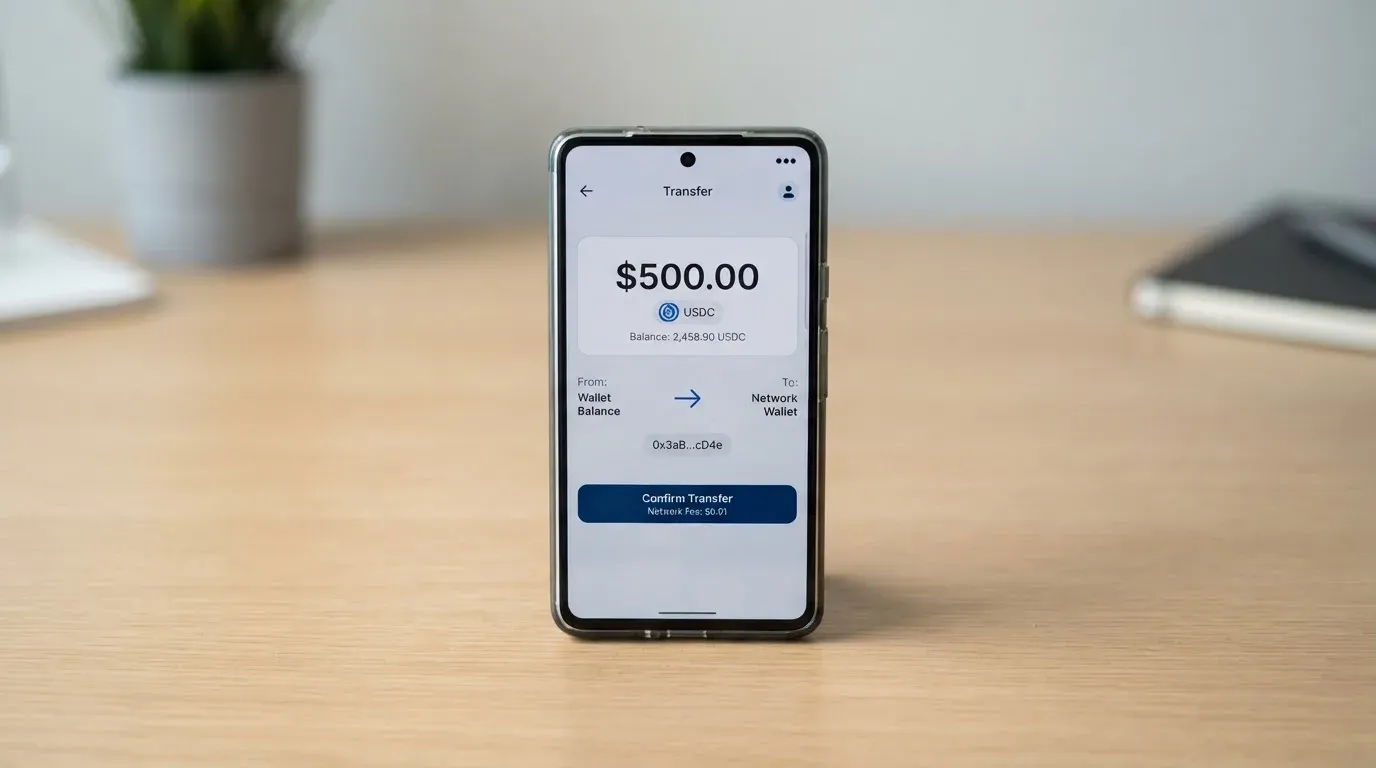
The networks it draws on are Linea, Base, Monad and Solana. The tokens named on the page are mUSD, wETH, EURe, GBPe, USDC and USDT — the page says there are nine in total, so three are not named there. Cardholders who hold only Solana cannot withdraw, and that restriction is called out explicitly.
Not stated: network fees on the deposit side, any deposit fee, and any minimum top-up. The limits-and-fees support page returned no figures when I checked. No fiat top-up route is described, so the practical answer to “how do I top it up” is that you fund the wallet first, in crypto, and the card follows the wallet.
Withdrawals go out as mUSD. Money Account holders receive Monad mUSD to their vault; everyone else receives Linea mUSD to their priority EVM address. Monad withdrawals have sponsored gas, so no native token is needed on that path. To close the card you contact Crypto Life support. If the card is frozen or deactivated, the funds stay in your own wallet. No withdrawal fee is stated.
The one practical trap: a transfer on the wrong network, or to an address belonging to another network, can be lost or need manual support recovery with no guarantee — blockchain transfers do not reverse. Getting the network right is the whole job here.
Paying with it every day
Day to day this is the strongest part of the card. You get a virtual card immediately, Metal if you want it, and Apple Pay and Google Pay support, which is how most people will actually use it day to day. You can set your own daily, weekly and monthly limits inside the app, on top of the card’s own ceilings.
The cashback is worth reading carefully because the headline and the footnote differ. Virtual pays 1%. Metal’s headline is 3%, but the footnote limits that to the first $10,000 spent, after which it drops to 1%. Cashback is paid in mUSD into the Money Account, so it lands as a token rather than as a bank credit. The $FLY bonus runs at 5X on Virtual and 7X on Metal through the Blackbird dining app.
Not stated: which merchant categories are blocked. That is not a small gap — a card that quietly declines at a betting site or a fuel pump is a real annoyance, and I would want the list before I relied on this daily.
On a disputed payment, the route is: ask the merchant for a refund first; if that fails, request a chargeback from Crypto Life support. Refunds go to the Credits balance. No time frames are stated for either step, which is precisely where the complaints cluster.
What can go wrong
Refunds landing in Credits. The most repeated complaint: money comes back to a “Credits” balance on the card side rather than to your wallet, and people describe difficulty getting it out.
Tickets going in circles. Community reports describe tickets looping through automated replies, slow responses and copy-paste email answers with no live chat. Unofficial, from third-party reporting — but it is the same story as the low support score.
Frozen cards. Community posts describe cards frozen at lifetime-transaction limits until a manual upgrade, and account closure for inactivity.
Bridging eroding cashback. Bridging to Linea or Base is reported to eat into cashback, which makes sense once you realise you are paying network fees on your own funds.
Slow physical delivery. Promised in two weeks, arrived after a month in one reported case.
The wallet’s own rating. For MetaMask the wallet overall, Trustpilot showed 1.4/5 across 647 reviews when read on 20 October 2026, with poor support and slow resolution as the recurring themes. That is the wallet, not the card — but they share a front door.
On the company side: the issuer is Monavate, spelled that way on the FAQ, and the card provider is Crypto Life. The site footer reads “Copyright 2026 Consensys, Inc.” but the FAQ does not say Consensys provides the card. Monavate’s registered country and its licences are not stated on the pages I read. A community post names Monavate Limited as an FCA-regulated entity for UK complaints, but that is unofficial and I could not confirm it from the card’s own material.
There is one more category of risk that is not about this card at all. Visa and Mastercard do not issue crypto cards to consumers themselves — they license issuers, and they can suspend a programme. Visa terminated its global agreements with FTX on 13 November 2022 and the FTX US debit card was wound down by its issuer. WaveCrest, which supplied crypto card brands, was suspended by Visa in Europe in 2018, closing all its Visa programmes. Programme closures typically give notice, then stop spending and loading, then ask you to withdraw. If this card ever stops, that is the shape it would take.
What does help: your funds stay in your wallet. That is non-custodial — the private keys are yours — and you can freeze or replace the card instantly in the app while the money sits untouched. There are transaction alerts and activity monitoring. Insurance against losses is not stated.
What to take instead
| MetaMask | TokenPocket | KAST | Zeal | |
|---|---|---|---|---|
| Score | 7.1 | 5.8 | 6.1 | 6.1 |
| Card | Mastercard | Mastercard/Visa debit | Visa, virtual and physical | Visa |
| Cost | Virtual free; Metal $199/yr | Small NFT creation fee partly covered | Standard $0; Premium $1,000/yr; Private $10,000/yr | Not stated |
| Extra fees | “Minimal fee” per transaction, amount not stated | 1% on depositing crypto | FX 0.5%–1.75% by country; declined txn $0.50 | No added FX fee; Visa wholesale rate |
| Funding | From your own wallet, no preloading | Crypto deposits from the TokenPocket wallet | USDT, USDC, PYUSD, RLUSD | Balances in the card Safe |
| Rewards | 1% / 3% cashback, $FLY 5X–7X | 1% deposit fee refunded later via rewards | USD cashback 1.5% / 2% / 3% | Up to 4% cashback in GNO |
TokenPocket runs on Arbitrum with balances in EUR24 and USD24. Its unusual hook is the fee structure: a 1% fee on depositing crypto, refunded later through rewards or reduced transaction fees. Fiat24 cards are virtual, no physical mentioned. Availability is split — Visa for a list of European countries, Mastercard for Australia, Canada, Hong Kong, Japan, Singapore, South Korea and the UK. Not stated: FX fee, and which specific coins and networks.
KAST is the one with published, itemised fees — which is either a virtue or a warning, depending on what you want. Tiers are Standard at $0, Premium at $1,000/year and Private at $10,000/year, billed annually upfront. Up to 10 cards per user. Stablecoin top-up 0%, spend in USD 0%, Apple and Google Pay 0%, and a non-USD FX fee of 0.5%–1.75% depending on where you live and where you are spending. A 1 USD monthly inactivity fee kicks in after 12 months. On access, KAST is unusually explicit: if your country isn’t listed it isn’t available, and if you live in a supported country but hold an ID from a restricted region you may still fail KYC. The country list itself is not published.
Zeal is the quietest of the three. Spend in 150+ countries, Visa, virtual card for online use, addable to Apple Pay, accounts in EUR, USD and GBP. No fee schedule is published on its site or App Store at all. It says it charges no additional FX fee and converts at the Visa wholesale rate, though Gnosis Pay fees such as ATM may still apply. Rewards are up to 4% cashback paid in GNO on Gnosis Chain — and GNO must be held in the card Safe to qualify. Zeal’s eligibility is explicitly region-dependent.
If your complaint about MetaMask is the fee table, KAST is where you can read every number. If it is the physical card and Apple Pay, MetaMask still leads. If it is geography — wanting to spend from a card issued in a place you actually live — the MetaMask waitlist is the weak point and Zeal’s 150+ country reach is the strong one.
Who I would recommend it to
I would recommend this card to someone who already keeps their money in a MetaMask wallet, holds stablecoins on one of the supported networks, lives in one of the 45 listed countries, and has stopped apologising for the two-step of moving crypto to an exchange to buy coffee. That person gets a free card, no FX markup, cashback in mUSD, Apple Pay, and the specific relief of funds that stay in their own wallet even when the card is frozen.
I would not recommend it to someone whose main problem is that a bank card is hard to get. If you are in that position — and the reason you are reading this may be exactly that — then the gating factor here is the country list, not the card. A waitlist and a 45-country list are a worse answer than a bank that says no. Look at the alternatives above on their own merits, and pick on availability first and features second.
And I would hold one reservation for everyone: test a small purchase and then test a refund before you move anything you care about. The mechanics are good; the support is the weak link, and a refund is exactly where you find out which one you got.
Frequently asked questions
What is the MetaMask Card?
The MetaMask Card is a Mastercard that spends directly from tokens held in your own MetaMask wallet rather than from a bank account. You delegate a set of tokens to the card in the app and it converts them as you spend. The virtual version is issued instantly and free; a Metal version costs $199 a year. It is issued by Monavate, with Crypto Life as card provider.
How does the MetaMask Card work?
There is no preloading. The card draws on the highest-priority token set you have delegated to it, shown under Manage in the app. Supported networks are Linea, Base, Monad and Solana, with tokens including mUSD, wETH, EURe, GBPe, USDC and USDT. Each payment incurs a “minimal fee” the card does not put a figure to. A Solana-only wallet cannot withdraw.
Is MetaMask a bank?
No. MetaMask is a wallet and card programme manager; the issuer is Monavate and the card provider is Crypto Life. The site footer reads “Copyright 2026 Consensys, Inc.” but the FAQ does not say Consensys provides the card. Funds stay in your own wallet, which is the opposite of a bank balance — and also means no deposit guarantee applies to anything moving through the card.
Is the MetaMask Card free?
The Virtual card is free with no annual or maintenance fee. The Metal card is $199 a year. Each transaction carries a “minimal fee” with no amount stated on the pages read, and there are no additional MetaMask fees and no foreign transaction fee — the Mastercard rate is used. Metal holders can also opt into a 90-day Club Regular trial.
Does the MetaMask Card require KYC?
Yes. Proof of residence is required, KYC is handled by Crypto Life, and there is no credit check. A verified address is also needed for Metal shipping. The specific documents, minimum age and processing time are not stated. Third-party reporting says email, phone and ID are needed and that address proof and a selfie are not, with fast approval — unofficial, and worth verifying yourself.
Is the MetaMask Card safe?
The design is safer than a custodial card: it is non-custodial, so your private keys stay with you, funds remain in your wallet if the card is frozen or deactivated, and you can freeze or replace the card instantly in the app. You also get transaction alerts and your own spending limits. Not stated: any insurance covering losses. The practical risk is operational, not structural.
Can I use the MetaMask Card in the United States?
Not at the moment. Sign-ups in the US and UK are temporarily closed per the card’s FAQ. The official list of 45 sign-up countries does not include either. Note that one page still describes the Metal card as available in the US, which contradicts the closure — the card page also says that ineligible regions limit sign-ups but not spending, so an existing card keeps working abroad.
Why was my MetaMask Card frozen?
The community reports give two reasons: hitting a lifetime transaction limit and needing a manual upgrade, and account closure for inactivity. Neither is described on the card’s own pages. Because your funds never left your wallet, a frozen card is a payment problem rather than a loss of money — but you should contact Crypto Life support, and the reported experience is that responses can be slow and repetitive.
How do I get a refund on a MetaMask Card purchase?
Ask the merchant for a refund first; if that does not work, request a chargeback from Crypto Life support. Refunds go to the Credits balance on the card side rather than to your wallet, which is the single most common complaint about the product. No time frames are stated for either step. Under US rules, reversal rights come from Regulation E for debit cards, and prepaid-card coverage varies and should not be assumed.
Is the MetaMask Card worth it?
Worth it if you already hold stablecoins in a self-custody MetaMask wallet, live in one of the 45 listed countries, and want to spend them without an exchange in the middle — the free tier, cashback and Apple Pay support make that case easily. Not worth it if you need a bank fallback, if you are outside the listed countries and waiting, or if reliable support when a payment goes wrong is your main requirement. The mechanics score well; the support does not.
Top wallet cards by score – cryptocardtop
Content created by the «cryptocardtop» team