
Bitwala card: a euro Visa debit from a German crypto account, with limits worth checking
 Available in US
Bitwala is one of the longest-running names in European crypto banking, and the card tied to it does the basics well: a euro account with a German IBAN, a Visa debit, and the option to fund it with Bitcoin, Ether, or USDC. But the history matters. The company that originally built this product was called Nuri, and it filed for insolvency in 2022, leaving customers to withdraw their funds by a hard deadline. The Bitwala name survived, the licence and banking partner are different from what the old product had, and the card now ships under the Bitwala brand from Bitwala GmbH. So when you read a Bitwala card review, you are really reading about a product that was rebuilt after a near-death experience, and that colours everything from trust to support.
If you live in the EEA, want a euro account with a Visa debit, and are comfortable holding some Bitcoin, Ether, or USDC that you can swap into euros before you spend, Bitwala fits a narrow but real need. If you are outside the EEA, want Apple Pay out of the box, or need a card with clear cashback, broader token support, or named card-issuer information, you may want to look elsewhere. The total score for the card lands at 6.1 out of 10, and the breakdown below shows where it earns marks and where it loses them.
The conditions described here are current as of October 28, 2026.
Verdict
Bitwala scores 6.1 / 10, and the mark is honest about the trade-offs: strong on the everyday side, weaker on the trust and transparency side. Here is how the card rates across the criteria that matter most.
| Criterion | Mark | Why it scores that way |
|---|---|---|
| Who can get it | 5 / 10 | Open to anyone with a verified Bitwala account who lives in the EEA, which leaves most of the world out |
| Cost | 7 / 10 | The account and subscription are free; the virtual card is €0.99, the physical card is €9.99 plus shipping; euro payments are free, crypto payments cost €0.20 + 1%, ATM withdrawals cost €2 + 1% |
| Top-up options | 6 / 10 | Bitcoin, Ether, USDC and euros; crypto swaps to euros inside the app; supported networks are not clearly listed |
| Reliability and complaints | 5 / 10 | Bitwala GmbH runs the product from Germany, with Solarisbank handling the euro account and IBAN; the card issuer is not named; the predecessor company Nuri went insolvent in 2022, and that history still affects trust |
| Everyday use | 8 / 10 | Visa debit available as virtual and physical; Google Pay works; Apple Pay only through Curve; in-app freeze and spending limits; ATM access |
The card suits people who live in the EEA, want a euro account they can fund from crypto, and do not need Apple Pay as a native feature. It does not suit people outside the EEA, anyone who wants a clearly identified card-issuing bank, or anyone who needs cashback or rewards to justify a paid crypto card.
Who will they give you the card
Bitwala is, in practice, a euro-area product. The card is available to anyone with a verified Bitwala account who has residency in the EEA. That is a meaningful limit: the EEA covers the EU member states plus Iceland, Liechtenstein, and Norway, but it does not cover the United Kingdom, Switzerland, the United States, Canada, Australia, or most of Asia, Africa, and Latin America. If you live in one of those places, the card is not an option at the onboarding stage, regardless of your citizenship.
Beyond the residency rule, Bitwala does not publish the documents you will need to send. The page describes registration as “instant,” but in practice that means the sign-up flow is fast; the verification step that follows is what determines whether you actually get the account and card. The card’s own pages do not list the proof-of-address, identity document, or age requirements, so I cannot tell you here which documents to prepare. If you are reading this and considering signing up, plan to have a government-issued ID and a recent proof of address ready, because those are the standard items EEA-regulated accounts ask for under EU customer due diligence rules. Bitwala does not publish different KYC tiers or spending levels tied to how much information you provide.
A few practical points to keep in mind:
- The rule is by residence, not citizenship. If you are a Brazilian citizen living in Berlin, you can apply; if you are a German citizen living in São Paulo, you cannot.
- EEA residency is a moving target. If you move outside the EEA after you have the card, your account status can change, and Bitwala may restrict or close access.
- The card issuer is not named on the public pages, so I cannot tell you which bank actually issues the Visa. The euro account and IBAN are provided by Solarisbank, a licensed German bank, and Bitwala runs the crypto and app layer on top of that.
For most readers, the residency test is the only one that matters: if you live in the EEA, you can apply; if you do not, you should not waste time on the sign-up flow.
How to get it
The sign-up is a two-step process in the Bitwala app: register an account, then complete verification before the card is issued.
The first step is fast. You download the app, enter your details, and create an account. The card’s pages describe this as “instant,” and for a basic sign-up that is fair. The second step is the part that takes time, and it is the part Bitwala describes least. Verification requires a verified account, which under EU rules means the regulated institution has to confirm your identity, address, and a few other things. Bitwala does not list the specific documents, the typical turnaround time, or the verification levels, so I cannot tell you in advance how long the wait will be or what you will be asked to upload.
Once verified, you can order a card. The virtual card costs €0.99 and is meant for online and mobile-wallet use. The physical card costs €9.99 plus shipping. Bitwala does not publish the countries it ships to, the delivery time, or what happens with customs if you happen to be in an EEA country that requires extra steps. If the card is lost or stolen, you can freeze it in the app, and a replacement can be ordered, but the replacement price is not stated.
What this means in practice:
- Start with the virtual card if you want to test the account quickly. It is cheaper and shows up immediately.
- Order the physical card when you need contactless or ATM use, and accept that delivery may take a working week or more depending on where you are in the EEA.
- Keep the freeze button in mind. If anything looks wrong, freezing the card in the app is faster than calling support, and unfreezing is a one-tap reversal.
The whole flow is designed to be self-service, and the gaps in the published information mean you learn a lot by doing rather than by reading.
What it really costs: Fees, conversions, and ATM
The cost story is where Bitwala looks best. The account is free, there is no monthly subscription, and the most common payment path, paying in euros from your euro balance, costs nothing.
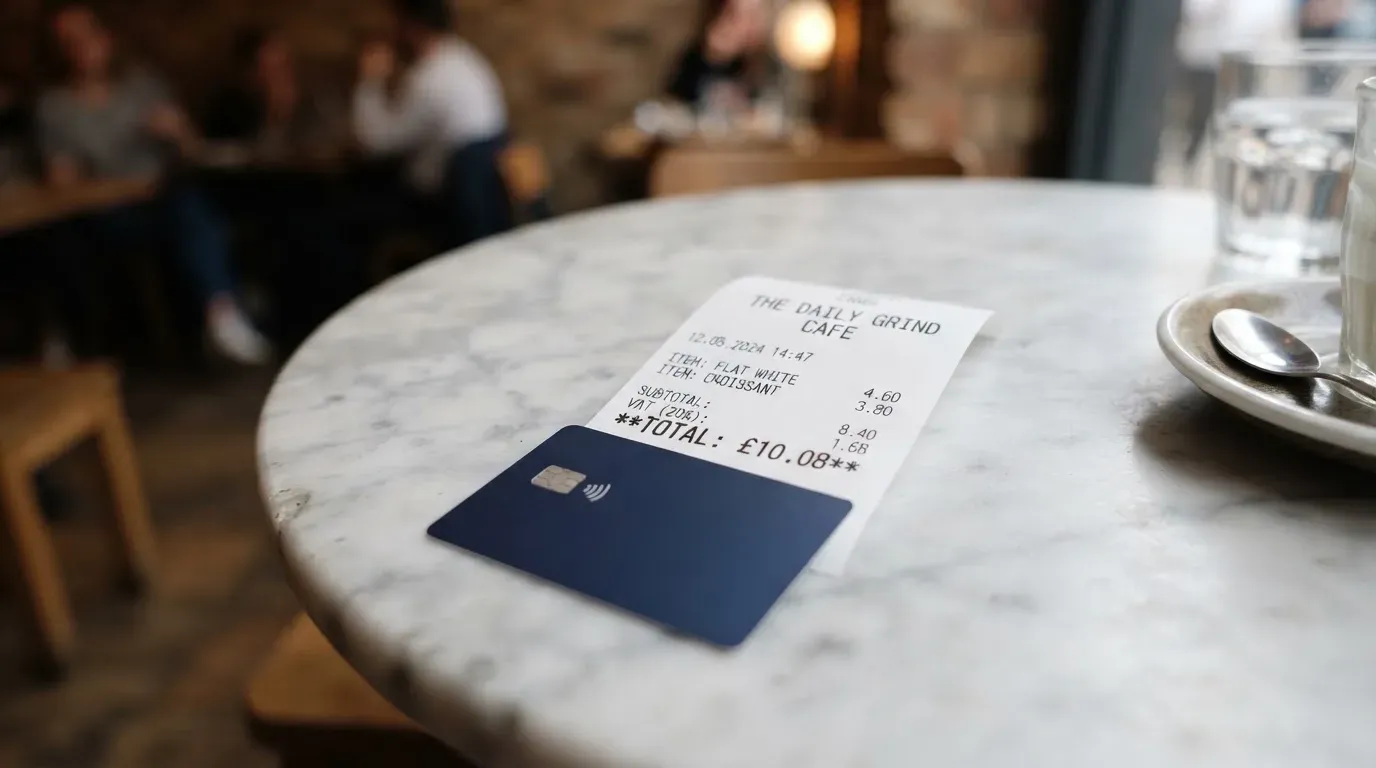
Here is the costs breakdown:
| Fee or limit | Amount |
|---|---|
| Account and subscription | Free |
| Virtual card issuance | €0.99 (one-time) |
| Physical card issuance | €9.99 (one-time) plus shipping |
| Euro payments (from euro balance) | Free |
| Crypto payments | €0.20 + 1% per transaction |
| ATM withdrawal | €2 + 1% per withdrawal |
| Foreign exchange fee | Not stated separately |
| Daily and monthly limits | Not published; limits can be set in the app |
| Free ATM allowance | Not stated |
A few everyday scenarios help put these numbers in context.
Buying a €4 coffee and a €3 pastry in Berlin with your euro balance, paid by tapping the physical card: the merchant is paid in euros, your balance is in euros, and Bitwala does not charge a fee. The total cost to you is €7.00, and Bitwala takes nothing. This is the case Bitwala is built for, and it works exactly as advertised.
Buying a €40 train ticket in Paris from a euro balance, again tapping the physical card: same outcome, free. The card handles the currency conversion at the network rate because you are paying in euros from a euro balance, so there is no foreign exchange step.
Buying a €60 pair of headphones online, but you funded the card by swapping €50 of USDC into your euro balance first: the swap is the crypto payment at €0.20 + 1%, which comes to roughly €0.70. The €60 purchase itself, in euros from your euro balance, is free. So your total extra cost is the swap fee, not the payment fee. If instead you tried to pay the merchant directly from a USDC balance without swapping first, you would still hit the €0.20 + 1% crypto payment fee on top of any conversion the card does at the point of sale.
Withdrawing €100 from an ATM in Lisbon: the fee is €2 + 1%, so €3.00. There is no published free allowance, so every ATM withdrawal carries the same charge unless Bitwala changes that. ATM use is the most expensive everyday action on the card, and the cost adds up quickly if you use cash often.
The gap that matters most is the foreign exchange fee. Bitwala does not state one separately, which means either the network rate applies with no markup or the markup is hidden in another line. If you travel outside the eurozone and pay in a non-euro currency, ask support what rate you are getting before you assume there is no FX cost. The published fees only describe the explicit charges, and a card that pays in euros but spends in another currency has to convert somewhere.
Top up: how to fund the card
The card is funded by topping up the underlying euro account, and you can do that in two ways: with euros directly, or with crypto that you swap into euros inside the app.
The supported assets are Bitcoin, Ether, USDC, and euros. The home page mentions SEPA funding without fees, which is the standard way to move euros in from a bank account. Crypto is swapped to euros inside the Bitwala app, so the card itself always spends from a euro balance. That is a sensible design: it means the merchant never has to wonder what currency the card pays in, and the user never has to think about exchange rates at the point of sale. The trade-off is that you pay the crypto payment fee of €0.20 + 1% on the swap, which is the cost of converting before you spend.
What Bitwala does not say clearly is which networks it accepts for crypto deposits. USDC, for example, exists on dozens of blockchains, and sending USDC on the wrong network is one of the most common ways people lose money in crypto. The card’s pages do not list supported networks for USDC, USDT, or any other token, so before you send anything, you need to confirm inside the app which network the deposit address belongs to. If you cannot find that information, do not send.
A few practical patterns to keep in mind:
- SEPA bank transfer is the cleanest way to fund in euros. It is the standard, low-fee option across the EEA, and Bitwala’s home page lists it without a fee.
- Crypto deposits are swap-then-spend. You deposit Bitcoin, Ether, or USDC, the app converts it to euros at the current rate minus the fee, and the euro balance is what the card draws on.
- Network selection is your responsibility. If you have USDC on Polygon and Bitwala’s deposit address is on Ethereum, sending the Polygon USDC to an Ethereum address can lose the funds.
- Withdrawal from the card back to a bank account or external crypto wallet is not clearly described on the public pages. If you need to move money out, ask support for the current process before you assume it is the same as deposit.
The top-up story is simple on the surface: euros in by SEPA, crypto in by transfer, spend in euros. The missing detail on networks is a real gap, and it is the kind of gap that matters most when something goes wrong.
Paying with it every day
For everyday use, the card is a Visa debit, available as both a virtual and a physical card, and that combination covers most of what people do with a payment card: online shopping, in-store contactless, ATM cash, and mobile wallets.
Google Pay works directly. You add the virtual or physical card to Google Pay, and you can tap to pay at any contactless terminal. Apple Pay is not a native feature on Bitwala; the only way to get the card into Apple Pay, per the published information, is to sign up for Curve and add the Bitwala card through Curve’s wallet. That is one extra app, one extra account, and one extra point of failure, so if Apple Pay is your default, factor that in.
Blocked merchant categories are not listed. Many card issuers block gambling, adult content, or specific high-risk merchant codes by policy rather than by law, but Bitwala does not publish a list. If you plan to use the card for a specific type of purchase and the merchant declines it, the issue may be an issuer block, not a merchant policy.
Rewards, cashback, and earn programmes are not stated. There is no published cashback rate, no points scheme, and no sign-up bonus on the public pages. If you are choosing a card partly for rewards, Bitwala is not the card that pays you back; it is the card that does the basics at a low cost.
In-app controls cover the basics. You can freeze and unfreeze the card, set spending limits, and view transactions. Support for disputes and chargebacks is not stated, so I cannot tell you how the process works if a payment goes wrong or a merchant does not deliver.
What the everyday experience looks like in practice:
- Tap-to-pay in a shop in your home country works like any Visa debit, and there is no fee.
- Online checkout works like any Visa, and the in-app controls let you set per-transaction or monthly limits.
- ATM cash works, but the €2 + 1% fee makes it a back-up option rather than a primary one.
- Mobile wallet support is solid on Android and workable on iPhone only with Curve in the middle.
- Reward programmes are absent; this is a low-cost debit, not a cashback card.
What can go wrong
The reliability story has two parts: the present, where Bitwala GmbH runs the card with Solarisbank handling the euro account, and the past, where the predecessor company Nuri went through insolvency in 2022.
On the present side, Bitwala GmbH is registered in Germany. The euro account and German IBAN come from Solarisbank, which is a licensed German bank. That means your euro balance sits with a regulated bank, not just with a tech company. The card-issuing bank is not named on the public pages, which is unusual for a regulated product, and it is a transparency gap that you should know about going in. The app-level controls are in place: you can freeze and unfreeze the card, and you can set spending limits.
On the past side, the history is significant. Nuri, the company that originally built this product under the Bitwala name, filed for insolvency in August 2022. In October 2022 the wind-down was announced, and customers were asked to withdraw their funds by 18 December 2022. Digital-asset trading stopped on 30 November 2022. The Bitwala name continued under a new company structure, and the card product was rebuilt. The lesson is not that the new Bitwala is the same as the old Nuri; the lesson is that the original company failed, customers had a hard deadline to move their money, and the brand that exists today is the second version of this story. That is worth weighing against the present-day licence and banking partner.
The complaint themes from that period, drawn from user reports on Trustpilot and Google Play in 2022, were: SMS and card functions failing, accounts suspended without explanation, and support being hard to reach. I have not seen a current Trustpilot score or review count for the new Bitwala, so I cannot tell you whether the rebuilt product has the same issues. The 2022 themes are a signal, not a verdict on the 2026 product.
What to keep an eye on:
- The card-issuing bank is not named. If transparency matters to you, ask support which bank issues the card before you commit money to the account.
- The support centre exists, but the languages and hours are not stated. If you need phone support in a specific language, that is something to confirm.
- Account freezes and document requests can happen on any regulated platform, and Bitwala is no exception. If your account is suddenly restricted, it is most often a verification or sanctions-screening step, not a sign that the company is in trouble.
- The 2022 insolvency is part of this product’s history. The current structure is different, but the brand has been through a hard reset, and that is information you are entitled to use.
What to take instead
If Bitwala is not a fit, three alternatives cover most of the ground. Each one trades Bitwala’s strengths for different ones.
International Visa Card scores 6.7 out of 10 and takes a different cut at the same problem. It is not available to residents or legal registrants of Belarus, mainland China, North Korea, Cuba, India, Iraq, Iran, Israel, Myanmar, Nepal, Nicaragua, Russia, Syria, Turkey, Ukraine, Venezuela, or Vietnam, and FATF grey-list countries are reviewed case by case. Purchases are blocked in North Korea, Cuba, Iran, Russia, Syria, Ukraine, and Venezuela. The card is a U.S.-issued Platinum Visa, virtual for now, paying in USD, with the physical card marked as “coming soon.” Issuance costs $5 one-time, with no maintenance fee, and three plans: Classic (free), Pro ($9.00 a month), and Max ($19.00 a month). Card use in USD is free on all plans; foreign currency use is “Visa exchange rate + 2% FX fee.” Deposits of any kind are free, and you can fund with USDC or USDT into the USD account at 1:1, plus USD, EUR, SEPA, SWIFT, and FedNow deposits. There is no cashback stated. The trade-off is clearer pricing and a USD base, but the country restrictions are tighter than Bitwala’s.
UNi Card scores 6.1 out of 10 and is built around a multicurrency Mastercard. The card spends from a UNi.Global account balance. The cost story is “no annual fee” and “no foreign transaction fee,” with assets converted at “live OTC (Over-the-Counter) rates” and “no hidden exchange fees.” The earn side is “Spend-to-Earn rewards” of up to 3% with the UNi Card. Eligibility details are not stated, and the physical or virtual form is not stated either. The trade-off is cleaner FX and a published cashback, but less published information overall.
Morse scores 7.5 out of 10 and is the most ambitious of the three on geography and on custody. Eligibility is by residence, not citizenship: users must be at least 18 and a resident in a supported country. The app is available in over 140 countries for peer-to-peer use, with local add and withdraw in over 70. Closed-beta countries that need an invite code include American Samoa, Australia, Cape Verde, Guernsey, Hong Kong SAR China, Isle of Man, Japan, Jersey, New Zealand, Serbia, Singapore, Switzerland, Thailand, Türkiye, the United Kingdom, and Western Sahara. The card is “available only in certain countries,” and the list is not published. Morse cannot serve customers subject to sanctions issued by the United States, the United Kingdom, the EU, or the UN. The card is fully virtual for now, on the Visa prepaid debit network, spending from the Morse Balance in any currency. Issuance and monthly fees are not stated. Foreign exchange is “zero foreign exchange fees or markups,” using the real-time Visa rate, and paying with the card online and contactless is free. Deposits by debit card, stablecoin transfer, and Account Details in USD, EUR, MXN, and COP (BRL needs a Brazilian CPF) are supported; USDC, USDG, and EURC on Solana are free, other tokens and blockchains carry a fee; Bitcoin, USDT, Ethereum, and other tokens can also be deposited. The Morse Wallet is self-custodial, which means you hold the keys. The trade-off is the highest score here and a self-custody model, but the country list is incomplete and fees are not published.
A short comparison:
| Card | Score | Country rule | Card form | FX | Rewards | Custody |
|---|---|---|---|---|---|---|
| Bitwala | 6.1 / 10 | EEA residents | Virtual and physical Visa debit | Not stated | Not stated | Custodial |
| International Visa Card | 6.7 / 10 | Long blocklist; FATF grey-list reviewed | Virtual (physical coming soon) | “Visa rate + 2%” | Not stated | Custodial |
| UNi Card | 6.1 / 10 | Not stated | Not stated | “No hidden exchange fees” | Up to 3% | Custodial |
| Morse | 7.5 / 10 | 140+ (card in select countries) | Virtual Visa prepaid | “Zero FX markups” | Not stated | Self-custodial |
If you live in the EEA and want a euro Visa with a German IBAN, Bitwala is the natural fit. If you are outside the EEA or want a USD account with published plans, International Visa Card is the alternative. If you want a multicurrency Mastercard with published cashback and do not need detailed eligibility, UNi Card is worth a look. If you want the broadest country reach and a self-custody wallet, Morse is the one to check first.
Who I would recommend it to
The honest answer is that Bitwala is a card for a specific kind of reader, and it works well for that reader.
You are a good fit for Bitwala if you live in the EEA, want a euro account with a German IBAN, and are comfortable holding Bitcoin, Ether, or USDC that you swap into euros before spending. You are also a good fit if you use Google Pay on Android, prefer a low monthly cost, and do not need cashback. You are not a good fit if you live outside the EEA, rely on Apple Pay without wanting to add another app, want a card with named issuer information on the front page, or want cashback to justify a paid card. You are also not a good fit if you want a self-custody wallet, because Bitwala holds the keys to your balance.
If you are choosing between Bitwala and one of the alternatives above, the deciding questions are simple. Where do you live? Do you want a euro or USD base? Do you want cashback, or is “no monthly fee” enough? Do you want the card to hold your crypto, or do you want to hold it yourself? The answers to those four questions will narrow the list to one or two cards, and the published information on each is enough to make the final call.
A small note on the score. The 6.1 is not a deal-breaker mark; it is a recognition that the card does the everyday job well, and the gaps are on the edges: transparency on the card issuer, the published networks for crypto deposits, and the trust history. If those edges matter to you, the alternatives are strong. If they do not, Bitwala is a low-cost euro Visa with a real banking partner, and that is a useful thing to have.
Frequently asked questions
What is the Bitwala card?
The Bitwala card is a Visa debit tied to a euro account run by Bitwala GmbH in Germany, with the euro balance and IBAN provided by Solarisbank, a licensed German bank. The card is available as a virtual and a physical version, and the underlying account can be funded with euros, Bitcoin, Ether, or USDC, with crypto swapped into euros inside the app.
How does the Bitwala card work?
The card spends from a euro balance on the Bitwala account. You fund the account by SEPA bank transfer in euros, or by sending Bitcoin, Ether, or USDC and swapping to euros inside the app. Payments in euros are free, crypto-funded payments cost €0.20 + 1%, and ATM withdrawals cost €2 + 1%.
Is Bitwala a bank?
Bitwala itself is not a bank. Bitwala GmbH is a German company that runs the app and the crypto side of the product. The euro account and IBAN are provided by Solarisbank, which is a licensed German bank. The card-issuing bank is not named on the public pages.
Who owns Bitwala?
Bitwala is operated by Bitwala GmbH, a company registered in Germany. The current company is the successor to the original Bitwala/Nuri product, which was wound down in 2022 after an insolvency filing. The current structure uses Solarisbank for the euro account and IBAN.
Is the Bitwala card available in my country?
The card is available to anyone with a verified Bitwala account who has residency in the EEA, which covers the EU member states plus Iceland, Liechtenstein, and Norway. If you live outside the EEA, the card is not available at onboarding. The rule is by residence, not citizenship.
How do I get the Bitwala card?
You download the Bitwala app, register an account, and complete verification. The documents required for verification are not listed on the public pages. Once verified, you can order a virtual card for €0.99 or a physical card for €9.99 plus shipping.
Does the Bitwala card require KYC?
Yes. A verified account is required before the card is issued, which means the standard EU customer-due-diligence checks apply: identity, address, sanctions screening, and a politically exposed person check where relevant. Bitwala does not publish different KYC levels or how they map to spending limits.
How do I add the Bitwala card to Apple Pay?
The card is not natively supported in Apple Pay. The published route is to sign up for Curve, add the Bitwala card to Curve, and then add Curve to Apple Pay. That is an extra app, an extra account, and an extra step compared to cards that support Apple Pay directly.
How do I top up the Bitwala card?
You top up the underlying euro account, not the card itself. The two routes are a SEPA bank transfer in euros, or a transfer of Bitcoin, Ether, or USDC that is swapped into euros inside the app. The supported crypto networks are not clearly listed, so confirm the deposit network inside the app before sending.
Is the Bitwala card safe?
The euro balance sits with Solarisbank, a licensed German bank, which is a meaningful safeguard. The app supports card freezing and unfreezing and spending limits. The card-issuing bank is not named on the public pages, which is a transparency gap. The brand’s predecessor went through insolvency in 2022, and that history is part of the product’s record. As with any regulated account, identity checks and account restrictions can happen at any time.
Top app and neobank cards by score – cryptocardtop
Content created by the «cryptocardtop» team