
Vban card, reviewed line by line for the user who needs a card, not a brochure
 Available in US
Vban is a USD virtual payment card built for people who can’t easily get an ordinary bank card. The promise is simple: open an account, verify your identity, and spend from a crypto balance anywhere Visa is accepted, with a card issued in your phone rather than the post. The reality is more layered than that, and a few of the details matter a lot before you commit your money to it.
This review walks through the card as it stood when I checked it in October 2026: who the card is built for, what it actually costs in practice, how the funding flow works, what everyday use looks like, the risks worth weighing, and which alternatives are worth a look in the same space. I’ll keep numbers and dates as the card states them. Where the card doesn’t say, I’ll say so plainly rather than guess.
The conditions described here are current as of October 28, 2026.
Verdict
Vban earns a 4.0 out of 10 in this review. That score reflects a card that is cheap to set up and genuinely useful for its target audience, but narrow in almost every other respect: virtual only, USD only, no disclosed ATM, no mobile wallet integration, and a public support reputation that is mixed at best. If you are a Nigerian or West African user with a Bank Verification Number and you just need a working USD card on your phone, Vban can do the job. If you are anyone else, the picture is harder.
The score breaks down as follows:
| Criterion | Mark | Why |
|---|---|---|
| Who can get it | 2 / 10 | Country availability is not published; the only public lists point to Nigeria, Ghana and West and Central Africa. A Nigerian BVN is required. |
| Cost | 7 / 10 | $2 to create the card and a $5 funding charge is the total known upfront cost. Monthly fees and per-transaction fees are not published. |
| Top-up options | 4 / 10 | The card is loaded from a USD wallet that needs at least $7. USDT and USDC are mentioned in early materials; the networks they come in on are not published. |
| Reliability and complaints | 4 / 10 | The operator is TM Payments Limited in Canada, not a bank, running on Maplerad infrastructure. Trustpilot sits at 3.2 from 13 reviews, with refund disputes and missing incoming transfers reported in 2025 and 2026. |
| Everyday use | 2 / 10 | It is virtual only, USD-denominated, and Apple Pay and Google Pay are not offered as features. Google Pay may behave inconsistently because of region mismatch. ATM access is not documented. |
Add those marks together and divide, and you land at 4.0 out of 10 — the card is good enough for the small, specific audience it serves, and not yet a generalist product.
Who can get Vban card
The single biggest question for any crypto card is “will they actually let me have one”, and Vban is unusually quiet on this point. The card’s public pages do not list supported countries. The starting data in their onboarding and partner materials names Nigeria, Ghana, Côte d’Ivoire, Senegal, Cameroon, Togo, Benin, Burkina Faso, Mali, Niger, Guinea-Bissau, Equatorial Guinea, the Republic of the Congo, Gabon, the Central African Republic and Chad. Read together, that is a West and Central African footprint, with Nigeria the only country the card singles out by name in its verification flow.
What that means in practice: Vban will ask you for a BVN, the Nigerian Bank Verification Number, before it creates the card. If you don’t have one, the door is closed. The card’s own materials describe BVN verification as required before card creation, and say the check usually completes within minutes. Beyond the BVN, the published requirements amount to one valid government ID. The card does not state what it expects for proof of address or age, and there is no published tier table that walks you through the upgrade ladder from “basic” to “verified-plus”.
So the realistic answer to “who will Vban give the card to” is: a Nigerian or West African user with a BVN, who is willing to hand over a government ID, and who fits within whatever additional checks the operator applies behind the scenes. If you are outside that footprint, or you are inside it but the BVN check fails or rejects your name because it does not match your ID, the card simply will not be issued, and the site gives you no fallback path to ask why.
How to open your account
The signup flow is short by design. The card says: verify, hold at least $7 in your USD wallet, and create the card in the app. In practice, that maps to four steps:
- Download the Vban app from the App Store or Google Play. App ratings are not part of the published materials, so the only public signal is the store listings themselves.
- Verify your identity. The card requires BVN verification before card creation, with the result usually in minutes. The blog adds that a single valid government ID is part of the package. No explicit proof-of-address or age rule is published.
- Fund your USD wallet with at least $7. Card creation will not start without that minimum balance, because the $2 card fee and the $5 funding charge are debited at the moment the card is created.
- Create the card inside the app. The card is a USD virtual multi-use card. The network is not named on the main article; the site FAQ states that the card is issued by Lead Bank under a Visa licence. The card is virtual only — no physical card is offered, and no delivery step exists.
KYC statuses during the flow include “pending” and “rejected”, and the rejection path that the card documents is name mismatch between your ID and your BVN record. There is no published escalation channel for “I think the rejection was wrong”. The app publishes its interface in English, and support sits at help.vban.com; support hours are not stated.
Fees and limits
The cost picture is partly clear and partly missing, and that mix is itself a finding. Here is what the card actually publishes:

| Fee or limit | Amount |
|---|---|
| Card issuance (one-time) | $2 |
| Card funding charge | $5 |
| Minimum wallet balance to create card | $7 |
| Monthly fee | not stated |
| Per-transaction fees | not stated |
| ATM fees | not stated |
| Card daily and monthly limits | not stated |
| USD deposits per transaction (individuals) | $3,999 (excess refunded) |
| USD deposits per transaction (businesses) | no fixed limit, extra documents above $9,999 |
| Wallet limits — NGN withdrawal | daily 20,000,000 / monthly 200,000,000 / per transaction 10,000,000 |
| Wallet limits — GHS withdrawal | daily 100,000 / monthly 1,000,000 / per transaction 10,000 |
The first three rows are the ones that affect you on day one. To create a working Vban card you pay $2 for the card plus a $5 card funding charge, and the wallet has to hold at least $7 before creation. After that, the card does not publish a monthly maintenance fee, a per-swipe fee, a foreign-exchange markup, or an ATM fee. It also does not say that any of these are zero — it simply does not say. The same silence covers the card’s own daily and monthly spending limits, even though the wallet’s local-currency withdrawal limits are spelled out for naira and cedi.
That gap is not unusual in the crypto-card world, but it does change how you should plan around Vban. You can budget the $7 to open the card with confidence. You cannot budget what a $40 supermarket shop will cost you, because the card does not tell you what it charges to convert from your USD balance if you fund in another currency, or whether it adds a foreign-exchange markup when you spend in a currency other than USD.
To make this more concrete, three everyday payments:
- A $20 in-app purchase billed in USD. The card’s main balance is USD, so there is no currency conversion. The card does not publish a per-transaction fee for in-app spending, so in the absence of any disclosed markup the cost is the $20 you actually spent. This is the cleanest case.
- A 30-euro dinner paid in a country that prices in euros. Because the card is a USD card, the merchant’s authorisation has to be converted. The card does not publish an FX rate, a markup, or a flat cross-currency fee, so the only honest answer is that the cost depends on terms the operator has not put on the page. This is the riskiest case.
- A local naira or cedi transfer from your wallet to a bank account. The wallet limits published in the table above apply: up to 20 million naira a day in Nigeria, or 100,000 cedi a day in Ghana. The card does not publish the fee for that withdrawal, so the practical question is what the wallet itself charges — and that, again, is not in the public materials.
If you are the kind of person who needs every fee printed in advance, Vban is not yet that card. If you can absorb one or two unknown costs in exchange for the card’s stated low creation price, the headline is genuinely cheap.
How to top up your balance
Topping up a Vban card starts with topping up the USD wallet the card spends from. The card is funded from the USD account inside the Vban app, and the wallet needs a minimum of $7 to create or reload the card. The first-time funding is what the $5 card funding charge is deducted from, and the card says the $5 charge is also “the minimum card withdrawal amount” for cross-currency withdrawals to a local bank.
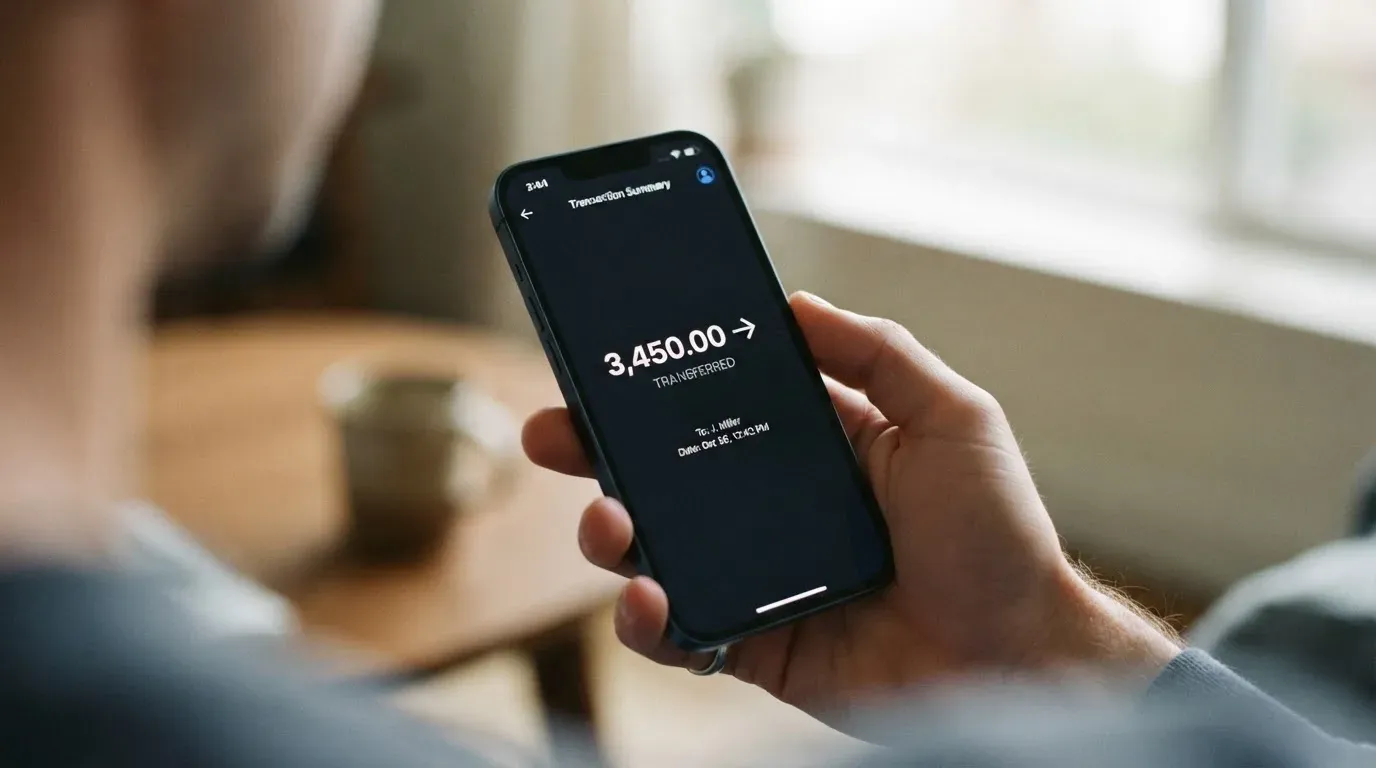
On the currency side, the wallet holds USD, GBP and EUR, but the card itself is a USD card. That means top-ups in another currency will be converted in the wallet before they reach the card, and the card does not publish the rate or fee for that conversion. For practical purposes, treat the USD balance as the working balance, and treat GBP and EUR balances as wallet features rather than card features.
On the coin side, the early materials name USDT and USDC. The card does not publish which networks those tokens are accepted on, which is a real operational gap: USDT and USDC each exist on several blockchains with different fees and confirmation times, and sending a token on a network the operator does not support is the classic way to lose a deposit with no recovery path. Until the operator names the supported networks, the safe approach is to ask support before your first crypto top-up, and to send a small test amount before sending a large one.
The individual USD deposit cap is $3,999 per transaction, with the excess refunded. There is no fixed per-transaction limit for business accounts, but deposits above $9,999 trigger an additional document request. The wallet’s local-currency withdrawal limits — 20 million naira a day in Nigeria, 100,000 cedi a day in Ghana — are the practical ceiling for getting money out to a local bank.
One more detail that matters: the funding charge is not the same as a network fee. The on-chain fee you pay to move USDT or USDC from another wallet is set by the blockchain itself, not by Vban, and it is on top of the $5 the card deducts. If you are topping up from a self-custody wallet, your real cost is the $5 plus the gas, and you should price that in before assuming a deposit is “free except for the funding charge”.
Using Vban card
The card is virtual only, USD-denominated, and tied to the Vban app. There is no physical card, no contactless tap with a plastic card, and no magnetic-stripe fallback. For online checkout, that is fine: the card number, expiry and CVV live inside the app, and you type them in like any other card. For offline retail — handing over a card at a café, tapping at a turnstile, paying at a fuel pump — there is no card to hand over, and the mobile wallet story is thin.
Vban does not offer Apple Pay or Google Pay as a feature. The card’s own materials note that Google Pay “may not work consistently due to region mismatch”, which is a way of saying that tokenised wallets are not a designed experience here. That gap is significant if you live somewhere where contactless has become the default, because it means you are reduced to entering the card details manually in apps, or to using a one-time virtual card number for each merchant.
A few consequences follow. Online subscriptions and in-app purchases are the natural fit, and the card should work there as long as the merchant accepts Visa and does not block foreign-issued BINs. For physical-world payments, you are effectively cardless in any shop that does not have an app or a website, which is most shops in most places. And there is no ATM: the card does not publish ATM access, fees, or limits, so the assumption has to be that it is not a cash-access card in any conventional sense. If you need to get cash, the path is the wallet’s local-currency withdrawal to a bank account, with the limits in the costs section above.
Rewards and cashback are not stated, so there is no published upside to offset the missing conveniences. Disputes and chargebacks are also not described, so the standard consumer protections you might expect from a debit card are not part of the documented picture. The card works, in other words, in the narrow lane it was built for: spend USD online, fund the balance in advance, and don’t expect the card to do anything more.
Common issues and risks
A small card with a quiet public footprint leaves a lot of room for unpleasant surprises, and the Trustpilot profile is the place where those surprises surface. The card sits at 3.2 out of 5 across 13 reviews at the time of writing, which is the kind of number that is not bad enough to be a warning sign on its own, but which does invite a closer read. The two themes that show up more than once are:
- Refund refusals with repeated document requests. Users describe paying for a service, then being asked for further documents when they ask for their money back, with the refund ultimately refused. The dates in the reviews put these complaints in November 2025 and June 2026.
- Incoming funds not showing up. Users describe deposits that did not credit to their wallet. The dates here are November 2025 and May 2026.
Neither of these is, on its own, proof of a structural problem — they could be edge cases in a young product. But together with the rest of the public picture, they suggest a product where dispute resolution and support responsiveness are not strengths. The published support channel is help.vban.com, with no published hours, and the operator is not a bank.
On the corporate side, the picture is also worth pausing on. The card says it is “operated by TM Payments Limited. It is not a bank”, with an office in Richmond Hill, Ontario, Canada, and the service is “powered by Maplerad”. The site’s FAQ names Lead Bank and Bridge Ventures LLC as the programme manager. The licences that govern the card are not named in the public materials, which is unusual for a card product that holds customer balances. A user is therefore relying on the operator’s reputation, the underlying bank (Lead Bank), and the programme manager (Bridge Ventures LLC), without a clean public answer to the question “who regulates this, and what does that regulator do if my balance disappears?”.
The card does not publish its security controls, so the standard safeguards — app-based 2FA, instant freeze, spending limits, 3-D Secure — are not part of the documented picture either. That doesn’t mean they don’t exist; it means the public materials don’t claim them, which is different from a competitor that lists them on the homepage.
There is no official incident report in the public materials — no regulator action, no published outage, no data breach disclosure. The absence is a real signal: a card operator that wants to build trust tends to publish a status page or a security page, and Vban’s published footprint does not include one.
Alternatives to Vban
If Vban’s narrow audience and quiet public footprint don’t fit your situation, three alternatives cover different parts of the same need.
International Visa Card scores 6.7 out of 10. It is a US-issued Platinum Visa that pays in USD, with a virtual card available now and a physical card described as “coming soon”. On cost, the virtual card is $5 one-time, with no maintenance fee, and three plan tiers — Classic free, Pro $9.00 a month, Max $19.00 a month. On use, the card is free in USD on every plan and charges “Visa exchange rate + 2% FX fee” in foreign currency, with no fee on deposits of any kind. The country story is more developed: the card is not available to residents or legal registrants of Belarus, mainland China, North Korea, Cuba, India, Iraq, Iran, Israel, Myanmar, Nepal, Nicaragua, Russia, Syria, Turkey, Ukraine, Venezuela or Vietnam, with FATF grey-list countries reviewed case by case, and purchases blocked in North Korea, Cuba, Iran, Russia, Syria, Ukraine and Venezuela. The rule is by residence or registration, not by citizenship. Funding comes from USDC or USDT at 1:1, plus USD, EUR, SEPA, SWIFT and FedNow deposits. There is no cashback published.
UNi Card scores 6.1 out of 10. It is a multicurrency Mastercard that spends from a UNi.Global account balance; whether the card is physical, virtual, or both, is not stated. The cost picture is “no annual fee”, with the issuance fee also not stated. The published benefits are “no annual fee or foreign transaction fee”, assets converted at “live OTC (Over-the-Counter) rates”, and a “Spend-to-Earn” reward of up to 3% with UNi Card. Country availability and funding options are not stated. UNi Card is the choice for a user who cares more about a published multicurrency structure and a cashback-style reward than about geographic reach.
Morse scores 7.5 out of 10. It is a Visa prepaid debit card that is fully virtual for now, spending from a Morse Balance “in any currency” at the real-time Visa exchange rate. The fee story is “zero foreign exchange fees or markups”, with online and contactless payments free; the issuance fee and monthly fee are not stated, and the card page points you to the Cardholder Agreement. Funding accepts debit card, stablecoin transfers, and Account Details in USD, EUR, MXN and COP (BRL needs a Brazilian CPF), with USDC, USDG and EURC on Solana free and other tokens or blockchains carrying a fee. The wallet is self-custodial, which is a meaningful difference for users who don’t want a custodian holding their crypto. Eligibility is by residence, not citizenship: you must be at least 18 and a resident in a supported country, with the app in over 140 countries for P2P and local add/withdraw in over 70. The card itself is “available only in certain countries”, and the page asks you to check the app. A list of countries needing an invite code includes American Samoa, Australia, Cape Verde, Guernsey, Hong Kong SAR China, Isle of Man, Japan, Jersey, New Zealand, Serbia, Singapore, Switzerland, Thailand, Türkiye, the United Kingdom and Western Sahara. Customers subject to US, UK, EU or UN sanctions cannot be served.
The simplest way to read the three is: International Visa Card if you want a clear USD card with published FX markup and a wide country blocklist; UNi Card if multicurrency plus a published reward matters more than geographic reach; Morse if zero FX markup and self-custody are the priorities. None of them are a clean substitute for a user whose only realistic option today is Vban, because none of them is built specifically for the West African BVN-holding user Vban targets.
My verdict on Vban
Vban is the right card in a narrow lane. The user I would point at it is someone in Nigeria or a neighbouring West or Central African country, with a BVN, who needs a working USD card number for online subscriptions, in-app purchases, or remote billing, and who already has a way to fund the wallet with USDT or USDC. For that user, $7 to open the card is cheap, the BVN-based verification is fast, and the USD balance is the right shape for paying in dollars. The published Trustpilot complaints are real, but at this scale and stage of the product they are not by themselves disqualifying.
I would not point at Vban the user who is outside the West African footprint, who doesn’t have a BVN, who needs a physical card, who needs reliable Apple Pay or Google Pay, who needs a published ATM, who needs a stated FX markup in advance, or who plans to make this their primary card for everyday life. For all of those users, the missing public information is a deal-breaker in itself, and the published alternatives above will do a better job.
I would also pause before recommending Vban as a place to hold meaningful funds. The card is operated by a Canadian non-bank entity, runs on a third-party platform, and names a US bank and a programme manager without naming the licences that govern the product. For a small working balance that is being spent promptly, that is an acceptable level of trust. For a long-term store of value, it is not, and a self-custody wallet — or a regulated custodian with a clean public record — is the better place to park it.
Frequently asked questions
What is Vban card?
Vban is a USD virtual payment card, run by a Canadian non-bank operator called TM Payments Limited, that lets you spend a USD balance funded from crypto. The card is virtual only, issued under a Visa licence, and built around a BVN-based identity check for users in Nigeria and other West and Central African countries.
How does Vban card work?
You verify your identity, hold at least $7 in your USD wallet, and create the card inside the app. The card then spends from that USD balance at any merchant that accepts Visa online. There is no physical card, and no mobile-wallet integration is offered as a feature.
Is Vban a bank?
No. The card’s own pages say it is “operated by TM Payments Limited. It is not a bank.” The site FAQ names Lead Bank as the issuer and Bridge Ventures LLC as the programme manager, and the service runs on Maplerad infrastructure, but the licences that govern the product are not named in the public materials.
Who owns Vban?
The card is operated by TM Payments Limited, based in Richmond Hill, Ontario, Canada. The site’s FAQ additionally names Lead Bank as the issuing bank and Bridge Ventures LLC as the programme manager. The corporate ownership behind TM Payments Limited is not described in the public materials.
Is Vban card available in my country?
The card does not publish a country list. The starting data points to Nigeria, Ghana, Côte d’Ivoire, Senegal, Cameroon, Togo, Benin, Burkina Faso, Mali, Niger, Guinea-Bissau, Equatorial Guinea, the Republic of the Congo, Gabon, the Central African Republic and Chad, and the verification flow requires a Nigerian BVN. If you are outside that footprint, the safest assumption is that the card will not be issued to you.
How do I get a Vban card?
Download the Vban app, complete BVN verification, hold at least $7 in your USD wallet, and create the card. The whole flow is in the app, and the $2 card fee plus the $5 funding charge are debited at card creation. The card is virtual only, so there is nothing to wait for in the post.
Does Vban card require KYC?
Yes. BVN verification is required before card creation, and a government ID is part of the package. The card does not publish the full set of KYC steps, the tier table, or what triggers a rejection, and rejection paths in the public materials come down to name mismatch.
How do I top up Vban card?
You top up the USD wallet inside the app, and the card draws from that balance. The early materials name USDT and USDC, but the supported networks are not published, so the safe approach is to ask support before your first deposit and to send a small test amount. Individual deposits are capped at $3,999 per transaction, with the excess refunded.
Can I add Vban card to Apple Wallet or Google Pay?
Apple Pay and Google Pay are not offered as features. The card’s own materials note that Google Pay “may not work consistently due to region mismatch”, so tokenised mobile wallets are not a designed experience here. Practical use is online checkout with the card number from the app, not contactless tap.
Is Vban card safe?
The card does not publish its security controls, dispute process, or licence details, and the operator is not a bank. The Trustpilot profile sits at 3.2 from 13 reviews, with refund disputes and missing incoming transfers reported in 2025 and 2026. For a small working balance that is being spent promptly, that is workable; for a long-term store of value, a regulated custodian is a safer place to park funds.
Top app and neobank cards by score – cryptocardtop
Content created by the «cryptocardtop» team