
A Solana-first card that spends your USDC like a normal Visa — if your country is on the list and you mostly pay in dollars
 Available in US
The Jupiter Global card turns a crypto balance into something that looks, at the till, entirely ordinary: a Visa you can tap. You load it, you spend it, and you can freeze it from your phone when it falls out of a bag. That is the pitch, and it is a good one for the person it was built for. The catch is that everything about this card narrows sharply at the edges — you need a supported country, a verified identity, dollars, and patience if you want the plastic version. I went through the card’s documentation, terms and fee pages and scored it 7.3 out of 10. Here is where that number comes from, and, more usefully, who it is right for and who will be disappointed by it.
The conditions described on this page are current as of October 28, 2026.
The verdict in one table
| Criterion | Mark | Why |
|---|---|---|
| Who can get it | 7 / 10 | Around 52 countries plus 30 US states; Bangladesh and Nigeria are paused |
| Cost | 7 / 10 | No annual fee; physical card $13.13 plus delivery; 1% FX on Rain, 1.8% on DCS |
| Top-up options | 8 / 10 | USDC and USDT on Solana with no processing fee; other networks convert to USDC; fiat through Noah |
| Reliability and complaints | 7 / 10 | Issued by regulated partners Rain and DCS, funds held off Jupiter’s balance sheet; no card complaints found |
| Everyday use | 8 / 10 | Virtual card instant, Apple Pay and Google Pay free of any Jupiter fee, ATMs on Rain-issued cards |
| Total | 7.3 / 10 | A strong fit for Solana users spending USDC, with 2% cashback |
Two audiences stand out. If you already hold USDC on Solana, want a card that spends it directly with 2% cashback back, and live in one of the supported countries, this is one of the more straightforward cards in the category. If you need a wide ATM network, multi-currency balances, or a card that works in a country not on the list, it will not deliver, and you should read on before you spend an afternoon on verification.
Will they give you the card?
Short answer: in most of the world, probably yes; in a handful of places, no; and in the gap between, it depends on the review rather than the list.
The documentation describes around 52 countries, including Brazil, Mexico, Japan, Singapore and the UAE, alongside 30 US states. Bangladesh and Nigeria are listed but paused, which is a different thing from unavailable: the card is known there and the door is temporarily shut. Countries that are not on the list at all are “reviewed case by case during KYC”, meaning your identity check is doing the work of the country table.
Two things worth internalising before you apply. First, eligibility is decided by where you live, not by what you hold in your passport. A citizen of a country that is not listed can qualify on residence, and vice versa. Second, the country table is not decoration. It decides which issuer handles your card, and the issuer decides a surprising amount: whether ATMs work, what your daily ceiling is, and what your foreign-exchange fee is. More on that in the costs section.
The actively offered list in the docs includes Argentina, Australia, Brazil, Colombia, Egypt, Japan, Kenya, Malaysia, Mexico, Pakistan, Philippines, Singapore, South Africa, South Korea, Thailand, the UAE and Vietnam, plus the paused entries and the US states. Russia, Georgia, Turkey, Serbia, Armenia and Kazakhstan are not on it.
- If your country appears in the actively offered list, you are in the strongest position.
- If it is paused, expect nothing today.
- If it is absent but unmentioned, the case-by-case review is your only route.
- If you live in one of the named exclusions, do not spend time on the form.
None of this is advice about how to present yourself to a reviewer. It is simply the description of what the card’s own pages say, and what they conspicuously do not.
How to get it
The short version: you verify one identity in the Jupiter app and a virtual card appears. That is the whole flow, and it is shorter than the signup pages for most financial products.
Identity verification is required. The card runs on a single Global ID, and that check usually takes a few minutes — but when it goes to a human, expect three to five working days. The documentation lists eighteen as the minimum age. Proof of address is required in the APAC region and usually required for people in unlisted countries, so if you are applying from somewhere outside the main table, gather a document showing your residential address before you start. The app supports Apple and Google logins; Discord and X logins are not supported.
What comes out the other end is a virtual card, available straight away, on Visa. There is also a Claynosaurz co-brand Visa Platinum virtual card, which I come back to in the costs section because it is priced differently. The card balance is denominated in USD.
If you want plastic, that is a separate, slower story, and I would rather you knew it now: physical cards are rolling out in phases, with full rollout planned by the end of 2026. That means the wait is not a queue you can inspect; it is a rollout you cannot speed up. The app shows delivery times for the option you pick, so the honest advice is to open the app, look at what it says today, and treat the promise of full rollout as a plan rather than a date. Card orders are non-refundable.
Fees: what it really costs
The headline is flattering: no annual fee. Everything after that depends on which issuer your country is assigned to, and that is the single most useful thing to know on this page.

| Fee or limit | Value |
|---|---|
| Annual fee | Not stated |
| Physical card | $13.13 plus shipping, charged to the Spend balance |
| Claynosaurz virtual card | $25 |
| Virtual card replacement | Free; a physical replacement costs the same as the original |
| Conversion / FX fee on non-USD payments | 1% (Rain) or 1.8% (DCS) |
| USD payments | Free |
| ATM (Rain) | $1 + 0.65%; non-USD adds $0.30 + 1%; balance inquiry or decline $0.60 |
| ATM (DCS) | No ATM withdrawals “for now” |
| Daily and annual limits (DCS) | $50,000 daily, $990,000 annual |
| Limits (Rain) | No limit listed; no monthly limit listed |
| QR Pay from the Spend balance | $500 per transaction, $5,000 per day |
| Card orders | Non-refundable |
Now the three payments that show how this behaves in real life.
Coffee in your own country, in dollars. Suppose you are in the United States and buy a $4.50 coffee. The payment is in USD, so the FX fee does not apply, and 2% cashback applies if the purchase qualifies. This is the cleanest case the card has, and it is why the score on cost is 7 rather than 5.
Dinner in Lisbon, paid in euros. The merchant charges you in euros, so the issuer converts. On a Rain card you pay 1% on top of the rate; on a DCS card, 1.8%. That difference is significant when you convert often. There is no way to hold a euro balance instead — multi-currency balances are not offered.
A cash withdrawal abroad, on a Rain card. Here the fees stack: $1 plus 0.65% for the ATM itself, and if the local currency is not the dollar, another $0.30 plus 1%. That is a real cost on the exact transaction people most often reach for a crypto card to make. On a DCS card the cash machine simply says no, for now.
One third-party site, SpendNode, reported in October 2026 that the virtual card carries a 0% ATM fee and earns no cashback on ATM withdrawals. That is an unofficial claim, it is not confirmed by the card’s own pages, and it contradicts the fees above. I would not plan around it, but if ATMs are your main use, it is worth one confirmation in support.
How to Top up
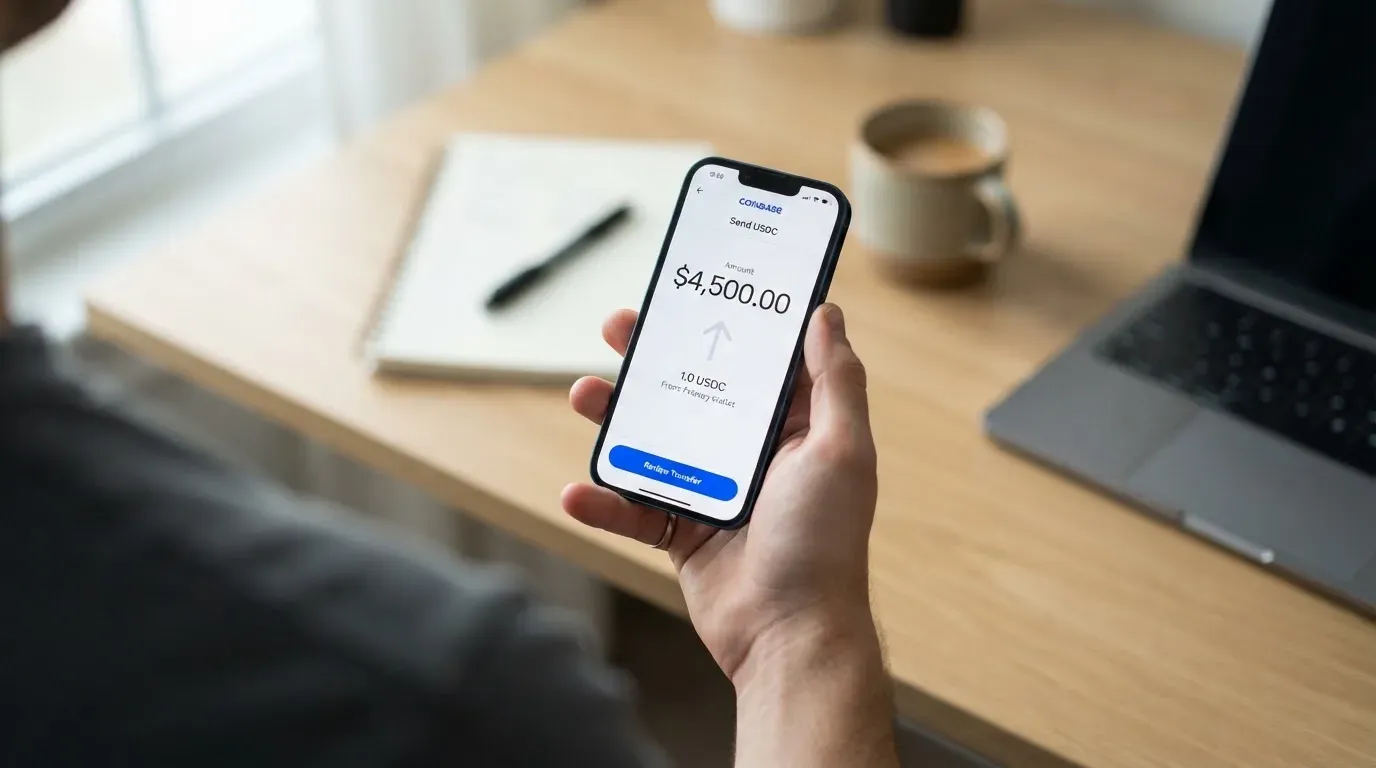
Topping up is the part I like most, because it is the part the card is genuinely good at. You send USDC or USDT on Solana, and there is no processing fee. Tokens from other networks are accepted too and get converted into USDC through the “Send to Spend” flow. The card spends only what is on the balance; there is no credit line, so it cannot overdraw.
The numbers to know:
- Minimum deposit $3, or $10 if you are on Ethereum.
- Other networks cost at least $0.30 plus the network’s own gas.
- Up to 200,000 USDC per transfer.
- If your Solana address has no USDC token account, a one-time account creation cost applies.
- A deposit processing fee is shown per network in the app; the amount is not stated in the documentation.
Fiat top-ups go through a partner called Noah, and they are the expensive part of the flow:
| Method | Fee |
|---|---|
| SEPA | €0.87 + 0.10% |
| ACH | $2.00 + 0.05% |
| Fedwire | $20.00 + 0.05% |
| SWIFT | $30.00 + 0.05% |
Those fees come out of the deposit itself, and if the amount cannot cover them, they are not refunded. So a small SEPA deposit with a fixed €0.87 charge is not a rounding error, and a $20 Fedwire fee on a modest transfer is a poor deal. My read: use crypto to top up, and treat fiat as a fallback for people without a stablecoin balance.
Paying with it every day
This is where the card earns its “everyday use” mark. Apple Pay and Google Pay both work with no fee charged by Jupiter, and whether they are available to you depends on Apple and Google in your region rather than on the card. The virtual card is usable the moment verification ends.
The cashback is the other half of the everyday proposition. The base rate is 2% on qualifying purchases, capped at $100 a month and shared across your cards. Referring at least two qualifying people in a calendar month lifts the rate to 4% for the following month, with the cap rising to $200. The Claynosaurz co-brand card also carries 2%, and its FX rebate runs up to $100 a month until the end of 2026. The payout currency is not stated in the documentation, which is the kind of gap I would want answered before I treat the reward as money.
Not every merchant takes the card. Some categories are declined automatically — gambling, money transfers, securities brokers and certain high-risk merchants — which is standard industry practice rather than anything specific to Jupiter. Otherwise the rule is simple: anywhere Visa is accepted, in principle.
If a purchase goes wrong, the card runs on Visa’s chargeback framework. You dispute a fraudulent charge or something not delivered through the issuer (Rain or DCS), and merchant refunds and voids settle within up to seven business days. Visa chargebacks are a real protection, but they are a process you have to start, not a switch that flips.
The app itself is decent. Ratings for the Jupiter Mobile iOS app sit at 4.9 from about 2.1K ratings on the US App Store listing; I did not find a Google Play rating.
What can go wrong
Nothing I found pointed at this card specifically, and I want to be precise about what that means rather than generous. Searching for complaints about this product returned results about Jupiter Money in India — a different company — and other unrelated firms. No official incidents surfaced. One user report on Trustpilot for jup.ag, the whole platform rather than the card, shows 3.1 out of 5 from 21 reviews, with 62% one-star and only two reviews in the last 12 months. The themes there are failed swaps and lost funds, high perpetual-futures fees, and support links redirecting to Discord. No card or KYC complaints were visible in those reviews, and one May 2026 review praises the card’s cashback. None of that is a clean sheet for the platform; it is simply not a card-specific picture.
The structural risks are the ones to understand:
- Your funds are not Jupiter’s. Jupiter says it does not take custody of wallet funds; card balances sit with the issuing partners, Rain and DCS. For Rain cards, deposits stay on-chain as collateral. That is a cleaner structure than a company holding your money, but it means your recovery path runs through an issuer, not through you.
- One issuer per user. You get Rain or DCS based on your country, and you cannot pick the nicer one. If your country is DCS-assigned, no ATMs. If it is Rain, a 1% FX fee instead of 1.8%. This is the country table’s hidden cost.
- Freezing cuts both ways. You can freeze instantly in the app. DCS cards need a 6-digit SMS code to unfreeze; a card frozen by Jupiter can only be unfrozen by support. Losing your phone means losing the unfreeze, not the money — but it means a delay.
- Two accounts, one ID. Only one Global ID at a time. And once verified, a Global ID cannot be deleted; closure goes through support. Read that as a commitment.
- Insurance and two-factor details are not covered in the documentation I read. Do not assume deposit-guarantee-style protection; e-money balances generally are not bank deposits.
- Declines and holds. A declined payment can leave a hold on your funds for several days, sometimes up to seven. Your merchant also sees a card whose issuer country may not match your billing address, and some merchants treat foreign or prepaid cards more carefully. If you travel, that is a real friction point.
The one thing I would genuinely watch is delivery of the physical card. A phased rollout is a promise, not a schedule, and non-refundable card orders mean the money is spent before the plastic arrives.
What to take instead
None of these is a clear overall winner; they are better fits for particular needs. If you want the card that avoids a fee on nearly everything, KAST’s headline numbers are the ones to look at — at the cost of membership tiers. If you want a card tied to your own wallet rather than a pre-loaded balance, MetaMask’s structure is different in kind. TokenPocket is the weakest of the four on the published numbers.
| Card | Score | Cost shape | Notable strength |
|---|---|---|---|
| Jupiter Global | 7.3 / 10 | No annual fee; physical $13.13; FX 1% (Rain) or 1.8% (DCS) | Solana USDC spending with 2% cashback |
| MetaMask | 7.1 / 10 | Virtual free; Metal $199/year; minimal per-transaction fee | Spends straight from a connected self-custody wallet |
| KAST | 6.1 / 10 | Standard $0; Premium $1,000/year; Private $10,000/year | 0% stablecoin top-up and USD spend; 0.5%–1.75% FX |
| TokenPocket | 5.8 / 10 | 1% fee on crypto deposits, no other fees stated | Visa/Mastercard debit across Europe and Asia-Pacific |
KAST is the one to consider if fee avoidance is your priority. Stablecoin top-ups and USD spending are listed at 0%, and the non-USD FX fee runs 0.5% to 1.75%. The catch is its structure: Premium costs $1,000 a year and Private $10,000, billed annually upfront, and its eligibility list is stricter than Jupiter’s, tied to both residence and the ID you hold. Cashback scales with the tier — 1.5%, 2% or 3% on the first slice of monthly spend.
MetaMask differs structurally rather than in price. It is a Mastercard that spends directly from a connected wallet on Linea, Base, Monad or Solana, with no annual fee on the virtual version. Its non-US/UK sign-ups are open in 45 listed countries, others join a waitlist, and US and UK sign-ups were temporarily closed. Cashback is lower — 1% on Virtual — though a $FLY multiplier via a dining app adds to it.
TokenPocket publishes a 1% fee on crypto deposits and says no other fees, with no cashback stated. It is a reasonable option if you are in a supported European country and want a plain Visa or Mastercard debit.
Who I would recommend it to
If you are in a supported country, hold USDC or USDT on Solana, and want a card that spends that balance directly with a 2% cashback and free Apple Pay or Google Pay, this card does what it says, at a fair price, without an annual fee. That is a real and under-appreciated combination.
I would steer you elsewhere if any of these are true:
- You need ATMs in a country where you are assigned to DCS.
- You convert currency frequently and the 1.8% DCS fee would show up in your budget.
- You want a card immediately in a country not on the list.
- You are comparing purely on fees and are willing to pay for a tier.
- You need multi-currency balances, which Jupiter does not offer.
Frequently asked questions
What is the Jupiter Global card?
It is a Visa payment card you load with crypto and spend like an ordinary card, available as an instant virtual card and, in phases, as a physical card. It is issued through regulated financial partners rather than by Jupiter itself: Rain for most countries, DCS for a listed group. Your balance is held by those issuers, and the card spends only what you have deposited — there is no credit line.
How does the Jupiter Global card work?
You verify one identity in the Jupiter app, receive a virtual Visa card, and top it up with USDC or USDT on Solana, or other tokens which convert to USDC. Every payment draws down that stored balance, so the card behaves more like a prepaid card than a bank debit card. You can add it to Apple Pay or Google Pay at no fee and freeze it instantly in the app.
Who owns Jupiter Global?
The card’s documentation names no legal entity behind Jupiter itself. What it does name are the issuing partners: DCS for Australia, Japan, Malaysia, the Philippines, Singapore, South Korea, Taiwan, Thailand and Vietnam, and Rain for all other countries. You get one issuer per user, assigned by country, not chosen by you.
Is Jupiter Global a bank?
Not on the published evidence. It describes itself as issuing through regulated financial partners, and it states that Jupiter does not take custody of wallet funds; card balances are held by the issuers. Because the documentation does not name a legal entity, I would not describe it as a bank, and I would not assume your balance carries bank-deposit protections.
Does Jupiter Global require KYC?
Yes. Identity verification is required, and there is one Global ID at a time. It usually completes in minutes, but a manual review takes three to five working days. Proof of address is required in APAC and usually for applicants in countries not on the official list. The minimum age is eighteen.
Is the Jupiter Global card free?
Partly. There is no annual fee, and a virtual card is free, as is a virtual replacement. A physical card costs $13.13 plus shipping, charged to your Spend balance, and card orders are non-refundable. The Claynosaurz co-brand virtual card costs $25. Shipping is reduced by $30 on tracked shipping if your balance is $1,500 or more.
How do I top up the Jupiter Global card?
Send USDC or USDT on the Solana network, where there is no processing fee. Tokens from other networks are accepted and converted to USDC, with at least $0.30 plus network gas. The minimum is $3, or $10 on Ethereum, and up to 200,000 USDC per transfer. Fiat top-ups run through a partner, with SEPA, ACH, Fedwire and SWIFT fees deducted from the deposit itself.
Where can I use the card, and can I use it in my country?
Anywhere Visa is accepted, subject to a short blocklist: gambling, money transfers, securities brokers and certain high-risk merchants are declined automatically. Whether you can hold the card at all depends on your country of residence, not citizenship — around 52 countries and 30 US states are listed, Bangladesh and Nigeria are paused, and unlisted countries are reviewed case by case.
Is it safe, and what happens if I lose the card?
You can freeze the card instantly in the app, which stops spending immediately. On DCS cards, unfreezing needs a 6-digit SMS code, so keep your phone; a card frozen by Jupiter can only be released by support. The card runs on Visa chargeback protections, so a fraudulent charge or undelivered purchase can be disputed through the issuer, with refunds and voids settling within up to seven business days.
How do I withdraw money or close my account?
Wallet withdrawal works on Solana only, with a 1.00 minimum and about 4 minutes, but it is not available on every card, and DCS cards do not yet support withdrawals. Bank transfers go by Fedwire, ACH, SEPA, SWIFT or local payout in fifteen currencies including EUR, GBP, TRY and AED, and only USDC deposits can go to fiat. A verified Global ID cannot be deleted — closing the account goes through support.
Top wallet cards by score – cryptocardtop
Content created by the «cryptocardtop» team