
A USD Visa funded by USDC, priced like a fintech product and governed like a Canadian money services business
 Available in US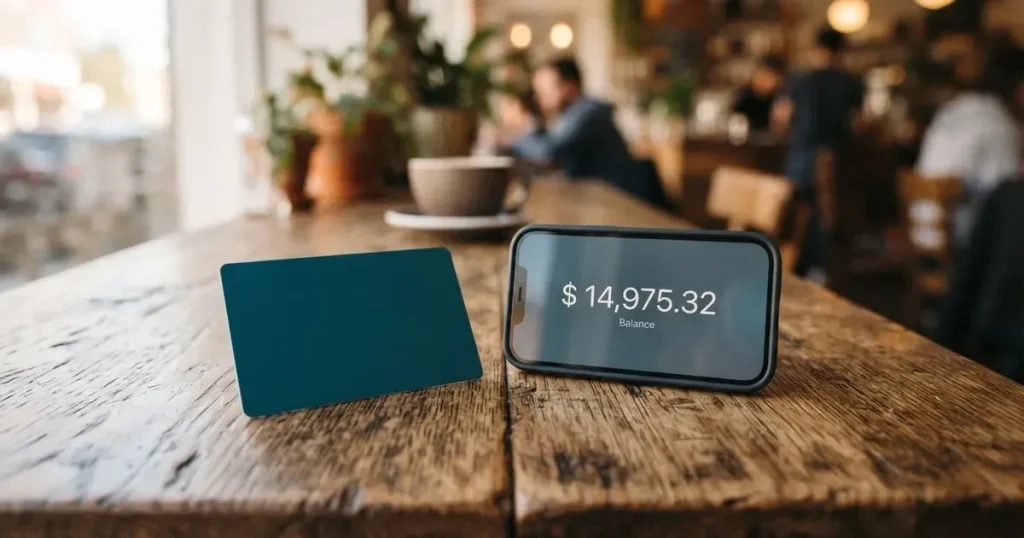
The Keytom card is a plain idea dressed up as a crypto product: a USD Visa you load with USDC and spend like an ordinary debit card, with no bank account in the traditional sense behind it. That simplicity is its main appeal, and its main trap. The virtual card issues free, the fees are legible, the balance is one number in one currency, and there is no month-to-month contract to leave behind. But the monthly fee is 10 USDC whether you use the card or not, a non-USD payment costs 2.35%, and the money sits with the company rather than with you. I gave it 6.0 out of 10. Not a bad card. Not a generous one either, and it fits a specific person very precisely: someone who already holds USDC, wants a USD Visa, and has limited or difficult access to ordinary banking.
Conditions are current as of October 28, 2026.
Conditions are current as of October 2026.
The score, criterion by criterion
| Criterion | Mark | Why |
|---|---|---|
| Who can get it | 8 / 10 | Stated as residents of “150+ countries”, with a published prohibited-jurisdiction list including Russia and Belarus |
| Cost | 3 / 10 | Virtual issue free, physical delivery 50 USDC, monthly fee 10 USDC; USD payments 1%, other currencies 2.35%, ATM 2% |
| Top-up options | 4 / 10 | USDC balance, top-up by card through Visa Direct or direct USDC; networks not named |
| Reliability and complaints | 7 / 10 | KEYTOM SERVICES LTD, Canadian MSB, FINTRAC registration M21788474, issuer not named; Trustpilot 4.3 from 37 reviews, complaints about a delayed referral reward |
| Everyday use | 8 / 10 | Virtual and physical Visa, Google Pay and PayPal, ATM up to USD 3,000 a day; Apple Pay not available |
| Total | 6.0 / 10 | Strong on access and everyday mechanics, weak on running cost |
The shape of that table matters more than the total. Two of the highest marks are about whether you can get the card and whether it works in a shop; the lowest mark is about money, and the second lowest is about getting money in. If your question is “can I pay here with this”, Keytom scores well. If your question is “what does a euro coffee cost me and what am I paying every month whether I buy anything or not”, it scores badly.
Who will they give you the card to
Keytom says it serves residents of “150+ countries”. That is the headline and I would treat it as marketing rounding until you check your own country. The site’s own customer acceptance policy draws a line, and the line is longer than the marketing line: Russia and Belarus are prohibited, and so are Ukraine, Serbia, Ghana, Uganda and Iran among others. If you live in one of those places, the answer is no, and the reasoning matters. The policy says clients with direct or indirect links to a prohibited jurisdiction cannot be onboarded — including ultimate beneficial owners who reside there or hold citizenship there. So a Russian passport alone does not disqualify you if you hold a valid residence permit or citizenship in an eligible jurisdiction and clear enhanced due diligence. What does disqualify you is where you actually live, or who you actually are.
That page is written for corporate clients, not for individuals, so I would not treat the wording as a promise to a private applicant. What it does tell you, reliably, is the shape of the rule: the company screens residence, and it screens citizenship separately. Both facts will matter at signup whether or not the policy is aimed at you.
Two things the company does not say in plain language on its card pages. It does not name the bank that issues the Visa. And it does not publish a per-country eligibility list, so “150+ countries” cannot be checked from the outside. The FAQ hedge is doing real work here: issuance, delivery and payments “may be limited or unavailable in some jurisdictions”.
If you are in a covered country with a normal address and a document you can show, your odds are good. If you are in a grey-zone country, or you are a Russian, Belarusian or Iranian national living elsewhere, expect a manual review and keep a document ready.
How to get it
The signup itself is short: register, complete whatever verification the app asks for, add a virtual card to a wallet or request the physical one. The physical card takes about 14 days and costs 50 USDC. Countries served are not listed. Replacement cost is not stated either, which means a lost card has an unknown price.
On identity checks, here is the honest picture, and it is unusual enough to flag. The Keytom card page does not use the word KYC. What it describes instead is 2FA, transaction monitoring and AML, and a policy note that Keytom may request verification information. Documents, proof of address and an age threshold are not stated for individuals. There are no published verification tiers either, no stated processing time, and no published list of official rejection reasons. What the company does say is that it may sometimes ask about a specific transaction, and may ask for verification when activity looks unusual.
Third-party sites describe a more conventional flow — passport, national ID or residence permit, a selfie with a liveness check, proof of address, source-of-funds evidence when requested, and an 18-plus minimum. That is unofficial and not confirmed by the card’s own pages, so treat it as a reasonable expectation rather than a specification. The gap matters: if you have never done a crypto KYC before and hate surprises, ask [email protected] what they will want from you before you send anything.
Fees: what it really costs
This is where the card reveals its design. It is USD-only, it costs a flat monthly fee, and it charges a percentage on almost everything. Here are the numbers as the card publishes them.

| Fee or limit | Value |
|---|---|
| Virtual card issuance | Free |
| Physical card delivery | 50 USDC, about 14 days |
| Monthly card fee | 10 USDC per card, charged when the balance covers it |
| Monthly fee with both cards | USD 20 |
| Card payment in USD | 1% (minimum 0.66 USDC) |
| Card payment in other currencies | 2.35% (minimum 0.66 USDC) |
| Crypto-to-USD conversion | Weighted average of the top 5 exchanges |
| ATM withdrawal, USD | 2% (minimum 0.66 USDC) |
| ATM withdrawal, other currencies | 3.35% |
| ATM limits | Up to USD 3,000 a day, USD 10,000 a month, 3 a day and 30 a month, USD 100,000 a year |
| Soft limit per transaction | About USD 150,000 |
| Transaction count and monthly spend | No fixed cap |
| Cashback or perk tiers | None; single tier only |
Three everyday payments, and what each one costs. A USD 20 subscription in dollars: 1%, so 20 cents. A EUR 30 subscription paid from the card: 2.35%, about 0.71 USDC on top of the exchange-rate movement. A USD 40 fee at a foreign ATM: 2% for the cash itself, and then whatever the ATM operator charges on top, which the card does not control.
If you spend more each month, the 1% fee becomes more significant against the fixed 10 USDC monthly fee. At lower monthly spending, the fixed fee dominates. Add a euro habit and the effective rate moves to the 2.35% column, which is where the “2.35% versus 1%” difference stops being a footnote. Because the balance is USDC and the card is USD, there is no multi-currency balance to hold euros and dodge the spread; you convert on the way out.
Two structural points that are easy to miss. The monthly fee is per card, so running a virtual and a physical doubles it to USD 20 — and if the balance does not cover it, the card does what a prepaid card does and stops. And the 1% on USD payments is not a merchant-category thing; it applies to spending your own balance, which is unusual enough that you should read it as a service charge rather than a network fee.
Top up: how the money gets in
The card spends a USDC balance. You put money in three ways: top up by card through Visa Direct, send USDC directly, or convert euros or crypto you already hold inside Keytom into USDC. No top-up fee is listed on the card page. The minimum top-up is not stated and neither is who pays the network fee on a USDC transfer.
That last point is the one to slow down on. The card page does not name the networks it accepts. In this category that omission is costly, because blockchain transfers are irreversible: a deposit sent on a network the provider does not support, or to an address belonging to a different network, can be lost outright or need manual support recovery with no guarantee. The general rule for any card in this category is to send a small test amount first and confirm it arrived before sending the rest. If Keytom’s own support cannot tell you the network from the app before you send, treat that as a question to ask, not a detail to guess.
Third-party sources describe account-level fees the card page does not publish: SEPA incoming at 0.5% plus EUR 0.25 and outgoing 1% plus EUR 0.25, minimum EUR 2.75 each way, and EUR-to-crypto conversion at 1.5%; a crypto withdrawal fee of 0.1% plus network fee. That is unofficial and not confirmed by the card, so do not build a euro strategy on it. What the card’s own pages do not describe at all is withdrawing the card balance to a bank account or to a self-custody wallet. A deletion policy is linked from the site; its content was not read, so I cannot tell you what happens to a remaining balance if you close.
Paying with it every day
Mechanically this is the strong part of the card. The Visa is virtual by default and physical on request, contactless, valid for up to five years, with a maximum of two cards, one virtual and one physical. It runs on a credit BIN but spends your own balance — it is not a loan and it cannot be overdrawn. You can add the virtual card to Google Pay and PayPal. Apple Pay is “not available yet”, and that word “yet” carries some weight when you see it in the complaint thread later on.
A technical point worth understanding once, because it explains occasional declines at unfamiliar merchants. A card number begins with six or eight digits identifying the issuing institution, and merchants can look that up. If the issuer country differs from the billing address you type, some merchants apply extra scrutiny. Some decline prepaid or foreign-issued cards outright. Address verification, which compares the street number and postal code a shopper types against issuer records, is mainly offered in the US, Canada and the UK and is generally unavailable for foreign-issued cards. If a payment fails once, retrying is often enough; if it fails repeatedly at one merchant, this is why.
What does not work: fuel pumps, gambling, and a few other categories, with some platforms also blocking in-game purchases. Rewards are the other silence — the card page mentions no cashback, and third-party sources agree none is advertised. There is one tier, and it has no perks attached to it. Refunds go back through the merchant, usually in two to fifteen days, and the original payment fee is not returned, so a refund lands slightly lower than what you paid. Hotels and airlines can hold funds for up to 30 days. Chargebacks are not mentioned, and in this category that silence is worth noting rather than glossing over: a chargeback is a refund the issuer orders to settle a dispute, and prepaid-card coverage varies by scheme and jurisdiction, so I would not assume one exists here.
Apps exist for iOS and Android. App Store and Google Play ratings are not stated on the card’s pages.
What can go wrong
Four risks, roughly in the order they would hurt you.
Custody first, because it is the big one. Your balance is held by Keytom, not by you. That is a trust decision with a known failure history in this category: Mt. Gox reported about US$350 million stolen, Coincheck about US$400 million in 2018, Ronin Network US$625 million in 2022. The specific risk here is narrower than a hack — Keytom is a registered Canadian money services business, FINTRAC M21788474, and its cards are issued through an unnamed bank. But a money services business registration is not a bank deposit, and client funds are not the same as bank deposits.
The company describes safeguards: two-factor authentication, transaction monitoring and AML, card freeze from the dashboard, segregated client accounts, and crypto “insured up to $100 million through Fireblocks” in the FAQ’s own wording. Withdrawals can be paused on suspicious activity. Whether $100 million covers you depends entirely on what the policy actually insures and under what conditions — that is the FAQ’s phrasing, not a coverage guarantee.
Second, cost. The trustpilot complaints I read are mostly about this: fees and rates seen as high against alternatives, on 29 January and again on 9 and 29 September 2026. That is not a malfunction, it is the design, and complaints about it are the correct response to it.
Third, the referral reward story. One user reported in January 2026 that a referral reward was unpaid and the account closed; the company’s reply of 12 October 2026 says rewards can be withheld for suspected abuse. Treat referral money as money you might never see.
Fourth, access drift. Apple Pay was reported missing on 6 October 2026, with the company saying it is “being brought back” — a phrasing that implies it previously worked. On 20 October 2026 the score stands at 4.3 out of 5 on Trustpilot from 37 reviews in the last twelve months, with 81% five-star and 14% one-star. Thirty-seven reviews is a small sample; only 10 were visible to me, so treat the ratio as a rough signal rather than a measurement.
Support, when you need it, is in-app chat, the website, or [email protected], on business days 5:00 to 15:00 UTC, with after-hours messages answered the next business day. Languages are not stated and the site reads English only.
One structural fact to keep in your head, from the category rather than from this card: card programmes do get wound down. Visa terminated its global agreements with FTX on 13 November 2022, and WaveCrest, a card issuer that supplied several crypto brands, was suspended by Visa in Europe in 2018, closing all of its programmes. A closure typically means a notice period, then loading and spending stop, then you are asked to withdraw what is left. One 2026 closure reported by a secondary source ended new loads on 8 July and spending on 8 August, but that is a single unconfirmed source. The lesson is not that Keytom will close; it is that a card balance is somewhere to spend, not somewhere to keep a reserve.
What to take instead
If your problem is banking access rather than crypto convenience, a conventional international card may simply be cheaper. If your problem is convenience, a crypto-native card may be easier. Two comparisons worth walking through.
International Visa Card — scored 6.7 out of 10 here, a little above Keytom. It is a U.S.-issued Platinum Visa, virtual only, with the physical card listed as coming soon; it pays in USD. Issuance is USD 5 once, there is no maintenance fee, and Classic is free while Pro is USD 9 a month and Max USD 19. The decisive number: card use in USD is free on all plans, deposits of any kind are free, and foreign currency costs the Visa exchange rate plus a 2% FX fee. So against Keytom’s 1% on USD spending plus 10 USDC a month, this card wins plainly if you live in dollars. Its restrictions are stricter and more specific: no residents or registrants of Belarus, mainland China, North Korea, Cuba, India, Iraq, Iran, Israel, Myanmar, Nepal, Nicaragua, Russia, Syria, Turkey, Ukraine, Venezuela or Vietnam, with FATF grey-list countries reviewed case by case, and purchases blocked in North Korea, Cuba, Iran, Russia, Syria, Ukraine and Venezuela. It funds with USDC or USDT at 1:1, plus USD, EUR, SEPA, SWIFT and FedNow.
Morse — 7.5 out of 10, the strongest of the three. Eligibility is by residence, not citizenship: 18+, resident in a supported country, app in over 140 countries, local add and withdraw in over 70, and it cannot serve customers under US sanctions (also UK, EU and UN). Some countries are closed beta behind an invite code, including the United Kingdom, Australia, Singapore, Switzerland, Japan and Türkiye. The card is fully virtual for now, a Visa prepaid debit spending a multi-currency balance. Zero foreign exchange fees or markups, the real-time Visa rate, conversions at the real rate with no markup, and paying online and contactless is free. Deposits by debit card, stablecoin transfer or Account Details, with USDC, USDG and EURC over Solana free and other tokens or chains carrying a fee — and the wallet is self-custodial, which is the single most important line in this paragraph. Issuance and monthly fees are not stated; the card page says fees may apply and points to the Cardholder Agreement.
UNi Card — 6.1 out of 10. A multicurrency card on Mastercard spending from the UNi.Global balance, no annual fee and no foreign transaction fee, conversion at live OTC rates with no hidden exchange fees, and spend-to-earn rewards up to 3%. Its eligibility, funding routes and card format are not stated, which is why I cannot tell you who it suits.
| Keytom | International Visa Card | Morse | UNi Card | |
|---|---|---|---|---|
| Score here | 6.0 / 10 | 6.7 / 10 | 7.5 / 10 | 6.1 / 10 |
| Currency model | USD only | USD | Multi-currency balance | Multi-currency |
| Cost of USD spending | 1% | Free | Free | Not stated |
| Foreign currency cost | 2.35% | Visa rate + 2% FX | Zero markup, real rate | No FX fee, OTC rate |
| Fixed monthly fee | 10 USDC per card | Free on Classic, then 9 or 19 USD | Not stated | No annual fee |
| Self-custody | No, balance held by Keytom | Not stated | Yes | Not stated |
| Physical card | Yes, 50 USDC | Coming soon | Not stated | Not stated |
| Rewards | None stated | None stated | Not stated | Up to 3% |
Read that table with one eye on the row you care about. Keytom is not the cheapest way to spend dollars and it is not the cheapest way to spend euros. What it is: a USD Visa with a USDC balance and no banking relationship, available in a very large number of countries.
Who I would recommend it to
I would recommend Keytom to someone who already holds USDC, needs a USD Visa, and cannot get an ordinary card — because of country, banking history, residency status, or simply because the nearest branch is a long way off. The 1% on dollars is easy to accept once you understand that the monthly 10 USDC only hurts below roughly USD 500 of monthly spending. I would also recommend it to anyone who wants a USDC balance that sits still, loads from a card through Visa Direct, and gets spent through Google Pay or PayPal without a conversion step they have to think about.
I would not recommend it to a euro-heavy spender, because 2.35% plus exchange-rate movement plus 10 USDC a month is a lot for a card whose only currency is dollars. I would not recommend it to anyone treating it as a savings home for crypto: the balance is custodial, the fixed fee nibbles it monthly, and there is no multi-currency layer to protect the value. And I would be careful with anyone whose income arrives in euros and whose spending happens in two or three countries — this card is built for a single-currency life.
Before you sign up, I would do three things: confirm your own country is not on the prohibited list and that your citizenship is not either, ask support what documents they will actually want, and run the fee arithmetic against your real monthly spend. If your number comes out above about 6% all-in, the card is not for you and a free dollar-spending card will be.
Frequently asked questions
What is the Keytom card?
Keytom is a USD Visa you fund with USDC. The virtual card issues free, a physical card costs 50 USDC and arrives in about 14 days, and the balance is USDC rather than dollars. It is a Visa card that spends a balance you have already loaded — a credit BIN, but not a loan, so it cannot go negative.
Does Keytom require KYC?
The card pages do not use the word KYC. They describe two-factor authentication, transaction monitoring and AML checks, and say Keytom may request verification information or ask about a particular transaction. Documents, proof of address and an age minimum are not stated for individuals. Third-party sites describe passport or ID, a selfie, proof of address and 18+ — unofficial, not confirmed.
Is Keytom a bank?
No, it is a Canadian money services business. The operating company is KEYTOM SERVICES LTD, registered with FINTRAC as MSB M21788474. The bank that issues the Visa is not named. That distinction matters for your balance: a money services business is not a bank, and client funds are not bank deposits.
How much does the Keytom card cost?
The virtual card issues free and a physical card costs 50 USDC. The monthly fee is 10 USDC per card, or USD 20 with both. Spending costs 1% in USD (minimum 0.66 USDC) and 2.35% in other currencies, with a 3.35% foreign-currency ATM fee and 2% on USD ATM withdrawals. No cashback and no perk tiers.
How do I top up the Keytom card?
Three routes: top up by card through Visa Direct, send USDC directly, or convert euros or crypto you already hold with Keytom into USDC. No top-up fee is listed, and the minimum is not stated. The networks are not named either, and an unsupported network means an irreversible loss, so send a small test amount first.
Can I use the Keytom card in my country?
Keytom states residents of “150+ countries”, but it does not publish a country list, and issuance, delivery and payments “may be limited or unavailable in some jurisdictions”. Prohibited jurisdictions include Russia, Belarus, Ukraine, Serbia, Ghana, Uganda and Iran, and the screen covers residence and citizenship of beneficial owners.
How do I add the Keytom card to Apple Wallet?
You cannot at the moment — the FAQ says Apple Pay is not available yet, and in October 2026 the company said it was “being brought back”. Google Pay and PayPal both work with the virtual card. That is a real gap if Apple Pay is how you pay at the places you shop.
Is the Keytom card safe to use?
The balance is custodial, held by Keytom, so you are trusting the company rather than holding keys yourself. The safeguards described are 2FA, transaction monitoring, card freeze from the dashboard, segregated client accounts, and crypto “insured up to $100 million through Fireblocks” in the FAQ’s wording. Freeze the card whenever you are not using it; that is the cheapest protection available.
Why does Trustpilot show complaints about fees and referral rewards?
Fees are the design, not a fault: 1% in dollars, 2.35% elsewhere, 10 USDC a month. Reviewers reported rates as high against alternatives on 29 January and 9 and 29 September 2026. A separate January 2026 report described an unpaid referral reward and a closed account; the company’s reply of 12 October 2026 says rewards can be withheld for suspected abuse.
Can I withdraw money from the Keytom card?
Cash is possible at ATMs with the physical card, up to USD 3,000 a day, USD 10,000 a month and USD 100,000 a year, with limits of three withdrawals a day and thirty a month. Withdrawing the balance to a bank account or a self-custody wallet is not described on the card pages. A deletion policy is linked, but its content was not read, so check before closing an account.
Top app and neobank cards by score – cryptocardtop
Content created by the «cryptocardtop» team