
Kryptonim card review
 Available in US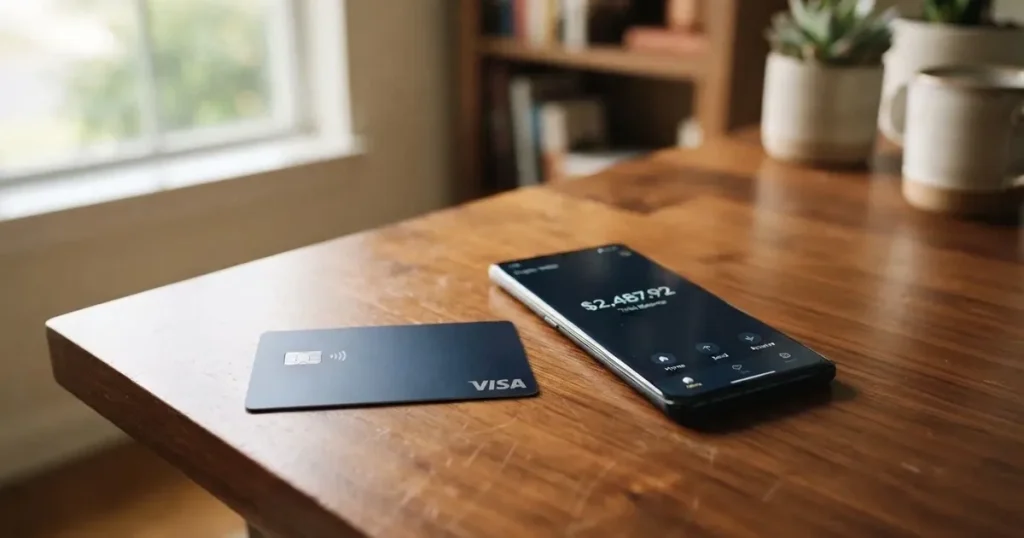
The Kryptonim card is a Visa payment card tied to the Kryptonim Wallet, built for people who already keep digital assets inside that wallet and want to spend them through a normal card rails rather than through crypto-only checkouts. It is one of the simpler products in the crypto-card space: a free virtual card on signup, a physical counterpart whose price the public page does not state, and a wallet that converts the user’s balance at the moment of payment. The cost side is honest where it is disclosed and silent where you would most want to know, which is why the verdict below leans on what the company does publish, and on what it does not, in roughly equal measure.
The conditions described here are current as of October 28, 2026.
Verdict
I went through the public card pages, the wallet walkthrough, the FAQ, the listed corporate entities and a few user-facing reports, and the result is a card that does a small number of things and says so clearly, while leaving a long list of everyday questions unanswered. The composite score is 6.1 / 10. The breakdown is in the table below.

| Criterion | Mark | Why it lands there |
|---|---|---|
| Who can get it | 5 / 10 | The card is marketed for use where Visa is accepted, but no public list of eligible or excluded countries, and no statement of who the issuer actually is. |
| Cost | 8 / 10 | Virtual card free, no monthly fee disclosed, a demo deposit shows zero in fees and zero network fee. The price of a physical card, FX, ATM and conversion fees are not stated. |
| Top-up options | 5 / 10 | Funding is by QR-code transfer into Kryptonim Wallet with automatic conversion of digital assets. Which coins and which networks are not named. |
| Reliability and complaints | 6 / 10 | The Kryptonim group is structured around regulated entities in the UK, Switzerland and Canada. No public card-specific complaints. The unrelated on-ramp service on the Kryptonim website has an unofficial Trustpilot score of 3.2/5 from 166 reviews. |
| Everyday use | 6 / 10 | A virtual or physical Visa with Google Pay support. Apple Pay, ATM access and category blocks are not stated. |
The audience this fits best is a Kryptonim Wallet user who wants a free virtual Visa, is comfortable with the wallet’s conversion flow, and is willing to ask support the questions the public page leaves open. It fits less well if you live somewhere that requires a published residency list to apply, if you need a physical card with a known up-front price, or if you want the consumer protections and disclosures of a card from a named, regulated bank or e-money institution.
If you only want a number, 6.1 is the answer. If you want to know whether to apply, the sections that follow walk through who can get it, what it costs, how to load it, and where it leaves you exposed.
Who will they give you the card
Kryptonim does not publish a country list, an excluded-country list or a residency-versus-citizenship rule on the card pages. The only eligibility-style statement I could find is that the card works “where VISA cards are accepted,” which is a description of where the card can be used at the till, not a statement of who can be issued one. That gap is worth pausing on, because most regulated card programmes in this category publish either a country list, an exclusions list, or both. Without one, you cannot tell from the page whether your country is in or out before you create an account and start the verification flow.
The page also does not link the card to a named issuer. The Kryptonim group lists several entities on its website: Swaps Ltd in England and Wales (company number 11850124, registered with the UK Financial Conduct Authority as a cryptoasset business), QuantiPay AG, KTM Virtual Services Inc. in British Columbia (a FINTRAC-registered money services business with MSB number M23813101), Kryptonim Colombia, and Kryptonim sp. z o.o. as a data controller. None of these is named on the card page as the card issuer, and the page does not say which one issues the Visa programme, or whether the card is issued by a partner bank or e-money institution under licence. In the EU and UK, that is a meaningful gap, because consumer rights and the scheme rules you can fall back on depend on who actually issued the card.
KYC, identity checks and the like are also not described in detail. The signup flow says you get a free virtual card “shortly after account verification,” but the card pages do not list which documents are needed, what age applies, or whether a proof of address is part of the standard flow. In the EU, the standard due-diligence set would be name, address, date of birth, nationality and an identity document, plus a sanctions and PEP check. In the US, a customer identification programme covers name, date of birth, address and an identification number. Kryptonim does not confirm which of these it runs, so the practical advice is to assume the standard set and have documents ready, but not to assume anything specific until you go through the flow yourself.
The shortest version is this: if you are an existing Kryptonim Wallet user and your country is not on a sanctions list, you are likely able to try. If you are not, the page will not tell you in advance, and the only way to find out is to start.
How to get it
The application path is a short one in the abstract and a vague one in detail. You create or open a Kryptonim Wallet account, complete whatever verification the app walks you through, and the virtual card becomes available. After that you can request a physical card, though the page does not state how long delivery takes or what it costs to ship.
The flow as the page describes it:
- Open a Kryptonim Wallet account and finish the verification steps the app presents.
- Once verified, generate the free virtual card. The page frames this as a near-instant step tied to verification, not to a separate application.
- Optionally, order a physical card. The page does not state the price, the delivery time, or the countries it ships to.
- Add the card to a mobile wallet. The card page names Google Pay directly and links to the Google Pay Terms; Apple Pay is not mentioned.
The points to know before you start:
- The card currency is not stated. The Kryptonim app, like most cards of this kind, will pick a settlement currency and convert from there, but you will only see the exact behaviour in the app.
- The KYC levels — what unlocks a virtual card, what unlocks a physical one, and what lifts a spending cap — are not described. Most cards in this space operate on tiers, with basic identity checks opening a virtual card and higher limits or a metal or physical card requiring an address document or a source-of-funds check. Kryptonim does not say which model it uses.
- The age requirement is not stated. Prepaid and debit cards are generally restricted to adults, usually 18 or older, with some issuers setting higher limits for under-25s.
- A physical card’s address requirement is not stated, so the practical advice is to enter an address you can receive post at and have a proof of address document ready, since a Visa programme under a regulated issuer will normally ask for one at some stage.
If you have been through a typical crypto-card application before, none of the steps above will surprise you. The unusual part is how much of the policy is left for the in-app flow to show you rather than for the public page to tell you in advance.
What it really costs
The Kryptonim card is positioned as a low-cost card, and on the part of the cost story the company talks about, the picture is straightforward. Where the company does not talk about cost, the picture is blank, and that matters.
What is disclosed:
- No monthly fee for the virtual card. The page describes the virtual card as free and does not list a monthly or annual maintenance charge for it.
- Demo deposit shows zero fees. A demo top-up screen on the card page shows a 1.00 EUR deposit with “Fees 0.00 EUR” and “Network fee 0.00 EUR” displayed. That is a single number on a single screen, not a published rate card, and it does not cover the live conversion or any FX mark-up.
- No mention of inactivity, closure, or minimum-balance fees on the virtual card, and no monthly fee for the card itself.
What is not disclosed:
- The price of the physical card. The page does not give a one-time issuance fee or a subscription.
- The conversion fee. The card page mentions “Automatic conversion of digital assets,” but the percentage or spread applied at the moment of conversion is not stated.
- The FX fee. For any spend or ATM withdrawal in a currency other than the card’s base currency, the percentage taken on top of the wholesale rate is not published.
- ATM fees. The page does not state whether ATM withdrawals are supported at all, and if so what the fee and limit structure looks like.
- Spending limits. The FAQ asks “What are the spending limits for Kryptonim Card?” and the answer is not present in the page text I could read.
- Tier pricing. If there is a tiered structure (virtual-only vs virtual-plus-physical, or different KYC levels with different caps), it is not described.
| Fee or limit | Stated on the page | What it means in practice |
|---|---|---|
| Virtual card issuance | Free | The standard entry point is a no-cost virtual card after verification. |
| Physical card issuance | Not stated | You will see the price in the app if you reach the order step, not on the public page. |
| Monthly fee | “No monthly fees for virtual card” | Confirmed for the virtual product; not stated for the physical product. |
| Conversion fee | Not stated | The page says assets are converted automatically; the rate is not published. |
| FX fee | Not stated | Cross-currency spending is normal on a Visa, but the mark-up is not published. |
| ATM fee | Not stated | It is not clear whether ATM withdrawals are supported at all. |
| Daily and monthly limits | Not stated | The FAQ question on limits is present, but the answer is not in the page text. |
Three everyday payments, and where the cost story lands:
- A 10 EUR coffee in a eurozone country, paid with the card directly in euros. The visible cost is the conversion from your wallet balance at the moment of sale. The mark-up, if any, is not published, so the only honest answer is “small but unspecified.”
- A 50 USD online subscription paid in US dollars from a euro-priced card. This is where FX mark-up would normally show up, on top of any conversion from the crypto balance. Both layers are not disclosed.
- An in-app purchase on Google Pay in your home currency. If the card’s settlement currency matches the merchant’s currency, you avoid the FX layer, but the conversion layer is still applied when the wallet balance is funded. The published cost is zero on the demo screen and undisclosed on the live one.
The fees section closes on the same note it opens: the cost story is friendly where it is told, and silent where most people would look first.
Top up
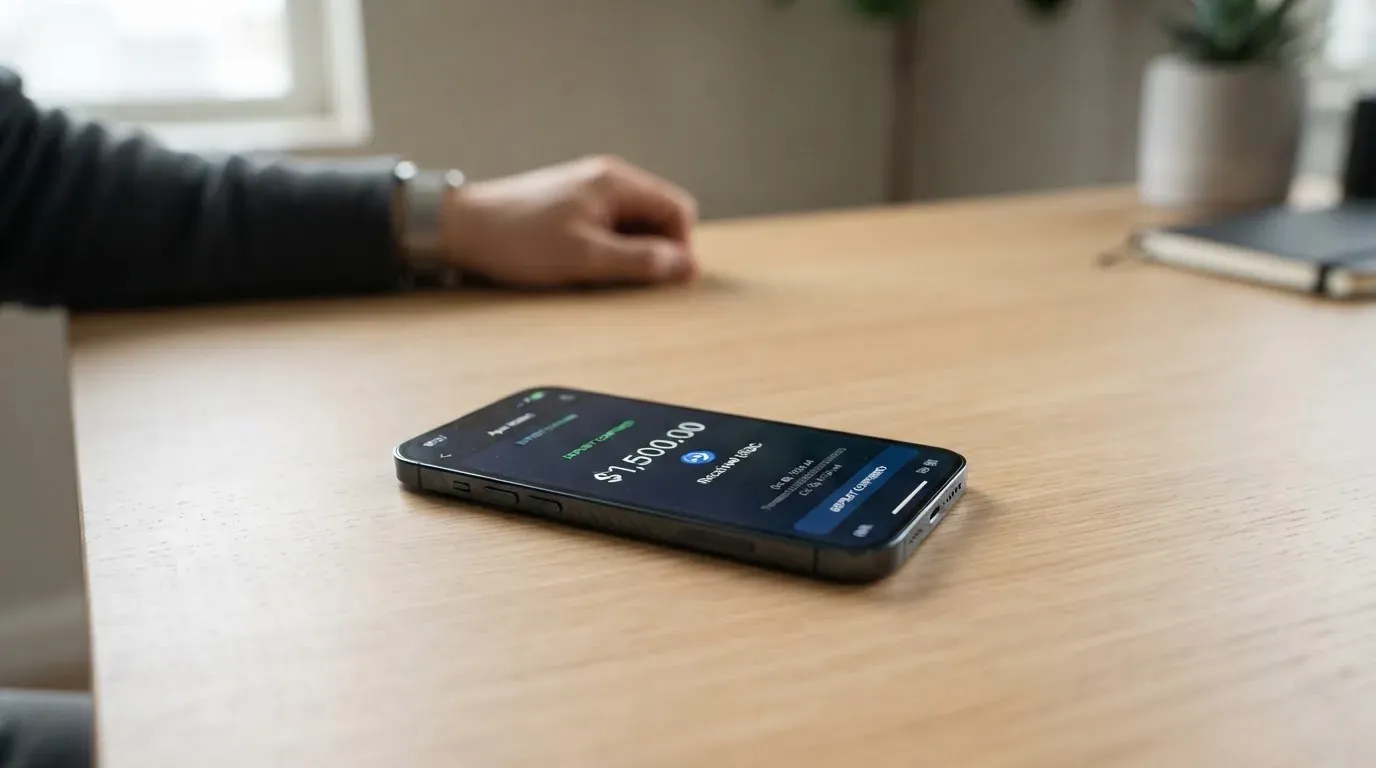
Top-up is described in two sentences on the page and not in much more detail elsewhere. The flow is: open Kryptonim Wallet, scan a QR code shown by the wallet, send crypto to the address embedded in that QR code, and the card balance is updated. The page also says the wallet performs an “Automatic conversion of digital assets” at the relevant moment, which means the user is not choosing when to swap into the card’s spending currency, the wallet is doing it.
What is on the page:
- Funding is by QR-code transfer into Kryptonim Wallet. There is no separate “add money to card” screen that I could find in the published material; the wallet is the funding surface.
- The wallet performs automatic conversion of digital assets. The user does not manually place a swap before paying.
- A demo deposit screen shows a 1.00 EUR deposit with fees of 0.00 EUR and a network fee of 0.00 EUR. The demo screen is illustrative, and the fees shown on a real deposit will depend on the coin and the network used.
What is not on the page:
- Which coins are accepted. The page does not name Bitcoin, Ethereum, USDT, USDC, SOL or anything else as supported.
- Which networks are accepted. The page does not say whether USDT should arrive on Ethereum, Tron, Solana, BNB Chain or elsewhere, and does not warn explicitly about the cost of sending on the wrong network.
- Minimum and maximum top-up amounts. The FAQ asks about minimums in spirit (by asking whether balances can be withdrawn to a wallet or bank), but the answer is not in the page text.
- Whether fiat top-up is supported. The page presents the flow as a crypto transfer, not a bank transfer, so the working assumption is that this is a crypto-funded card, not a dual-funded one.
- Whether a withdrawal back to a private wallet or to a bank account is supported. The FAQ asks the question; the answer is not in the page text.
The single most important practical warning, and it is not on the Kryptonim page itself, applies to the broader category: blockchain transfers are irreversible, and a deposit sent on a network the card provider does not support, or to an address belonging to another network, can be lost or stranded and may need manual support recovery with no guarantee. Stablecoins are not exempt from this. USDT has been issued on Ethereum, Tron, Solana, Polygon, Avalanche and others, USDC is natively supported on 38 networks as of mid-September 2026, and not every provider accepts every network. If Kryptonim is silent on this, treat the support chat as a hard prerequisite before any non-trivial transfer.
There is a second category-level point worth keeping in mind, and it is not specific to Kryptonim: on Ethereum, fees are paid in ETH, so a wallet that holds only USDT cannot actually send. On Tron, fees are paid through bandwidth and energy, often by burning TRX. If you fund from a wallet that holds only the asset you want to send and no native gas token, the transfer will fail at the network layer, not at the card layer.
Paying with it every day
Once loaded, the Kryptonim card behaves like a regular Visa at the till or in a checkout. The card page describes a virtual or physical Visa, the wallet converts the balance at the moment of payment, and the card can be added to Google Pay for tap-to-pay on Android. The points you actually have to work out for yourself are mostly the ones the page does not cover.
Mobile wallets. Google Pay is named on the card page, with a link to the Google Pay Terms. Apple Pay is not mentioned. If you live inside the Apple ecosystem, that is a real constraint: a virtual card on its own can be entered into Apple Pay only if the issuer enables it, and the public page does not say that it does. For a physical card, the same caveat applies, and the working assumption is that iPhone users are dependent on the physical card’s contactless symbol working at the till.
In-store and online acceptance. Because the card is on the Visa network, it will be accepted where Visa is accepted, subject to the usual issuer-side and merchant-side quirks. Some merchants decline prepaid or foreign-issuer BINs when the BIN lookup reveals the card type and the issuing country. Others run an Address Verification Service check, which is mainly offered in the US, Canada and the UK and is generally unavailable for foreign-issued cards, which can cause a decline even when the card balance is fine. 3-D Secure adds an identity check to online payments: the issuer either approves the transaction frictionlessly or challenges the cardholder with a one-time code or biometric step. None of this is Kryptonim-specific, but it is the texture of using a Visa that is not tied to a major local bank.
Blocked categories. The page does not publish a list of blocked merchant categories. In the wider market, gambling (MCC 7995, covering casinos, betting and lotteries) is often restricted by issuer policy rather than by law, and the exact list varies by issuer. If you plan to use the card for a specific category, the safe move is to ask support before relying on it.
Rewards and cashback. Not stated. There is no mention of a cashback rate, a sign-up bonus, a points programme, or a staking requirement on the card page. If a rewards layer exists, it is not on the public page.
The app. The card page links to the iOS version of “Kryptonim Wallet.” App-store ratings were not read for this review, and the app is the surface where most of the unstated behaviour will actually show up: which coins are visible, what the current conversion rate is, which merchant the payment is going to, and whether a hold has been placed on the balance after a transaction. A typical pattern in this category is that a declined authorisation can leave a hold on the funds for several days, often up to a week. If a charge does not go through, the working assumption is that the hold is temporary, not that the money has been spent.
What can go wrong
The honest version of the risks section is that the card-specific public incident record is short, and the category-level risk list is long. Kryptonim has not been the subject of a card-specific complaint I could find, and the broader group has multiple regulated entities behind it. That is meaningful, and it does not eliminate the risks below.
Custody and control. The card page says only that users should “never share your private keys or sensitive information.” It does not state whether the card balance is held in custody by Kryptonim, in the user’s own wallet, or in some hybrid model. The category background matters here: a custodial wallet means the provider holds the credentials and the user must trust the provider completely, while a self-custody-linked card means the funds stay in the user’s own wallet until the moment of payment, and the user bears sole responsibility for key loss, phishing, and clipboard-hijacking malware that swaps copied addresses. Cryptocurrency transfers are typically irreversible, and a stolen private key has no built-in recovery: the network cannot freeze or return the funds. The custodial side of the category has its own history: Mt. Gox (around US$350 million reported stolen between 2011 and 2014), Coincheck (around US$400 million in 2018), Ronin Network (US$625 million in 2022). Holding funds with a custodian carries counterparty and hack risk.
Issuer and programme risk. The card issuer is not named on the page. That matters because in the EU and the UK, the consumer rights, complaints procedures, and the safeguarding regime that apply to a card depend on whether it is issued by a credit institution, an e-money institution under MiCA and the e-money rules, or another type of regulated entity. A card issued by an e-money institution is generally subject to safeguarding rules that require customer funds to be segregated in dedicated accounts or insured, and those funds are not the same as bank deposits and may not be covered by deposit guarantee schemes. MiCA’s transitional grandfathering period lets providers already operating under national law continue only until 1 July 2026 or until they receive or are refused a MiCA authorisation, whichever comes first. If Kryptonim’s card programme depends on a partner that is mid-transition, the public record would not necessarily show that yet.
Network and partner risk. Crypto-card programmes have been cancelled by networks and partners before. Visa terminated its global agreements with FTX on 13 November 2022, and the FTX US debit card programme was wound down by its issuer. WaveCrest, a Visa card issuer that supplied several crypto card brands, was suspended by Visa in Europe in 2018, closing all WaveCrest-issued Visa programmes. A typical closure pattern gives users a notice period, then stops new loads, then stops spending, then asks users to withdraw remaining balances. If a closure happened, the balance in the wallet at that moment is what the user has to recover, not the balance at peak.
Stablecoin risk. If the card is funded in stablecoins, the value of the balance depends on the peg holding. Stablecoins aim to hold a stable value against a fiat currency, but the name is not a guarantee: TerraUSD collapsed in May 2022, and USDC temporarily lost its peg in March 2023 during the US banking crisis. Stablecoins can also be frozen: Tether has disabled tokens in wallets on the OFAC sanctions list and has frozen funds tied to illicit activity, so stablecoins are not censorship-proof. If a card’s “automatic conversion” path involves a stablecoin, that path is only as strong as the stablecoin at the moment of conversion.
Complaints. I could not find card-specific complaints against the Kryptonim card. For broader context, the on-ramp service at the Kryptonim website (which is the same group, not the card itself) has an unofficial Trustpilot score of 3.2 out of 5 from 166 reviews, with user reports of unpaid withdrawals and a deposit not returned for weeks. That is unofficial third-party context, not a finding about the card, and the small sample and the conflating of different products on the same domain mean it should be read as a signal, not a verdict.
Sanctions and country rules. Kryptonim’s published eligibility does not call out a sanctions list. The category norm is to refuse service to residents of, or orders from, a country subject to sanctions that would prohibit the service, and to screen both residence and nationality because sanctions screening is often applied to citizenship and country of birth as well as to the country of address. The advice here is the same as it is for any card in this space: if your country of residence or your country of birth is on a major sanctions list, expect the application to fail, and expect it to fail at the verification stage rather than at the order stage.
Disputes and refunds. The FAQ on the card page asks where a merchant refund goes, and the answer is not in the page text. In the US, debit-card reversal rights come from Regulation E and credit-card rights from Regulation Z; prepaid-card coverage varies and should not be assumed. A chargeback is a refund ordered by the card issuer, with reason codes such as fraud, duplicate billing or goods not received. Whether the Kryptonim card participates in chargeback at the same level as a debit card from a major bank is a question for support, not the public page.
What to take instead
Three alternatives, all of them in the same broad category, with different trade-offs. The scores below come from the same kind of review process, and the comparison is meant to help you place Kryptonim rather than to crown a winner.
| Card | Score | What it is | How it differs from Kryptonim |
|---|---|---|---|
| CardFlow | 4.9 / 10 | A virtual USD Mastercard aimed at Nigeria and Nigerians abroad. | Free virtual card creation. Funding in Bitcoin, USDT, ETH or Naira bank transfer. Networks and fees not stated. |
| HyperCard | 4.7 / 10 | A prepaid “HyperCard” with a balance in USD or EUR. | No published country list; the App Store says the card works in more than 176 countries, which is an acceptance statement, not an eligibility one. Funding by USDT, BTC, ETH in the app. |
| Card.fi | 6.6 / 10 | Virtual Classic and Virtual Premium, plus physical and metal versions, with a published price list and a tiered fee structure. | Virtual Classic $49 once, Virtual Premium $249 once, no monthly or inactivity fee. Top-up fees 1.5% + $1.00 on Classic and 1% on Premium, FX 3.5% and 2.5% respectively. 32 coins across 5 networks. Cashback on card spending for the paid tiers. |
If you are choosing on the basis of cost transparency, Card.fi is the easiest to compare against Kryptonim because its fees are published: you can see the top-up fee, the FX fee, and the issuance price before you apply. The trade-off is a one-time issuance fee that Kryptonim does not charge for the virtual card. If you are choosing on the basis of free entry, HyperCard is the closest in feel to the Kryptonim card, with the same kind of in-app conversion and the same kind of silence on which networks are supported.
If you are choosing on the basis of a published country list, none of the three is a model of clarity either. CardFi’s terms bar residents of, or orders from, a country subject to sanctions that would prohibit the service, and that is the kind of statement that is more useful than no statement at all. CardFlow’s pages are framed around Nigeria without being a closed list. HyperCard’s App Store page says “more than 176 countries” of acceptance, which is again a till-side statement, not an eligibility one. The honest summary is that this corner of the market is generally not strong on published eligibility, and Kryptonim is not the weakest on that front.
For someone whose priority is a named, regulated issuer and EU passporting, the card to look at first is one whose issuer is publicly identified on the card page and whose MiCA or e-money status is searchable on a national regulator’s register. The Kryptonim card does not give you that information up front, and that is the single biggest reason the alternatives exist as a category.
Who I would recommend it to
The Kryptonim card is a sensible answer to a specific question, and a poor answer to several others. If you are already a Kryptonim Wallet user, want to convert and spend from that balance without setting up a separate crypto card product, and are comfortable with a virtual card on Google Pay for everyday use, this card does the job and the cost story is friendly where the page tells it. The conditions are current as of 2026-10-20, and the parts of the product that are not on the public page will reveal themselves in the app and in support rather than up front.
It is not the card I would recommend if you need a published country list before you start, if the absence of a named issuer is a deal-breaker for you, if the price of the physical card matters before you commit, if you live inside the Apple ecosystem and depend on Apple Pay, if you want a published cashback rate, or if you want to be able to plan your cost on cross-currency spending from a published FX mark-up. The score of 6.1 reflects that balance: a competent product with a thin public disclosure, and a better fit for an existing wallet user than for a first-time crypto-card shopper.
Frequently asked questions
What is the Kryptonim card?
The Kryptonim card is a Visa payment card tied to the Kryptonim Wallet. It comes as a free virtual card, with a physical counterpart, and the wallet converts your crypto balance into the spending currency at the moment of payment. It is built for users who already keep digital assets inside the wallet and want a regular Visa on top.
How does the Kryptonim card work?
You open or sign in to Kryptonim Wallet, complete verification, and a virtual Visa is created. You fund the wallet by scanning a QR code in the app and sending crypto, the wallet converts the assets automatically, and the card spends the resulting balance at any merchant that accepts Visa. You can also add the card to Google Pay for tap-to-pay on Android.
Is Kryptonim a bank?
No. Kryptonim is not described as a bank on the card pages, and the card issuer is not named publicly. The wider group lists Swaps Ltd (FCA-registered as a cryptoasset business in the UK), QuantiPay AG, and KTM Virtual Services Inc. (a FINTRAC-registered money services business in Canada), but none of these is named on the card page as the issuer of the card itself.
Who owns Kryptonim?
The kryptonim.com corporate page lists several entities: Swaps Ltd in England and Wales, QuantiPay AG, KTM Virtual Services Inc. in British Columbia, Kryptonim Colombia, and Kryptonim sp. z o.o. as a data controller. Beneficial ownership is not stated on the card page, so the listed legal entities provide the necessary transparency regarding the group’s corporate structure.
Is the Kryptonim card available in my country?
The card pages do not publish a country list or an exclusions list. The only eligibility-style statement is that the card works where Visa is accepted, which is a till-side statement, not an eligibility one. The only way to confirm eligibility is to start the verification flow inside the app.
How do I get a Kryptonim card?
You create a Kryptonim Wallet account, complete the verification the app walks you through, and the virtual card becomes available. After that you can request a physical card, though the page does not state the price of the physical card, the delivery time, or the shipping countries.
Does the Kryptonim card require KYC?
The card page says you receive the virtual card “shortly after account verification,” but it does not list the documents required, the age threshold, or whether proof of address is part of the standard flow. The safe assumption is that the standard KYC set applies, but the exact list is not stated on the public page.
How do I top up the Kryptonim card?
You fund the card by opening Kryptonim Wallet, scanning the QR code shown by the wallet, and sending crypto to the address embedded in the QR. The wallet performs an automatic conversion of digital assets. The card page does not name the supported coins or the supported networks, so it is worth confirming with support before any non-trivial transfer.
Is the Kryptonim card free?
The virtual card is described as free, and the page does not list a monthly fee for it. The price of the physical card, the conversion fee, the FX fee, ATM fees, and the spending limits are not stated on the public page, so “free” applies to a narrower set of items than the word usually suggests.
How do I add the Kryptonim card to Apple Wallet?
The card page names Google Pay and links to the Google Pay Terms, and does not mention Apple Pay. If Apple Wallet support is critical for you, that is a question to put to support before you sign up, because the public page does not confirm that the card can be tokenised into Apple Pay.
Is the Kryptonim card safe?
The corporate page lists regulated entities in the UK, Switzerland, Canada and elsewhere, and the card page asks users not to share private keys. The card issuer is not publicly named, custodial versus self-custody for the card is not stated, and the broader on-ramp service at kryptonim.com has an unofficial Trustpilot score of 3.2 out of 5 from 166 reviews, with user reports of unpaid withdrawals. That is unofficial context, not a card-specific finding.
How do I delete my Kryptonim account?
The card page does not describe an account-deletion flow. The practical steps are usually inside the app’s settings, with a verification step, and the entity listed as the data controller on the Kryptonim website is Kryptonim sp. z o.o., which is the right address for data-related requests. Withdraw any remaining balance first, because deletion typically does not auto-return funds.
Is the Kryptonim card worth it?
For an existing Kryptonim Wallet user who wants a free virtual Visa and is comfortable with the wallet’s conversion flow, yes, the cost story is friendly and the product is small enough to understand. For a first-time crypto-card shopper, the gaps in the public disclosure on the physical card price, the FX mark-up, the supported networks, and the named issuer are the reason to compare against CardFlow, HyperCard and Card.fi before you commit.
Top virtual cards by score – cryptocardtop
Content created by the «cryptocardtop» team