
Apex card review — what a virtual dollar Mastercard actually gives you
 Available in US
Apex is a virtual dollar Mastercard issued inside the Apex crypto app. The pitch is simple: open the app, fund the card, and you have a dollar card you can spend online without a bank account. That pitch is appealing for a specific audience — Nigerian app users, mostly — but the trouble is that almost none of the practical details you would normally read in a card review are written down on Apex’s own pages. No fee schedule, no list of supported countries, no clear description of who can sign up, no mention of an issuing bank.
This review walks through what is publicly known, what is missing, and what that gap means in practice. I have written the score first, then a step-by-step look at eligibility, sign-up, costs, top-up, daily use, risks and alternatives. Every figure, fee, country and company name below comes from the card’s own FAQ, the app store listings, or third-party sources where I have said so plainly. Where the card’s pages do not state something, I have written “not stated” and pointed you to what to check before you sign up.
Conditions are current as of October 28, 2026.
Verdict
Apex scores 4.2 out of 10 for a general reader, and a touch higher if you are already inside the Apex app looking for a quick virtual dollar card. The card itself is a Mastercard, which is the single biggest thing in its favour: it can be used at any online merchant that takes Mastercard, and a BIN beginning with the right digits does not automatically mark you as a crypto card. But the absence of basic disclosure — fees, supported countries, issuing bank, licence — pulls the score back down. A card you cannot price before you buy is a card you cannot budget for, and a card with no clearly identified issuer is one where disputes and freezes become harder.
Who it suits
- You already use the Apex app to buy, sell and trade crypto, and you want a virtual dollar Mastercard to spend that balance online without wiring money to a bank.
- You mainly spend at online merchants that take Mastercard and you do not need a physical card, ATM withdrawals, or contactless mobile wallet.
- You understand that you are trusting a relatively unknown issuer, and you are willing to keep the balance small because of that.
Who it does not suit
- Anyone who needs a physical card, contactless payments, Apple Pay or Google Pay — none of which are confirmed for Apex.
- Anyone who needs to withdraw cash from an ATM, in Nigeria or abroad.
- Anyone who has to plan monthly spending around a known fee schedule. Without published fees, you cannot model a budget.
- Anyone who needs the regulatory cover of an EU e-money licence, US state money transmission, or a named bank issuer. Apex’s public pages do not name any of these.
Score table
| Criterion | Mark | Why |
|---|---|---|
| Who can get it | 3 / 10 | Countries of issue are not stated in the FAQ; starting data (not confirmed) pointed to Nigeria and some African countries |
| Cost | 5 / 10 | Issue, monthly and transaction fees are not stated in the FAQ |
| Top-up options | 5 / 10 | Top-up from a fiat wallet or a supported crypto balance in the app; specific coins and networks are not stated |
| Reliability and complaints | 5 / 10 | App seller is Apex Web Network Ltd., with an NDPR certificate (Nigerian data protection); issuer, country of registration and licences are not named; no complaints or reviews found |
| Everyday use | 3 / 10 | Virtual dollar Mastercard only, issued instantly; Apple Pay, Google Pay and ATM use are not stated, and there is no physical card |
| Total | 4.2 / 10 |
Who will they give you the card
This is the section where I have to be the most careful, because Apex’s public pages do not say much. There is no country list, no age confirmation, no residency check described, and no description of the document package they want. The only solid fact is that the card is virtual and that limits depend on your verification level — a structure most cards use, but without the actual levels written down.
Starting data outside the card’s own pages (which I am treating as unofficial and not confirmed by the card) suggested Nigeria and some other African countries. That would fit the broader picture: the app’s seller is a Nigerian-registered company, Apex Web Network Ltd., and the site shows an NDPR certificate, which is the Nigerian data protection framework. None of that proves the card is restricted to Nigeria, though — it only tells you where the company behind the app sits today.
For you as a reader, the practical question is: will the app even let you past sign-up? The honest answer is that you have to try, and the practical risk is that the “limits depend on verification level” wording means your account may load, may not, or may freeze after a deposit. There is no published list of documents (passport, national ID, proof of address) that will move you between levels. There is also no separate statement on minimum age, although in this category you are almost always dealing with an 18+ policy, and that is the safest assumption until the card says otherwise.
What to check first if you are outside Nigeria: whether the app is downloadable in your country’s app store, whether the on-screen KYC prompts accept your ID type, and whether the card issuance screen ever appears. If the on-ramp simply does not open in your country, the rest of this review is academic.
How to get it
The sign-up flow described on Apex’s own pages is short. You create a card in the app, after funding either the wallet or the card balance, and the card is issued instantly. That is consistent with a virtual-only product, and it is the same shape most crypto cards have when there is no plastic to ship.
What the FAQ does not say, and what matters more than the steps themselves:
- The exact list of KYC documents. Apex’s pages do not list them, and there is no mention of proof of address. Real-world KYC in this space usually requires a government ID, sometimes a selfie, sometimes a separate proof of address, and for some tiers a source-of-funds question. Apex has not committed to any of that on its public pages.
- Whether sign-up is the same in every supported country. Some issuers apply stricter rules in some regions. The card does not say.
- What “verification level” actually changes. The page mentions levels but does not describe them. You cannot plan a use case (large monthly spend, business spend) if you do not know what the top tier requires.
- Whether there is a separate activation step. There is no mention of one, which is consistent with a virtual card that arrives ready to use.
The card itself, once issued, is described in the app store text as a “virtual dollar MasterCard” — that is the only confirmation you have that it is a Mastercard and that it settles in USD. There is no mention of a physical card, no mention of a contactless option, and no mention of a tokenised wallet version. If any of those existed, the app store description is the obvious place to mention them, and it does not.
For you, the practical effect is that you can expect a number, an expiry and a CVV in the app within minutes of being approved, and nothing in the post. That is enough for online checkout. It is not enough for a card reader, a hotel deposit, or a tap-to-pay terminal.
Fees
This is the section I would most like to write more clearly, and the section where Apex’s own pages give the least to work with. The FAQ does not publish an issuance fee, a monthly fee, a conversion fee, a foreign exchange fee, or an ATM fee. There are no per-transaction caps. There is no cardholder agreement linked from the FAQ I read.

What I do know, from the same public pages:
- The card is USD-denominated. That means a European or Nigerian purchase in naira or euros will be converted by Mastercard’s FX, and a separate conversion or FX fee could apply on top. The size of that fee, if any, is not stated.
- Limits depend on card type, verification level and available balance. The card is a single virtual type today, and verification levels are not described, so this line essentially tells you “the cap on your spend is the smaller of what the card’s settings will allow and the balance you have loaded.” That is sensible, but it is not a number.
- Card type is mentioned as a limit factor, suggesting tiers exist. No tiers are described.
The reason this matters more than usual is the cost structure of any virtual card. You almost always pay for one of these things: the act of issuing the card, a monthly or annual fee, the conversion of crypto to fiat at the moment of payment, the FX margin when you spend in a currency other than USD, the ATM withdrawal itself, and sometimes a top-up fee for the deposit rail. With Apex, every one of those is “not stated.” That is not the same as “free” — it just means you cannot tell from the public pages.
Costs table
| Fee or limit | Amount |
|---|---|
| Issuance fee | Not stated |
| Monthly fee | Not stated |
| Conversion fee (crypto to USD) | Not stated |
| Foreign exchange / non-USD spending | Not stated |
| ATM withdrawal | Not stated |
| Daily spend limit | Not stated (depends on card type, verification level, available balance) |
| Monthly spend limit | Not stated (depends on card type, verification level, available balance) |
What an everyday payment looks like
Three small scenarios help make the gap visible.
- An online subscription in USD, paid from a USD balance. The cleanest case: the card is dollar-denominated and the merchant prices in dollars. The balance is debited, the merchant receives dollars, and there is no FX. The unknown is whether Apex charges anything for the spend itself. Real-world crypto cards usually do not, but they recover cost via the spread on the crypto-to-fiat conversion. If your balance is already a USD balance, that recovery path is closed, and any card-level spend fee would show up directly.
- An in-app purchase in a European store. The card is in USD, the merchant is in euros, and the conversion is handled by Mastercard. The Mastercard FX rate is published, but the issuer can add a margin. Apex has not published that margin. There may also be a card-issued transaction fee, also not published. So your purchase could cost you noticeably more than expected, with no published upper bound.
- Buying a game key with a USDT balance converted at payment. This is the everyday reality of a crypto-funded card: the crypto is converted to USD, then spent. Conversion spread is the largest line item on most cards in this category. Apex has not said what it charges for it. Treat the price you see in the app as indicative and the price you pay as the actual cost.
In all three cases, the practical advice is the same: make a small test purchase first, read the receipt in the app carefully, and only then load a meaningful balance. That is true of any virtual card in this category, but it is unusually important here because there is no published fee table to fall back on.
Top up
Top-up starts in the Apex app and is described in two ways. You fund the card from a fiat wallet, or you fund it from a supported crypto balance in the app. That is the entire public description. The specific coins, the specific networks, the deposit address workflow, the minimum top-up, and the time it takes to clear are not stated.
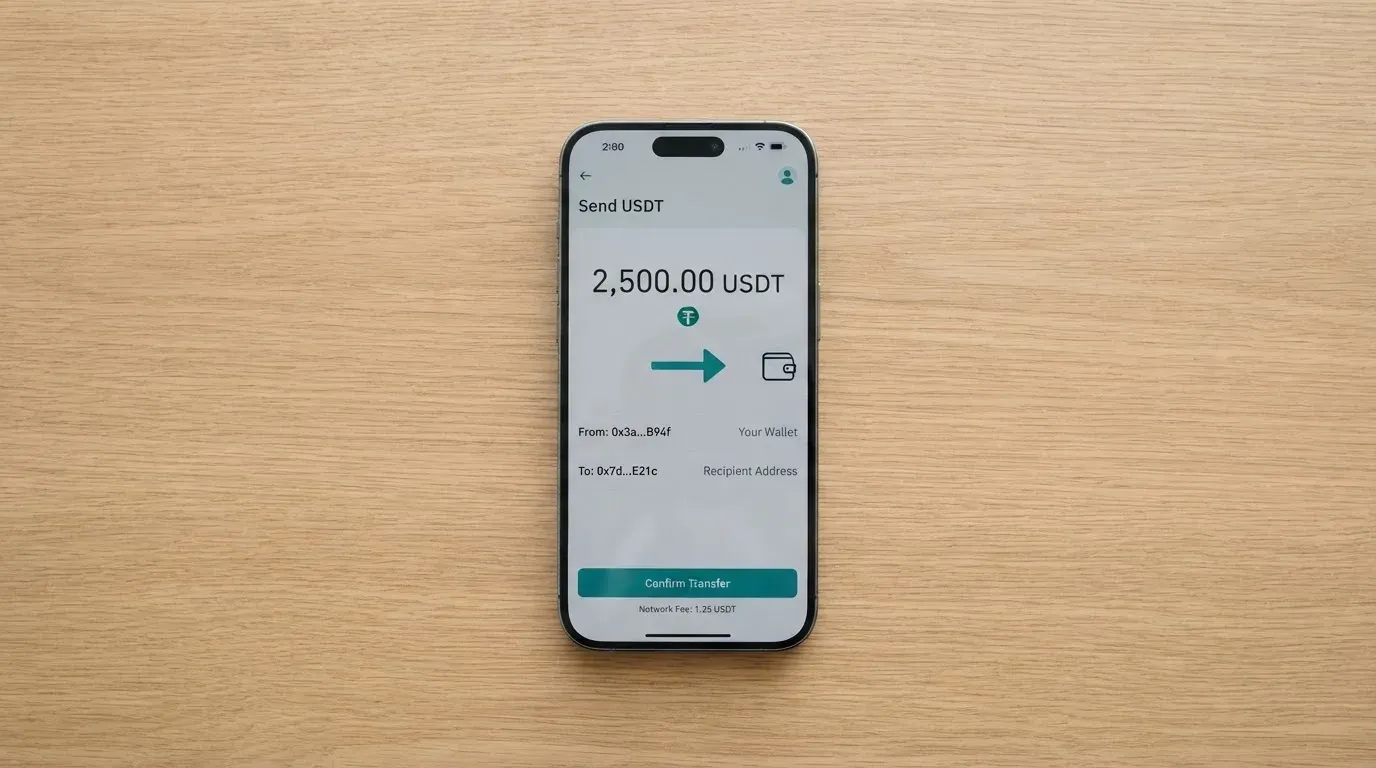
For a crypto card, those gaps matter a lot, because the cost and the risk live mostly on the funding side. On-chain deposits are paid in the network’s native asset (gas on Ethereum, bandwidth and energy on Tron, and so on), and a deposit sent on the wrong network is usually lost, because transfers are irreversible. Apex’s pages do not tell you which network to use, which makes the first top-up riskier than it needs to be.
A small number of category points worth carrying with you, because they apply whichever coin you eventually use:
- Stablecoins aim to hold a stable value against a fiat currency like the US dollar, but they are not necessarily stable. Two large US-dollar stablecoins (Tether’s USDT and Circle’s USDC) make up the bulk of the market. Circle says USDC is redeemable 1:1 for USD and publishes monthly reserve attestations, and lists USDC on dozens of networks including Ethereum, Solana, Base, Polygon, Avalanche and Arbitrum. Tether describes USDT as a token issued on multiple blockchains. Both have had depeg events: TerraUSD collapsed in May 2022, and USDC briefly lost its peg during the March 2023 US banking stress.
- Network choice is not free. ERC-20 tokens on Ethereum pay gas in ETH, so a wallet holding USDT but no ETH cannot send. Tron uses bandwidth and energy as its internal pricing, often paid in TRX. A deposit on the wrong network is, in most cases, irrecoverable without the provider’s manual help, and even then there is no guarantee.
- Stablecoins are not censorship-proof. Tether has said it disables tokens in sanctioned wallets and has frozen funds tied to illicit activity. Your balance is only as safe as the issuer’s compliance choices and the platform’s custody.
The card’s pages do not describe withdrawals either, beyond a FAQ section on withdrawals and transfers that I did not read line by line. If you need to move money back out — to a bank, to another exchange, to a different wallet — treat that as a separate feature to confirm in the app, not as something the card itself does.
The simple version: top-up is “load from inside the app,” and the only safe first move is a small test deposit on the network the app tells you to use, before loading anything meaningful.
Paying with it every day
In daily use, the card is essentially a virtual Mastercard number, denominated in US dollars, with no mobile wallet integration and no physical card confirmed. That puts it in a smaller box than most crypto cards in the same league.
Online checkout is the obvious use case. A virtual Mastercard number, expiry and CVV work at any merchant that takes Mastercard, including most international subscription services and many non-US stores. Address Verification Service — where the merchant checks the numeric parts of your billing address against the issuer’s records — is generally available only in the US, Canada and the UK, and is usually unavailable for cards issued outside those countries, which can produce declines. A few merchants also decline prepaid or foreign-issued cards automatically, because a BIN lookup reveals the card type and issuer country. None of this is specific to Apex; it is a property of virtual cards in general, and the practical workaround is to keep a backup card on file.
In physical stores, the card is not usable on its own. There is no plastic, no tokenised number, and no confirmed Apple Pay or Google Pay. The card issuer, in the broader category, can restrict a tokenised number to phone-only or website-only use, but the more immediate point is that there is nothing here for a terminal.
Cash access is not confirmed. The FAQ does not describe ATM use. Mastercard prepaid cards sometimes allow ATM withdrawals with a PIN, but Apex’s pages do not confirm that this is one of those cards. Treat ATM access as unavailable until you see it in the app.
There is no mention of rewards, cashback or staking-linked benefits. Some cards in this category give you a small percentage back, often in a token, and others refund a slice of the network fee. Apex’s pages do not claim any of that. The only positive in the daily-use column is the app itself: the iOS app, called “Apex: Buy, Sell & Trade Crypto,” is rated 4.5 out of 5 from 2,300 ratings, with the seller listed as Apex Web Network Ltd. The Google Play version was not obtained in the data I worked from.
What this section really tells you is the use-case shape. Apex is an online-spending card, full stop. It is not an everyday physical card, it is not a travel card, it is not a contactless phone card. Anyone whose spend pattern does not fit “online, in USD, from a loaded balance” is going to find the card underpowered.
What can go wrong
This is the section where the small list of confirmed facts is most uncomfortable. The card has no public complaints and no public reviews that I could find, which sounds reassuring until you realise the more important fact: the company behind the card is not fully described.
What is confirmed: the app’s seller is Apex Web Network Ltd. The site shows an NDPR (Nigeria Data Protection Regulation) certificate, which speaks to data protection practice inside Nigeria. The site describes Apex as a crypto exchange. That is the sum of the public, identifiable facts.
What is not stated anywhere I read: the country of incorporation, the card’s issuing bank or e-money institution, the licence(s) under which the card and the exchange operate, the regulator, and the dispute path. A “Help Center” FAQ and a “Contact Us” page exist, but hours and languages are not stated. The site links an Asset Recovery Policy, which I did not read in full.
A few category-level risks worth being explicit about, because they apply to any card of this shape:
- Custodial risk. With a card funded from inside the app, the platform holds your crypto and your fiat balance until the moment of payment. The history of custodial platforms includes Mt. Gox (around US$350 million reported stolen between 2011 and 2014), Coincheck (around US$400 million in 2018), and Ronin Network (US$625 million in 2022). You bear the counterparty risk that you do not bear on a self-custody card.
- Programme closure risk. Card programmes can be wound down. In November 2022, Visa said it had terminated its global agreements with FTX, and the FTX US debit card was wound down by its issuer. In 2018, Visa suspended WaveCrest in Europe, closing every WaveCrest-issued Visa programme overnight. Apex is a Mastercard programme, not Visa, but the structural risk — that the network or the issuer can pull the programme — is the same.
- Sanctions and freeze risk. Stablecoin issuers have frozen funds tied to illicit activity and disabled tokens in OFAC-sanctioned wallets. The card can be frozen, unfrozen or permanently blocked in card settings, which is useful against a thief but not against a freeze at the issuer’s discretion.
- Dispute and chargeback risk. The card’s pages do not describe a dispute path. In the US, debit card reversal rights come from Regulation E and credit card rights from Regulation Z; prepaid-card coverage varies and should not be assumed. Outside the US, chargeback rights depend on the issuer’s jurisdiction and the card network’s rules.
- Tax risk. In the US, the IRS treats digital assets as property, so exchanging crypto for goods or services is generally a taxable event. Gain is measured in local fiat using fair market value on the date of the transaction. Each card payment funded from crypto can be a separate disposal. This is not Apex-specific, but it is the kind of thing a cardholder does not think about until April.
For you, the realistic reading is this: keep the balance small, do not park savings in the card or the app, and be ready for the card to be unavailable at short notice. If that is acceptable — because you are using it as a small, online-only spend tool — the card is fine. If you need it to be a primary payment method, the lack of named issuer, licence and dispute path is a real gap.
What to take instead
If the gaps above put you off, here is how three alternatives compare on the same kind of scoring, drawn from their own public pages.
Young Card
Young Card scores around 5.7 out of 10. The published reward is a cashback paid in YNG tokens, with the rate set by Club tier. Essential gets 0.1%, Gold 1.8% and Platinum 3.6%; the Bronze and Silver tiers are not stated. The card’s country list, the cost of issuing and using it, the card type (virtual, physical, or both) and the funding sources are not stated on the official pages I read. The headline is the cashback rate, and the gap is everything around it.
Coinbase Card
Coinbase Card scores around 6.4 out of 10. It is a Visa prepaid debit card, available as virtual or physical, that spends cash or crypto; all crypto is converted to US dollars for purchases and ATM withdrawals. Availability is US-only, in every state except Hawaii. The cardholder has to pass the US PATRIOT Act identity checks (name, address, date of birth, ID). The card says “zero spending fees and no annual fees,” with the rest of the fees in the Cardholder Agreement and User Agreement; there is no Coinbase transaction fee, but a spread applies when Coinbase has to buy, sell or trade crypto at the moment of payment. Funding is by linking a US bank account or by depositing part of a paycheck into Coinbase (zero fees), and any crypto balance on Coinbase can be spent and is converted to USD. US cardholders can opt into crypto rewards on every purchase, with the rate variable and shown in the app, choosing from a rotating set of reward tokens.
This is the strongest of the three on disclosure, regulatory cover and everyday usability. The cost is that it is US-only.
OKX
OKX scores around 6.2 out of 10. The card launched in the EU and Norway on 28 January 2026; Iceland and Liechtenstein are excluded, and the explainer’s conclusion says “entire EEA,” which is not consistent with that exclusion list. The card is a Mastercard, euro-denominated virtual debit card linked to OKX Pay; the press release does not mention a physical card, and the card is issued by an unnamed European licensed payment provider. The card itself has no fee per the explainer (May 2026). There is no transaction fee and no OKX FX fee; the conversion spread is 0.1% per the explainer versus 0.4% market spread in the launch press release — the explainer is the newer figure, but the two conflict. Conversion to euro happens at the point of purchase. Funding is from USDC or USDG held in OKX Pay (via Convert or external deposit); other coins must be converted first, there is no auto top-up, and a payment is declined if the balance is insufficient. Cashback is paid only on USDG purchases (USDC earns none), with monthly caps in euros: Regular 2% capped at 10, VIP1 4% capped at 300, VIP2 4.5% capped at 450, VIP3 5% capped at 1,000, and VIP4+ 10% capped at 1,000 — the text says 2–5%, the table says 10% at the top tier, which is inconsistent. A launch promo offered up to 20% VIP / 15% regular for 30 days.
If you are in the EU or Norway, OKX is the cleaner comparison: it is euro-denominated, runs on a known card network, and ties its cashback to USDG specifically, with a clear fee structure. If you are in Nigeria, the Coinbase Card’s US-only availability and the OKX card’s EEA-only availability put both out of reach, and Apex’s local presence is what makes it relevant.
| Apex | Young Card | Coinbase Card | OKX | |
|---|---|---|---|---|
| Score | 4.2 / 10 | 5.7 / 10 | 6.4 / 10 | 6.2 / 10 |
| Card network | Mastercard | Not stated officially | Visa | Mastercard |
| Currency | USD | Not stated | USD (crypto converted to USD at spend) | EUR |
| Virtual / physical | Virtual only | Not stated officially | Virtual and physical | Virtual (physical not mentioned) |
| Cashback | Not stated | YNG token, 0.1%–3.6% by Club tier | Optional rotating crypto rewards, US only | USDG purchases only, 2%–10% with caps |
| Geographic availability | Not stated (starting data, not confirmed: Nigeria, some African countries) | Not stated | US (all states except Hawaii) | EU + Norway, excluding Iceland and Liechtenstein |
| Funding | Fiat wallet or supported crypto balance in app | Not stated | US bank account, paycheck deposit, Coinbase crypto balance | USDC or USDG in OKX Pay |
The table is not a “buy this one instead” recommendation. It is what each card says it is, with the same disclosure gaps visible across the row. If you are choosing between them, the cleaner choices are the ones with the cleanest numbers, and on that score the Coinbase Card and OKX are easier to plan around than Apex or Young Card.
Who I would recommend it to
I would recommend Apex to a narrow audience: someone who already lives inside the Apex app, who is happy to keep their balance small, and who mainly needs a virtual dollar Mastercard number to spend that balance online. The card’s strengths — instant issuance, Mastercard acceptance, USD denomination — all sit inside that use case, and outside it, the gaps are too large to ignore.
I would not recommend it to anyone who needs a physical card, contactless payment, ATM access, a known fee schedule, or the regulatory cover of a named issuer and a published licence. For those readers, the alternatives above are better fits, with Coinbase Card the strongest of the three if you are US-based and OKX the strongest if you are in the EU or Norway.
The honest summary is that Apex looks more like a feature inside a crypto app than a standalone card product. If that is exactly what you want, the card is fit for purpose. If you want a card you can plan a budget around, it is not yet that card — and the path to becoming one is for the issuer to publish the missing numbers.
Frequently asked questions
What is the Apex card?
Apex is a virtual dollar Mastercard issued inside the Apex crypto app. It is described in the App Store text as a “virtual dollar MasterCard,” with no physical card mentioned. The card’s FAQ does not name the issuing bank or the licence under which it is issued, and the public pages do not list a fee schedule.
How does the Apex card work?
You create the card in the app after funding either the in-app wallet or the card balance, and the card is issued instantly. You then use the card number, expiry and CVV at online merchants that take Mastercard. Limits depend on your verification level and your loaded balance, but the levels and the numbers are not described on the public pages.
Is Apex a bank?
Apex is not described as a bank on the card’s own pages. The app’s seller is Apex Web Network Ltd., the site shows an NDPR (Nigeria Data Protection Regulation) certificate, and the site describes Apex as a crypto exchange. No issuing bank, e-money institution or banking licence is named on the pages I read.
Who owns Apex?
The iOS app’s seller is Apex Web Network Ltd. The site shows an NDPR certificate. The country of incorporation, the parent company, the issuing bank and any licences are not stated on the public pages I read.
Is the Apex card available in my country?
The FAQ does not publish a country list. Starting data outside the card’s own pages (not confirmed) suggested Nigeria and some other African countries. The practical test is whether the app is downloadable in your country and whether the KYC prompts accept your ID. There is no country-by-country confirmation on the card’s public pages.
Does the Apex card require KYC?
The card mentions verification levels and says limits depend on them, but the public pages do not list the documents you have to provide, the proof of address requirement, or the age threshold. In this category, you should expect an 18+ rule and an identity check, but the specifics for Apex are not stated.
How do I add the Apex card to Apple Pay or Google Wallet?
The card’s public pages do not mention Apple Pay, Google Pay or tokenised wallet support. There is also no physical card. Treat mobile wallet support as unavailable until you see it in the app.
How do I top up the Apex card?
The FAQ describes top-up from a fiat wallet or from a supported crypto balance in the app. The specific coins, the networks, the deposit addresses and the minimum top-up are not stated. Make a small test deposit on the network the app tells you to use before loading a meaningful balance.
How do I withdraw money from Apex?
The FAQ has a Withdrawals & Transfers section, which I did not read in full. The card’s own pages do not describe a withdrawal flow or an ATM access path. Confirm the withdrawal path inside the app before you rely on being able to move money back out.
Is the Apex card safe?
The card has no public complaints or reviews that I could find, and the iOS app is rated 4.5 out of 5 from around 2,300 ratings. The less reassuring side is that the issuer, the licence and the dispute path are not stated on the public pages, and the card sits on a custodial platform, which carries counterparty risk. Keep the balance small and be ready for the card to be unavailable at short notice.
Top exchange cards by score – cryptocardtop
Content created by the «cryptocardtop» team