
A tiered virtual Visa with real crypto top-ups and a physical card still marked Coming soon
 Available in US
SPay is a virtual Visa card that you top up with stablecoins, spend in US dollars, and manage from an iOS app. That much is clear from the card’s own pages. What is harder to pin down is how much it costs in practice, who can actually open one, and what happens to your money if something goes wrong — because the card’s public pages leave several of those things unsaid.
I read the card’s terms, its App Store listing and its marketing pages, then compared them with what people who cannot get an ordinary bank card usually need. My score for SPay is 5.5 out of 10. That is not a dismissive number. It is a card that does something real and does it plainly, wrapped in a tier structure and a reward scheme that lean heavily on travel benefits you may never use, with the physical card and the ATM function both still marked “Coming soon”.
The conditions described here are current as of October 28, 2026.
Verdict: 5.5 out of 10
| Criterion | Mark | Why |
|---|---|---|
| Who can get it | 5 / 10 | No country list; coverage is on request via the Contact page. The card is for people outside the U.S. and not for U.S. citizens |
| Cost | 3 / 10 | One-time: Platinum $9.99, Signature $19.99, Infinite $49.99, physical $99. FX up to 3%, cross-border up to 3% |
| Top-up options | 8 / 10 | USDT (Tron TRC-20, Ethereum ERC-20), USDC (Ethereum ERC-20), ETH and TRX to the SPay wallet; onto the card from the USDC balance, $10 to $500 |
| Reliability and complaints | 7 / 10 | Operated by NOVARA TECH L.L.C S.O.C, card issued by Third National under licence from Visa; no complaints found, App Store 5.0 from one rating |
| Everyday use | 6 / 10 | Virtual Visa, Apple Pay works, Google Pay described inconsistently; physical card and ATM “Coming soon” |
| Total | 5.5 / 10 | Strong top-ups and a real issuing bank; thin public detail on costs, custody and country coverage |
The 3 out of 10 for cost is the number that surprises people most, because the card looks cheap at $9.99. It is cheap once. It is not cheap if you spend outside the United States, where the foreign exchange fee and the cross-border fee both apply, and it is not cheap if you want cash — the only route to an ATM is the $99 physical card, which the card’s own pages still describe as coming.
The 8 out of 10 for top-ups is the genuinely strong part. Two major stablecoins on the two networks most people already hold, plus native ETH and TRX into the app wallet, is a wider choice than several better-known crypto cards offer. If your money already sits in USDT on Tron, this is close to frictionless.
So who is this for? In my reading, someone outside the United States who already holds USDT or USDC, cannot get a normal card from a local bank, and wants a card number that works in ordinary shops and subscriptions rather than a crypto-only merchant. If you have a normal debit card, the FX and cross-border fees will cost you more than this card is worth. If you want to draw cash, this is not yet the tool.
Will they give you the card?
Here is the honest answer: there is no country list to check. SPay’s card page does not publish one. Where a page would normally say which countries are supported, it instead points you to its Contact page and says, “For current country coverage”, contact them. That means nobody outside the company can tell you from the public pages whether your country is on the list.
What the terms do tell you is narrower but firmer. Two conditions are stated plainly:
- You must not be blocked or sanctioned by the U.S. (OFAC).
- You must attest that you are not a U.S. citizen. The card says it is intended for people outside the U.S.
There is an important gap here that nobody has filled: whether the test applies to citizenship or to residence. The attestation is about citizenship. Many services in this category screen both. If you hold a passport from a sanctioned jurisdiction but live legally elsewhere, you would want to ask before you upload anything, and the answer you get will matter.
One more thing the terms are unusually direct about: the limit on your card can be set by SPay itself, based on the collateral it sees, and can be reduced to $0 at any time. That is not a promise that it will happen to you. It is a statement that the card does not guarantee you a spending limit you did not ask for.
So the practical approach is: assume the card is for non-U.S. citizens outside the U.S., ask the Contact page your specific question, and treat a “yes” in the app as provisional until you have actually topped up and paid with it.
How to get it
The process is the ordinary one: download the app, verify, create a card. Verification is required during onboarding. Beyond that the card’s public pages say very little — which documents you need, whether proof of address is required, and what age is enforced are all not stated. Do not assume the list is short. What is stated is how you unlock the app afterwards: Face ID or a 6-digit passcode.
The card itself is created in the app as a virtual Visa. It spends in US dollars. The issuing bank is Third National, issuing under licence from Visa — this is the arrangement most readers should care about most, because it means the card sits inside the ordinary Visa network rather than being a closed-loop instrument that only works at crypto merchants. The network accepts it anywhere Visa is accepted; that is a much stronger position than a crypto-only card.
The physical card is the part to hold expectations down on. It is listed at $99 one-time, marked “Coming soon”, intended for tap-to-pay and ATM withdrawals, delivered to an address and activated on arrival. Which countries it ships to and how long it takes are both not stated. If you are buying this card because you need physical plastic next month, it will not help you next month.
There is also no tiering of verification. The card’s public pages do not describe any KYC levels, so you cannot tell from the marketing whether a higher tier means higher limits with less checking, or simply higher limits. The tiers, as published, differ in cost, limit and benefits rather than in onboarding.
Fees: what it really costs
The headline price is a one-time fee and nothing else is stated to recur. But the fees that matter are the ones charged every time you spend, and those are where this card gets thin.
| Fee or limit | Value |
|---|---|
| One-time fee, Platinum | $9.99 |
| One-time fee, Signature | $19.99 |
| One-time fee, Infinite | $49.99 |
| Physical card, one-time | $99 |
| Monthly fee | not stated |
| Foreign exchange fee, non-USD | up to 3% |
| Cross-border fee | up to 3% |
| Crypto conversion / deposit fee | not listed |
| ATM fee | not listed in the terms |
| Cash advances | unavailable per terms |
| Monthly cap, Platinum | $20,000 |
| Monthly cap, Signature | $50,000 |
| Monthly cap, Infinite | $100,000 |
| Your own limit, settable range | $0 to the cap |
| Daily and per-transaction caps | exist, amounts not listed |
Three everyday payments show how this works in practice.
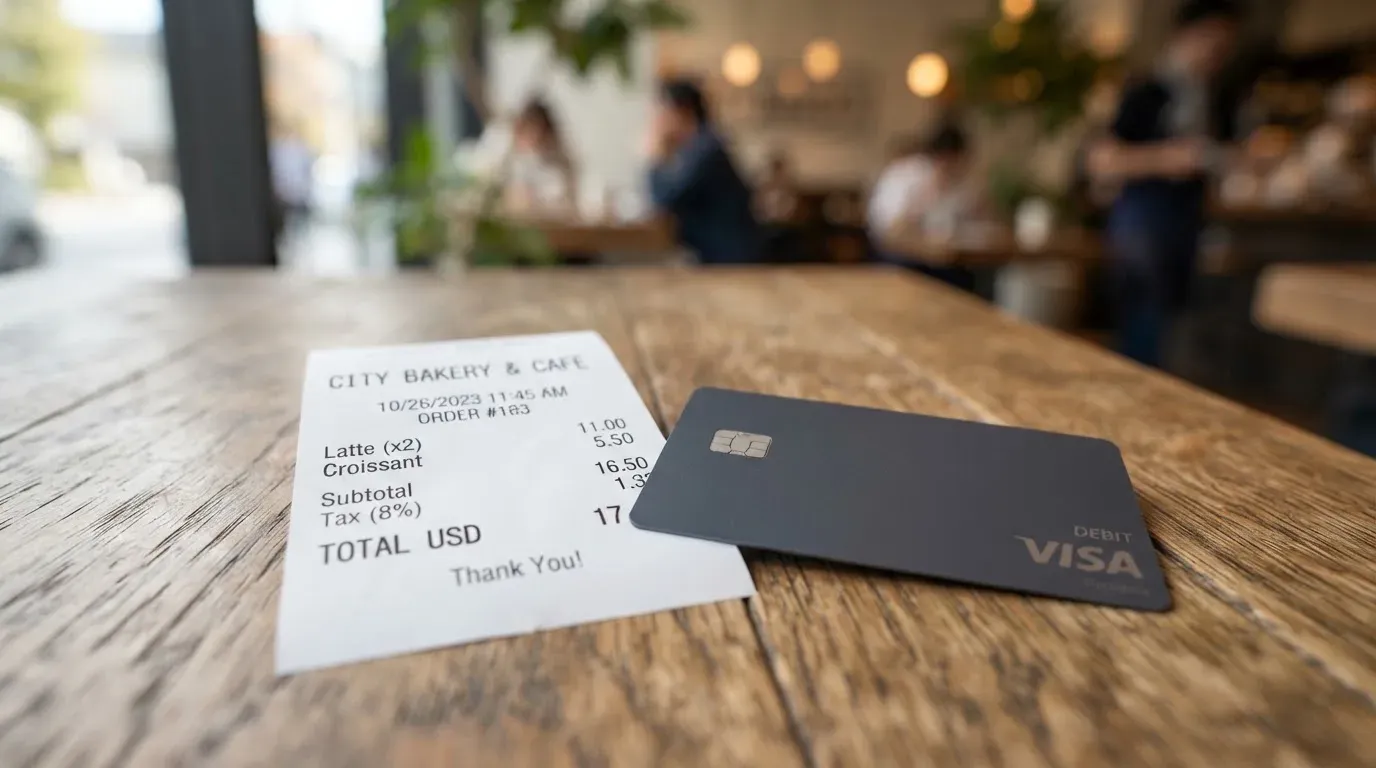
A $30 subscription in dollars, billed in your home currency. The merchant charges your card in dollars, so the FX fee of up to 3% applies. On $30 that is up to $0.90, every month, for the privilege of not using a local card. If the payment also crosses a border in the merchant’s processing, the cross-border fee of up to 3% can stack on top.
A $60 restaurant bill abroad, paid by tapping your phone. Same arithmetic, larger number: up to $1.80 in FX and up to $1.80 in cross-border, worst case, on one meal. Neither figure is capped at a level the card publishes, because the card publishes only “up to 3%”.
Withdrawing $200 in cash. You need the $99 physical card, which is “Coming soon”. Cash advances are unavailable per terms, and the ATM fee is not listed in the terms at all. So the honest figure for a cash withdrawal is not $200 minus a fee — it is not currently available.
The limits are the other half of the cost picture. Monthly caps run $20,000, $50,000 and $100,000 by tier, and you can set your own limit anywhere from $0 up to that cap. Daily and per-transaction caps exist but the amounts are not listed, so you cannot model them from public information.
Then there is the thing no fee table shows: what the crypto side costs on the way in. The conversion and deposit fee is not listed, and the deposit fee for topping up is not listed either. So the total cost of a card payment can be the FX fee plus the cross-border fee plus an unlisted crypto-side charge, and the card does not add up the whole for you.
Top up: how the money gets in
This is the strongest part of the product and the reason my score for top-ups is 8 out of 10. You have more ways in than most cards in this category.
- USDT on Tron (TRC-20) and on Ethereum (ERC-20).
- USDC on Ethereum (ERC-20).
- Native ETH and TRX into the SPay wallet.
From the USDC balance in the app, you move money onto the card in amounts from $10 to $500, with quick amounts offered across the same range, and the card says credit lands in minutes.
That structure matters more than it first looks. Depositing and then moving onto the card are two separate steps, and the second one is the one that goes through the app rather than a blockchain. The practical consequence is that a wrong network is fatal on the way in but not on the way onto the card. The card’s own withdrawal page says it plainly in the other direction: withdrawals go out as USDC on Base to any self-custody wallet, and funds sent to the wrong network cannot be recovered.
Two things about this are not stated and you should know them before your first deposit. Who pays the network fee for a deposit is not stated. And whether you can top up with fiat — bank transfer, card, cash — is not stated either. Everything I can see described is crypto-in.
One more detail worth internalising, because it will bite someone eventually: USDC on Tron is not a native option. Circle stopped supporting USDC on Tron in February 2024. If your USDT is on Tron, fine. If you are holding “USDC on TRC20”, you are holding something the issuer no longer supports natively and you should check before sending it anywhere.
Paying with it every day
Day to day, this behaves like a prepaid Visa. You have a balance, and the card spends that balance and nothing beyond it, so it cannot overdraw in the way a credit card can. That is a real structural advantage for anyone whose income is irregular.
Apple Pay works. Google Pay is where the card’s own pages contradict each other: one page describes it as “in development”, the card page says both wallets work with virtual cards on creation. I would treat Google Pay as untested and try it before you need it. If it does not work, Apple Pay does.
Blocked categories are the other thing to know. Cash-like transactions — crypto purchases, gambling, money transfers — “may be limited” in the terms. “May” is doing real work in that sentence. It means the card decides at the transaction, not you at signup. If any part of your spending depends on those categories, find out before you rely on the card for them.
The rewards are worth understanding because they change the arithmetic slightly. You earn points on card purchases, up to 1.5% back depending on tier. 200 points equals $1 USDC, redemption starts at 1,000 points, credited to the card balance. There are bonus points for referrals, for completing verification, and for a first card.
Then read the tiers, because that is where this card spends most of its persuasion:
- Platinum — purchase protection and extended warranty up to $10,000, price protection up to $2,000, worldwide auto rental insurance, 24/7 support.
- Signature — everything in Platinum, plus concierge, Luxury Hotel Collection, airport lounge access and higher limits.
- Infinite — everything in Signature, plus travel accident insurance up to $1,500,000, baggage cover, priority concierge, purchase protection to $20,000 and warranty to $25,000.
Notice what improves between Platinum and Infinite. The insurance and warranty numbers triple. The limit goes from $20,000 to $100,000. Nothing about cash, fees or daily usage changes. If you are not spending heavily on travel, Infinite is $40 more than Platinum for benefits you will not claim, and Platinum is the tier most people should look at first.
Two practical notes. The card spends in US dollars; multi-currency balances are not stated, though balances can be shown in dirhams in the app, which is a display choice rather than a spend currency. And the app itself is iPhone-only in practice: iOS 15.1 or later, rated 5.0 out of 5 from a single rating, with a Google Play listing (com.spay.wallet) whose rating I did not read.
What can go wrong
I looked for trouble and found very little of it, which cuts both ways. There were no official incidents found, and a search for reviews across the usual trust and discussion sites returned no SPay results. There is no Trustpilot page for SPay. No dated events surfaced. The App Store listing is new. Absence of complaints from a young product with one review tells you very little about how it behaves in year three.
So let me be precise about which risks are documented and which are simply unaddressed in public.
The company and the issuer are different things. SPay is operated by NOVARA TECH L.L.C S.O.C, and the card says it is not a bank. The card itself is issued by Third National under licence from Visa. The terms are governed by Puerto Rico law. This is the ordinary structure for a crypto card — the brand runs the app and the programme, a licensed issuer holds the card account — and it is worth understanding because the entity you deal with in a dispute is not the one whose name is on the app.
Who holds your crypto is not stated. The card gives you a passcode or Face ID lock, push notifications for card activity, and your own spending limit. It does not describe its custody model. If your balance is held by the operator and the operator fails, you are a creditor of a company that is not a bank. If it is held in a structure where the issuer holds it, the position may be different. The card’s public pages do not say which applies, and this is the single largest unanswered question I found.
Fees can move against you. A limit can be cut to $0 at any time. Limits can be lowered based on collateral. Neither is a prediction, both are in the terms.
Money sent by blockchain is gone. Deposits on an unsupported network and withdrawals to the wrong network cannot be recovered. The card says this itself about withdrawals.
Stability is not guaranteed. Stablecoins aim to hold a stable value against a fiat currency, and the name overstates the guarantee. USDT and USDC are dollar-pegged and together account for about 90% of stablecoin market capitalisation, but USDC lost its peg temporarily in March 2023 and TerraUSD collapsed outright in May 2022. Your “dollar balance” is a token balance first.
Authorisations can leave holds. A declined authorisation can leave a hold on your funds that stays for several days, typically up to 7.
Address checks fail on foreign cards. The Address Verification Service compares the numeric parts of the billing address with the issuer’s records; it is mainly offered in the US, Canada and the UK and is generally unavailable for foreign-issued cards. That causes declines at checkout for no reason you did anything wrong. Some merchants also decline prepaid or foreign-issued cards because the BIN lookup reveals the card type and issuer country — and the BIN, the first six or eight digits of your card number, is exactly what tells them that.
Disputes have a clock. Try the merchant first. Report a disputed charge within 60 days after it posts to your statement, and card-network chargeback rules apply. A chargeback you win is credited to the SPay account. Prepaid-card reversal rights vary and should not be assumed to match a debit card’s.
Support is thin on paper. An in-app AI assistant that hands off to a human agent, 24/7 support on Platinum and priority 24/7 concierge on Infinite, a phone number (+971 55 947 6972), and a fully Arabic-localised app. If you do not read Arabic and the English help is thin, that is a practical constraint on a card whose main appeal is for people who cannot get a bank card.
What to take instead
I compared SPay against three other cards in this category. None is a clear winner; they trade places depending on what you hold.
| SPay | CardFlow | HyperCard | Card.fi | |
|---|---|---|---|---|
| Score | 5.5 / 10 | 4.9 / 10 | 4.7 / 10 | 6.6 / 10 |
| Card | Virtual Visa | Virtual USD Mastercard | Prepaid “HyperCard”, network not stated on the App Store page | Virtual and physical Classic, Premium, metal |
| Issuing detail | Third National, under licence from Visa | not stated | not stated | “under licence from the relevant card schemes” |
| One-time fee | $9.99 / $19.99 / $49.99 | Virtual card “completely free” | not stated | Virtual Classic $49, Virtual Premium $249 |
| Monthly fee | not stated | not stated | not stated | none |
| Top-up | USDT (Tron, Ethereum), USDC (Ethereum), ETH, TRX | Bitcoin, USDT, ETH or Naira bank transfer; networks not stated | Crypto such as USDT, BTC, ETH, converted to USD or EUR | 32 coins across 5 networks, converted at market rate on arrival |
| Cashback | Up to 1.5% back, 200 points = $1 USDC | not stated | not stated | Classic 0.8% capped 10 USDT/month; Premium 1%; Metal 1.2% or 2% by cap tier |
| Physical card | $99, “Coming soon” | not stated | not stated | Yes, metal option, price not listed |
| Who it’s aimed at | Non-U.S. users wanting a tiered virtual Visa with points | Nigeria and “Nigerians and global users” | Acceptance in “more than 176 countries” (acceptance, not eligibility) | Ships to “200+ countries”; sanctions-based exclusions in the terms |
Three things stand out.
CardFlow scores lower and costs nothing to create. Its virtual card is “completely free” per its own site FAQ. It is aimed squarely at Nigeria, accepts a Naira bank transfer alongside Bitcoin, USDT and ETH, and creates a virtual USD Mastercard in 3 minutes. Its fees are not stated, and so is the network set for those crypto deposits.
HyperCard is the vaguest of the four. The App Store page says the card works in “more than 176 countries”, but that is where it is accepted, not who can open one — no country list or exclusions are stated on the official pages. Its balance sits in USD or EUR, you deposit crypto in the app and it is converted, and it lists no fees at all, which is not the same as charging none.
Card.fi scores highest at 6.6. It beats SPay on breadth: 32 coins across five networks, a real physical and metal card, and stated fees including a top-up fee of 1.5% plus $1.00 on Classic and an FX fee of 3.5%. It charges you more up front — $49 for a Virtual Classic against SPay’s $9.99 — and it caps cashback at 10 USDT a month on Classic. It also carries a sanctions exclusion for residents of, or orders from, sanctioned countries. If your crypto is not USDT or USDC, Card.fi’s network list is the reason to look at it.
The honest summary is that SPay’s $9.99 entry point and USDT-on-Tron support are its real advantages, and Card.fi’s network breadth and physical card are its real advantages. SPay’s physical card, cash and Google Pay story are all unfinished.
Who I would recommend it to
I would recommend SPay to someone in this specific position: you are outside the United States and not a U.S. citizen, you already hold USDT on Tron or USDC on Ethereum, a local bank has refused you a card or you cannot meet its requirements, and you want a Visa number that pays ordinary subscriptions and shop bills. In that case $9.99 for a Platinum card is a reasonable price and the top-up path is the best in this comparison.
I would not recommend it to you if any of these is true. You have a working local debit card — you will pay up to 3% in foreign exchange and up to 3% cross-border to save money you already have. You need cash. You need a physical card this month. You are a U.S. citizen. You hold crypto outside USDT, USDC, ETH and TRX. You need to know that your balance is held in custody or out of it, and you will not get that answer from the public pages. Or you are comparing on rewards: the insurance, lounge and concierge benefits that sell this card are travel benefits, and if you do not travel they are decoration on top of a card that would work just as well at a lower tier.
And the general warning, which applies to every card in this category rather than this one in particular. The network brands do not issue these cards to consumers; they license issuers, and they can suspend a programme. Visa terminated its global agreements with FTX on 13 November 2022 and the card was wound down by its issuer. WaveCrest, a Visa issuer that supplied several crypto card brands, was suspended by Visa in Europe in 2018 and all its Visa programmes closed. Closures typically run to a notice period, then loading stops, then you are asked to withdraw what is left. Nobody can tell you which card will be next, and that is precisely why I would not hold more on any of these cards than I could afford to lose for a few weeks.
One practical habit closes most of the remaining risk: check whether a card supports non-custodial spending from your own wallet before you commit. When the funds stay in a wallet you control until the moment of payment, a company failure costs you the card, not the balance. The tradeoff is yours — you take on responsibility for key loss and for phishing — but it is a real choice, and it is the one most worth asking about in a first conversation with any provider.
A final note that is not advice but arithmetic. In the US the tax authority treats digital assets as property, so exchanging them for goods, services or dollars generally produces a taxable gain or loss, measured in your local currency at fair market value on the date of the transaction. A card payment funded from crypto may therefore be a separate disposal each time. That is a question for a qualified professional in your own jurisdiction, not something to resolve from a review.
Frequently asked questions
What is SPay card?
SPay is a virtual Visa card that you load with stablecoins and spend in ordinary shops. You create the card in an iOS app, top it up from USDT, USDC, ETH or TRX, and the balance is spent like a prepaid card in US dollars. The card is issued by Third National under licence from Visa, so it works anywhere Visa is accepted rather than only at crypto merchants. There are three tiers — Platinum, Signature and Infinite — differing in price, limit and travel benefits.
How does SPay card work?
It works as a pre-loaded balance card. You deposit crypto into the SPay wallet, then move funds onto the card from your USDC balance in amounts from $10 to $500, and the card says credit lands in minutes. Because it spends only that stored balance, it cannot overdraw. You can then pay online, in shops, or through Apple Pay. Blocking crypto purchases, gambling and money transfers is something the terms say may apply at transaction level.
Is SPay a bank?
No. The card’s own pages say SPay is not a bank. The app is operated by NOVARA TECH L.L.C S.O.C, while the card account sits with Third National, issuing under licence from Visa. The terms are governed by Puerto Rico law. This is the standard structure for a crypto card: the brand runs the app and the programme, a licensed institution holds the card.
Who owns SPay?
The operator is NOVARA TECH L.L.C S.O.C, which the card states is not a bank. The card itself is issued by Third National under a Visa licence, and the terms name Puerto Rico law as governing. The card’s public pages do not describe the custody model — that is, whether your balance is held by the operator or elsewhere. Ask that question directly before you fund the account.
Is SPay card available in my country?
There is no country list on the card’s pages. Where one would be, the card points to its Contact page for current country coverage. Two things are stated: you must not be blocked or sanctioned by the U.S. (OFAC), and you must attest that you are not a U.S. citizen. Whether the test is citizenship or residence is not stated, so ask about your specific situation before uploading documents.
How do I get an SPay card?
Download the iOS app, complete verification during onboarding, and create the virtual card in-app. The app requires iOS 15.1 or later. Unlocking uses Face ID or a 6-digit passcode. Which documents are needed, whether proof of address is required and the age threshold are not stated on the public pages. A physical card is listed at $99 one-time but marked “Coming soon”, so you are buying the virtual one today.
Does SPay card require KYC?
Yes, verification is required during onboarding, and the reward scheme offers bonus points for completing it. The specific documents, proof-of-address requirements and any tiering of verification levels are not stated on the card’s pages. Note that EU rules generally require identity documents, a sanctions check and a politically-exposed-person determination, so expect more than a name.
Is SPay card free?
No, but the entry price is low. One-time fees are $9.99 for Platinum, $19.99 for Signature and $49.99 for Infinite, plus $99 for the physical card. No monthly fee is stated. The costs that matter are per-transaction: a foreign exchange fee of up to 3% on non-USD spend and a cross-border fee of up to 3%.
Is SPay card safe?
There are real safeguards — app lock with Face ID or passcode, push notifications for card activity, and your own adjustable spending limit. I found no official incidents and no Trustpilot page, but the app listing is new and rests on a single rating, so that is weak reassurance. The custody model is not stated, blockchain transfers are irreversible, and a limit can be cut to $0 at any time.
Is SPay card worth it?
It is worth it if you cannot get a normal bank card, you hold USDT on Tron or USDC on Ethereum, and you pay mostly in dollars. It is not worth it if you have a working local debit card — up to 3% in foreign exchange and up to 3% cross-border will cost more than the card. It is not worth it if you need cash or a physical card now, since both are “Coming soon”. Consider the cheaper Platinum tier unless you travel.
Top virtual cards by score – cryptocardtop
Content created by the «cryptocardtop» team