
A dollar-denominated virtual card for people who already hold crypto or reais on Pix, and who need a simple way to spend that balance abroad
 Available in US
The Ruvo card is a virtual payment card denominated in US dollars, issued through a US-based company called Ruvo Financial Inc. and aimed at people who want to spend money they already hold in crypto, or reais on Pix, without opening a traditional bank account. Ruvo is not a bank, it does not hold your crypto, and it does not name the card’s issuer publicly. The card it sells you is a digital, app-managed product that you can freeze, set a PIN on, replace, and load into Apple Pay or Google Pay.
I went through the card’s pages, terms and help centre, checked the App Store listing, looked for user complaints and read the third-party reporting that exists about the company. What follows is a walk-through of what the card actually does, what it costs, where it works, and what I would personally watch out for before signing up.
The information below is current as of October 28, 2026.
Verdict
Ruvo is a small, focused product rather than a broad consumer card. It does one thing reasonably well: turn a crypto balance, or a Pix transfer in reais, into a US-dollar payment card that can be spent online or through a phone wallet. It charges no fee on USD purchases and a 1% foreign transaction fee on everything else, with an example Pix conversion fee of 0.5%. It is “accepted worldwide” in the company’s own words, with Brazil (Pix funding) and the United States (a USD balance) called out as the headline markets.
Against that, several things are simply not stated on the public pages. There is no published figure for card issuance, no monthly or annual fee, no ATM terms, no physical card, and no KYC step-by-step. The card network is not named on the card’s own page, though a third-party report from January 2026 identifies it as a Visa Platinum card for USD spending. The company is upfront that it works through “regulated partners” in the US and Brazil, but it does not name those partners, and Ruvo’s own licence status is not listed.
The card suits people who already sit in the Brazil–US corridor, who are comfortable with crypto or Pix as a funding rail, and who want a virtual card they can use with Apple Pay or Google Pay for online and in-store spending. It does not suit people who need a physical card, an ATM line, a published fee schedule, or a clearly identified issuing bank.
Score
| Criterion | Mark | Reason |
|---|---|---|
| Who can get it | 5 / 10 | “Accepted worldwide” with Brazil and the US highlighted; the fine print ties availability to jurisdiction, user type, provider and product |
| Cost | 8 / 10 | 0% on USD spending, 1% on non-USD spending, 0% IOF, a 0.5% Pix example fee; issuance and any monthly fee are not published |
| Top-up options | 5 / 10 | Pix in reais and USD top-ups clear in under a minute; an earlier path used USDT from a self-custodial wallet, but coins and networks are not listed on the card page |
| Reliability and complaints | 6 / 10 | US company with Brazil operations, “not a bank”, partners in each country hold licences; I found no user complaints, and the iOS app sits at 4.9 from 31 ratings |
| Everyday use | 6 / 10 | Virtual card in USD, Apple Pay and Google Pay supported; physical card, ATM access and any merchant category blocks are not described |
| Total | 6.1 / 10 |
Who they will give the card to
Ruvo’s marketing line is that the card is “accepted worldwide”, and the page highlights two corridors in particular: Brazil, where Pix is the named funding rail, and the United States, where the card carries a US-dollar balance. The detail sits in the terms: availability “varies by jurisdiction, user type, provider, and product”, and Ruvo reserves the right to restrict access by jurisdiction and sanctions exposure.
For you, the practical reading is that the card is positioned for a Brazilian user funding it with Pix and spending in dollars, or for a US user funding and spending in dollars, with both groups able to route through crypto if they want to. People outside those two markets are not told “no”, but they are also not told what their experience will look like, and the terms give Ruvo room to refuse or limit access on a per-country basis.
Ruvo also asks the standard sanctions representations: by signing up you confirm you are not on the lists maintained by the US, the UN, the EU, the UK or Brazil, and that you do not represent anyone who is. That language is not unusual for a US-incorporated financial product, but it does mean a sanctioned individual or someone acting on behalf of one will be turned away.
Sign-up: what getting the card involves
The terms say that Ruvo’s partners may collect legal name, date of birth, address, government ID, taxpayer ID and biometric verification, and that you have to be at least 18. If those checks fail, Ruvo may limit, suspend or terminate the account. The company does not publish a step-by-step of the sign-up flow, and the card page itself shows only the digital product: a virtual card managed in the app, with options to view card details, freeze the card, set a PIN, replace it, manage spending limits, and add it to Apple Wallet.
The card is denominated in US dollars. On the company’s own pages the card network is not named. A third-party report, the Brazil Journal in January 2026, identified it as a Visa Platinum card for USD spending; I would treat that as a useful lead rather than a confirmed fact, since Ruvo’s official material does not repeat it. Physical card delivery is not discussed on the public pages, and the help-centre screenshots I could see all relate to the virtual card and the wallet.
For you, the realistic expectation is: download the iOS or Android app, complete whatever identity checks Ruvo’s partners apply, and end up with a virtual dollar card sitting in your phone, ready to be added to Apple Pay or Google Pay. Anything more elaborate than that — extra tiers, multiple cards, different KYC levels — is not described on the public pages.
What it really costs: Fees and the everyday examples
The honest starting point here is that Ruvo does not publish a full fee schedule. There is no announced figure for card issuance, no monthly fee, no ATM fee table, and no annual fee. The terms of service are not the document that lists these either. What the card page does spell out is the conversion and currency picture, and the example given is detailed enough to work with.
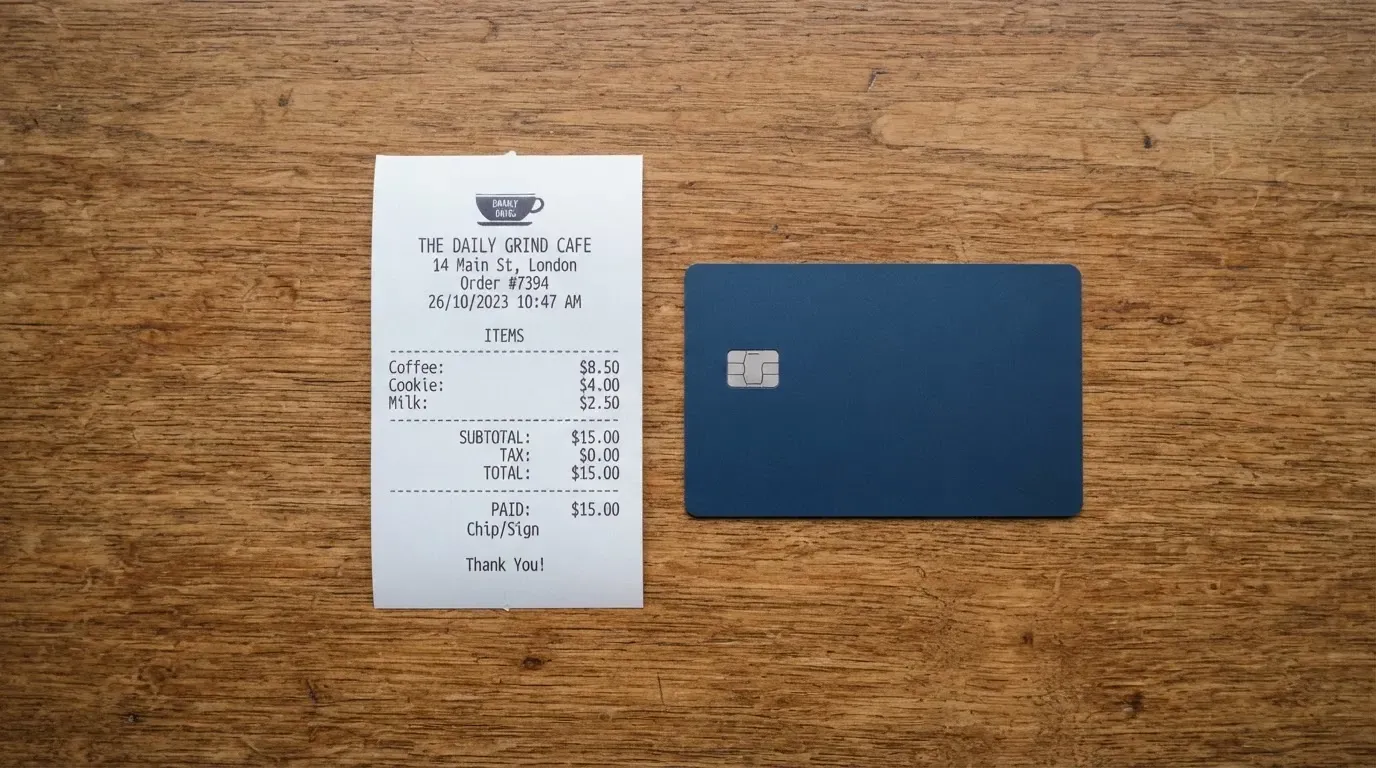
For spending, the rule is straightforward: if the purchase is in US dollars, there is no Ruvo fee. If the purchase is in any other currency, Ruvo adds a 1% foreign transaction fee on top of the applicable exchange rate, and the rate used is the one the network or partner quotes. The Brazilian IOF tax, which is a flat tax that financial products usually charge on currency conversion, is set to 0% on the Ruvo card. The Pix example on the site converts R$1,000 to about 196.41 USDC at a rate of 5.0915 BRL per USDC “after a 0.5% fee”, which lines up with the way the spread is described elsewhere on the page.
For funding, the on-page wording says blockchain network fees (gas, bandwidth) fluctuate and are separate from Ruvo’s own fees. The third-party report from January 2026 gives individual rates of 0.9% for USDT to USD or BRL, and 1.8% for USD to BRL, with business rates of 0.2% and 0.4% respectively, and no fee on crypto-to-crypto swaps. Because those numbers come from a single third-party article and not from Ruvo’s own pricing page, I would not lock them in until you see them in the app or on an updated terms page.
Spending limits on the card are governed by your Ruvo balance: the card cannot spend more than you have loaded, and you choose how much of the balance is exposed on the card at any one time. The company does not publish a daily or monthly ceiling on top of that, and “manage limits” in the app is the most you get.
Costs at a glance
| Item | What the public material says |
|---|---|
| Card issuance | Not stated |
| Monthly or annual fee | Not stated |
| USD purchases | 0% Ruvo fee |
| Non-USD purchases | 1% foreign transaction fee plus the exchange rate |
| Brazilian IOF | 0% |
| Pix conversion example | R$1,000 → ~196.41 USDC at 5.0915 BRL per USDC, after a 0.5% fee |
| ATM withdrawals | Not stated |
| Daily and monthly limits | Set by your Ruvo balance; managed in the app |
| Card network | Not stated on the official page (a January 2026 third-party report identifies it as Visa Platinum for USD spending; treat as unofficial) |
A few everyday numbers, to give the costs some shape. A US$100 online subscription paid in dollars costs you nothing on top of the subscription, because Ruvo does not charge on USD spending. The same US$100 of spending converted from a euro balance would carry roughly US$1 of foreign transaction fee on top of the exchange rate the partner quotes. A Pix top-up of R$1,000 to fund the card runs at the 0.5% example fee and lands as about 196.41 USDC, ready to be spent as US dollars. None of these numbers include the blockchain network fee on the crypto path, which is a separate line and which you pay to the network, not to Ruvo.
How to top up: Top up options and timing
Ruvo’s public material talks about the top-up paths, and the older material on the site adds another. The headline path is Pix, which is the Brazilian instant-payment rail, in Brazilian reais, with the funds landing in under a minute. The second path is a US-dollar top-up, also described as arriving in under a minute. An earlier check described a USDT transfer from a self-custodial wallet, alongside ACH and wire transfers for US dollars.
The card page itself does not list the specific coins or networks that Ruvo accepts, and the terms simply note that blockchain network fees fluctuate and are separate. That matters in practice: a stablecoin transfer has to land on a network the receiving side supports, on a token it accepts, and any mistake is usually irreversible. The terms also say the user is responsible for getting those details right, and the help-centre path for closing an account mentions email addresses ([email protected] or [email protected]) rather than a self-serve withdrawal screen for the card balance.
For a Brazilian user, the day-to-day path is clearly Pix: open the app, generate the Pix, confirm the conversion, and the dollar balance is ready to spend. For a US user, the path is a US-dollar top-up, with the older ACH and wire option sitting underneath. For someone holding USDT, the self-custody path is described as available, but the lack of a published list of supported tokens and networks means you would want to confirm that with the app, or with support, before sending anything you cannot afford to lose.
There is no published minimum top-up, and no published top-up fee beyond the conversion fee baked into the Pix example. The closure path for the card itself is an email to the support address, processed within a “reasonable time”, and the terms note that any self-custodial wallet you connected to Ruvo is unaffected by that closure.
Paying with it every day
The card is a virtual product managed from the app, which means the everyday experience is mostly the experience of a card saved in Apple Pay or Google Pay. Both mobile wallets are explicitly supported for contactless and online use, and the app lets you view the card details, freeze the card, set a PIN, replace it, set spending limits and add it to Apple Wallet. There is no physical card on offer in the public material, so the wallet on the phone is the card.
The App Store listing for the iOS app, “Ruvo – Global Dollar Account”, sat at 4.9 out of 5 from 31 ratings when I read it, with version 2.1.9. That is a small sample, but it is at least a confirmed source. The Google Play listing is referenced from the site, and I did not separately read its rating. The card page does not list blocked merchant categories, and a card of this shape is normally restricted in the standard ways — gambling, adult content, certain crypto on-ramps — but you would only see the specific list once the card is in your hand.
Ruvo does not advertise cashback, points or any other reward on the card page, and the third-party reporting does not mention a rewards programme either. The dispute path runs through the partner that handled the transaction: Ruvo says fiat and card transactions may be returned, reversed or charged back, and that you stay liable in the meantime. The terms describe an informal resolution stage first, with Ruvo having up to 30 days to respond, and the network’s own chargeback rules as the backstop.
What can go wrong
The honest version of this section starts with what is not on the page, because for a small product like Ruvo the absence of information is itself a risk.
The card network is not named on the official material. The third-party Brazil Journal article from January 2026 says Visa Platinum for USD spending; if you want a Visa card, the third-party identification is the only public pointer. The card issuer is not named at all. Ruvo calls itself “not a bank” and explains that it works with regulated partners in the US and Brazil, and that Ruvo itself does not custody funds or perform regulated activities in Brazil, but the specific partner names and licence numbers are not on the public page. The partners are described as holding VASP and payment licences, which is reassuring in the abstract but does not tell you which regulator to look at.
The crypto side is built around a self-custodial wallet. Ruvo does not hold the private keys and does not custody your fiat either, and the card is not FDIC- or SIPC-insured. That is the standard trade-off in a self-custody model: the platform is not a counterparty to the funds, so a platform failure does not directly put your balance at risk, but you also do not have the consumer protections a bank or broker would offer. The terms do not mention two-factor authentication on the app, and the security features you do get are the in-app freeze, the PIN, and the usual tokenisation of the card number when you add it to Apple Pay or Google Pay.
I looked for user complaints on Trustpilot and in general search and did not find a Trustpilot page for Ruvo and did not find recurring complaint themes elsewhere. That is a thin data set rather than a clean bill of health, and the company’s own dispute path is the practical backstop if you do have a problem. Ruvo’s seed round of US$4.6 million, led by 1confirmation and reported by Latamfintech and Startupi in 2026, is one of the few external data points about the company’s runway; YC’s directory lists the company as formerly known as Cacao, which is a useful piece of history rather than a current risk signal.
Support runs through the help centre at ruvo.com/help, WhatsApp, and the email addresses [email protected] and [email protected], in Portuguese and English, with hours not published. The terms are governed by Delaware law, the company is Ruvo Financial Inc., and the CEO listed in third-party reporting is Alec Howard, with headquarters in Brazil.
What to take instead
Ruvo is one of a small set of cards aimed at crypto holders, and the most useful way to compare is to pick a few alternatives that do a similar job in a different way. The table below lines them up on the points that matter for a user choosing between them.
| Card | Score | Geography | Card form | Card network | Cashback | Key fee to watch |
|---|---|---|---|---|---|---|
| Ruvo | 6.1 / 10 | “Worldwide”; Brazil and the US highlighted | Virtual only | Not stated on the official page; third-party report says Visa Platinum for USD | None stated | 1% foreign transaction fee on non-USD spending |
| TokenPocket (TP Card) | 5.8 / 10 | List of European countries/territories (Germany, France, Spain, Switzerland) for Visa; Australia, Canada, Hong Kong, Japan, Singapore, UK and others for Mastercard; Americas “planned for Q2 2025” | Virtual only | Mastercard/Visa debit | No cashback stated; the 1% deposit fee is “later refunded via rewards, reduced transaction fees” | 1% fee on crypto deposits into the card; FX fee not stated |
| MetaMask Card | 7.1 / 10 | Sign-up in 45 listed countries/territories; other regions join a waitlist; US/UK sign-ups temporarily closed | Virtual first, Metal pre-orderable after approval | Mastercard | Virtual 1% in mUSD; Metal 3% in mUSD up to US$10,000 of spend, then 1% | US$199/year for Metal; “minimal fee” per transaction (amount not on the page) |
| KAST | 6.1 / 10 | Country list not published; a supported country of residence is required for KYC | Virtual and physical, up to 10 cards per user | Visa Platinum (Standard), Visa Infinite metal (Premium), Visa Infinite gold-plated (Private) | 1.5% (Standard), 2% (Premium) or 3% (Private) USD cashback on tiered monthly caps | Standard membership is free; Premium US$1,000/year, Private US$10,000/year; non-USD FX 0.5%–1.75% by residence and programme |
Ruvo and KAST sit at the same overall score, but they are built for different jobs. Ruvo is a single virtual card funded by Pix or USDT, with no published annual fee and a simple fee story; KAST is a tiered programme with Standard, Premium and Private cards, US dollar cashback on a monthly cap, and annual fees of zero, US$1,000 or US$10,000. If the simple Pix-to-dollar flow is what you want, Ruvo is closer to that; if you want cashback, a physical card and a tiered membership, KAST is the more elaborate option.
MetaMask Card is the strongest of the four for a user already living inside a self-custody wallet, because it spends directly from the connected wallet on Linea, Base, Monad or Solana, supports mUSD, wETH, EURe, GBPe, USDC and USDT, and offers cashback in mUSD. The trade-off is the US$199/year for the Metal tier, the “minimal fee” on transactions that the company does not put a number on, and the waitlist for unsupported regions.
TokenPocket is the closest in spirit to Ruvo — a virtual card funded by crypto from a self-custody wallet, no extra ongoing fees on the page — but its geographic reach is narrower, with the Americas on a “planned for Q2 2025” basis. If you are in one of its listed European or Asia-Pacific countries, it is worth a look; if you are in Brazil or the US, the Ruvo Pix or USD funding is more directly useful.
Who I would recommend this card to
I would recommend the Ruvo card to a Brazilian user who is already comfortable with Pix and wants a virtual dollar card for online spending and for use in Apple Pay or Google Pay, with the option to top up from USDT in a self-custodial wallet. The Pix conversion example, the 0% IOF and the 0% USD spending fee are the three numbers that make that case clearly, and they are the numbers I would check first against the live app before relying on them.
I would not recommend the card to a user who needs a physical card, an ATM line, a published fee schedule, or a clearly identified issuing bank on day one. The card’s own pages leave all four of those out, and the third-party reporting is a thin substitute. The card is also not the right choice for someone who wants cashback, points, or a multi-tier membership — none of that is on offer here, and the alternatives section has cards that do that job.
For a US user, the case is narrower still. The Pix path is not useful, and the US-dollar top-up, the older ACH and wire options, and the USDT self-custody path are the practical rails. If your main use is spending dollars on a US card, an ordinary US debit card will be cheaper and better documented. If your main use is bridging a self-custody balance into a US-dollar card without giving up the keys, Ruvo is one of a small set of options worth comparing, and the absence of a published issuer is the main reason to keep a small balance on the card rather than a large one.
Frequently asked questions
What is the Ruvo card?
The Ruvo card is a virtual payment card denominated in US dollars, offered by Ruvo Financial Inc. You fund it with Brazilian reais through Pix or with US dollars, and the company says an earlier funding path also accepts USDT from a self-custodial wallet. The card lives in the Ruvo app and can be added to Apple Pay or Google Pay for online and contactless spending.
Is Ruvo a bank?
No. Ruvo describes itself as “not a bank” and says it works with regulated partners in the United States and Brazil, who hold the VASP and payment licences needed to operate. Ruvo itself does not custody funds and does not perform regulated activities in Brazil, and the card’s issuing bank is not named on the public pages.
Who owns Ruvo?
Ruvo Financial Inc. is the company behind the card, incorporated in the United States and governed by Delaware law under the terms of service. Third-party reporting lists the CEO as Alec Howard, the headquarters as in Brazil, and a 2026 seed round of US$4.6 million led by 1confirmation; YC’s directory records the company as formerly known as Cacao.
Is the Ruvo card available in my country?
The card page says the product is “accepted worldwide” and highlights Brazil and the United States. The terms then say availability “varies by jurisdiction, user type, provider, and product”, and that Ruvo may restrict access by jurisdiction and sanctions. The practical effect is that Brazil and the US are the markets the company itself names; elsewhere, your experience will depend on the partners Ruvo uses in your country.
How do I get a Ruvo card?
The public material describes the app as the entry point, with the identity check (legal name, date of birth, address, government ID, taxpayer ID, biometric verification) and an age requirement of 18+ applied by Ruvo’s partners. Ruvo does not publish a step-by-step of the sign-up flow, and the card page shows only the virtual product, the app-managed controls and the Apple Pay and Google Pay setup.
Does the Ruvo card require KYC?
Yes. Ruvo’s terms say its partners may collect legal name, date of birth, address, government ID, taxpayer ID and biometric verification, and that failure to complete those checks can lead to account limits, suspension or termination. Ruvo does not publish a list of KYC tiers or a step-by-step of the verification flow.
How do I add the Ruvo card to Apple Wallet?
The app exposes an “add to Apple Wallet” path for the virtual card, and the card is tokenised when you do so. The same pattern is described for Google Pay. Ruvo does not publish a step-by-step for the wallet add, and the live app is the most reliable reference for the exact taps.
How do I top up the Ruvo card?
Ruvo describes Pix in reais and a US-dollar top-up as the two main paths, with funds arriving in under a minute. An earlier check of the site described USDT in a self-custodial wallet, ACH and wire transfers as a US-dollar path. The card page does not list the specific coins or networks supported, and the terms note that blockchain network fees are separate and the user is responsible for getting the network and token right.
Is the Ruvo card free?
Ruvo does not publish an issuance fee, a monthly fee or an annual fee. The published fees are 0% on USD spending, a 1% foreign transaction fee on non-USD spending, 0% Brazilian IOF, and a 0.5% conversion fee in the Pix example. Because issuance and any monthly fee are not published, “free” depends on what the app or the live terms say when you sign up.
Is the Ruvo card safe?
Ruvo does not hold your crypto private keys, does not custody your fiat, and the card is not FDIC- or SIPC-insured. The in-app controls include a card freeze, a PIN, replacement, and tokenisation through Apple Pay and Google Pay. Ruvo does not name the card’s issuing bank, and the user-protection backstop is the partner that handled the transaction, with Ruvo having up to 30 days to respond to an informal dispute.
Top wallet cards by score – cryptocardtop
Content created by the «cryptocardtop» team