
A no-KYC virtual Visa that costs 5% to load and $10 to walk away from
 Available in US
KNGPay sells a single product: a no-KYC virtual Visa whose balance you fund in USD by sending crypto to an address it generates for you. There is no physical card, no bank behind it, and no published issuer or licence. The headline promise is simple — pay online from a crypto balance without handing over ID — and the small print is unusually thin. The card scored 5.2 out of 10 in my review. That is not a verdict against the idea of a no-KYC prepaid card, but it is a verdict against the very small amount of public information about who runs this one, and against the pattern of complaints left by people who sent crypto and did not get a card back.
The conditions described here are current as of October 28, 2026.
Verdict
The scorecard below comes from my own weighing of the public facts, and the total is the one carried through the rest of this page. I will not change a number to make the prose sound nicer, and I will not change the prose to soften a number.
| Criterion | Score | Why it scored this way |
|---|---|---|
| Who can get it | 9 / 10 | Marketed as a “Worldwide Visa” with no country list and no KYC, so on paper almost anyone can order one. |
| Cost | 3 / 10 | A $15 issue fee and a 5% deposit fee, with monthly and FX fees not stated at all. |
| Top-up options | 8 / 10 | USDT on ERC-20 and TRC-20, USDC on ERC-20, native BTC, and XMR are accepted. |
| Reliability and complaints | 1 / 10 | Issuer and licences are not named; the brand says “not a bank”; Trustpilot reads 1.9 from 13 reviews, every one of them 1 star. |
| Everyday use | 5 / 10 | Virtual Visa only, with Apple Pay, Google Pay and PayPal support, but no physical card and no ATM access. |
| Total | 5.2 / 10 |
For someone whose main need is a no-KYC virtual Visa for online spending, and who can absorb a 5% loading fee and the risk of an unverified operator, the card may be worth a small test. For anyone who needs a card they can rely on month after month, who would be hurt by a missing dispute process, or who has to fund it from a payroll or savings account rather than crypto they can afford to lose, this is not the right product. The risk profile is closer to a crypto exchange account than to a bank card, and the public information does not give you much to lean on either way.
Who will they give you the card
KNGPay describes its card as a “Worldwide Visa”. There is no published list of eligible countries, no list of excluded countries, and no residency or citizenship rule. The terms do ask users to follow the laws of their own jurisdiction, which is the usual wording for a card that does not want to commit to a country map.
A few consequences follow from that silence. The card cannot be sold to you in a way that relies on a banking licence, because no banking licence is named — the site states that “KNGPay is not a bank or financial institution” and that “prepaid card services funded by crypto deposits” is what it actually offers. The legal entity “KNG Group LTD” appears in the starting data I worked from, but I did not see it named on the public pages. If you are weighing this card against one run by a licensed e-money institution, that is the gap you are weighing across.
For most readers the practical question is simpler: *will the card work where I live?* The honest answer is that the site does not say. If your country has strict crypto-card rules, you will have to judge for yourself whether a card that has not been adapted to your jurisdiction is the right one to use. The terms remind you to follow your local law; they do not help you decide what that is.
How to get it
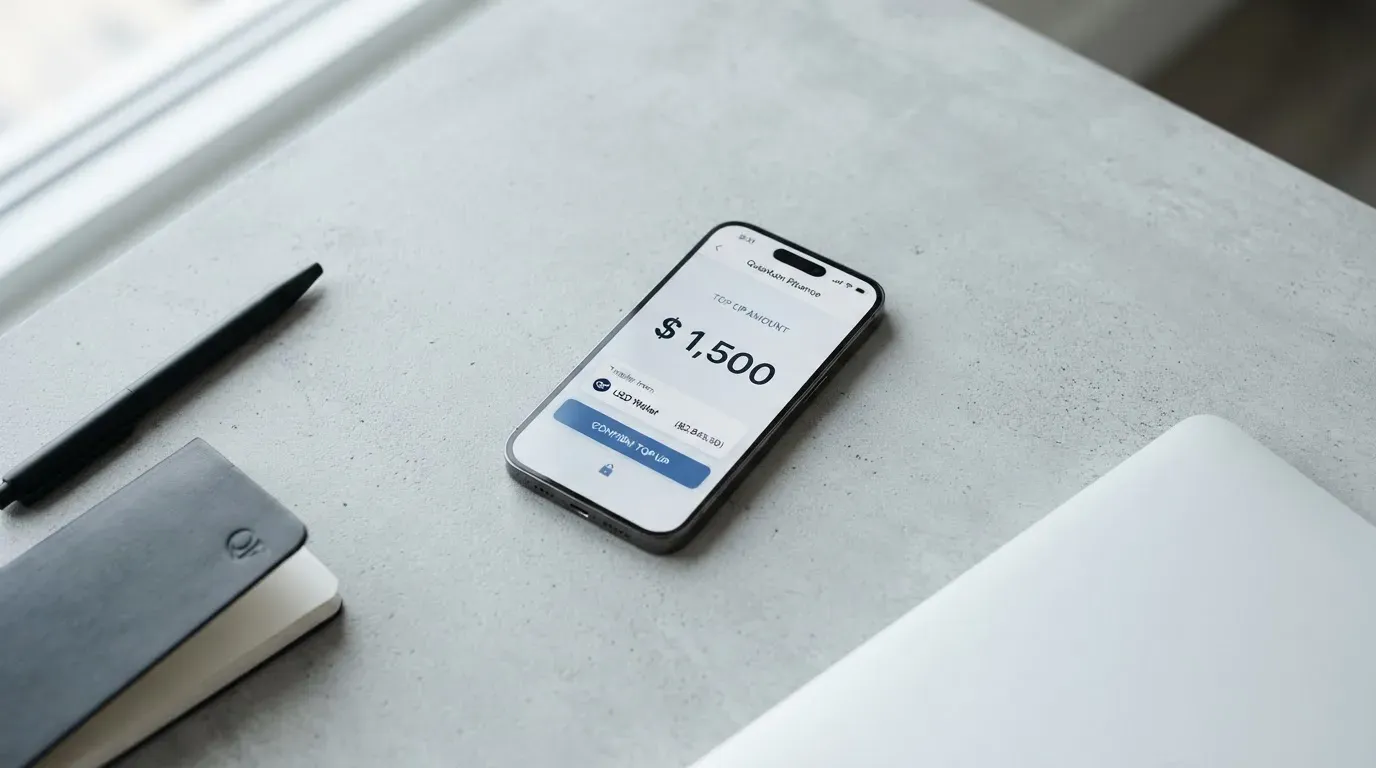
Ordering the card is the easy part, and that is partly by design. The flow, as the site describes it, is: order a balance in USD on the KNGPay website or through a Telegram bot, send crypto to the address it generates, and the card is issued once the funds land. KNGPay states “No KYC required.” There is no step in the public flow for proof of address or proof of age, and neither is mentioned in the small print I read.
That simplicity is the main reason the card exists. It is pitched at people who cannot or do not want to go through a normal bank’s onboarding. If that is your situation, the lack of friction is the feature, and the rest of this page will help you decide whether it is worth the trade-offs.
A few things to keep in mind before you start:
- The card is virtual only. There is no plastic card, no shipping address, and no delivery time to think about. Once your top-up is confirmed the card details appear in your account.
- The balance is in USD. Other currencies on the card are not stated.
- The site does not publish an app in the Apple App Store or Google Play. The KNGPay web app and the Telegram bot are the entry points I found.
What it really costs: fees, limits and the everyday bill
The costs table below only uses values that appear in KNGPay’s own published material or, where the line is marked unofficial, in third-party pages I could verify. Two important rows are blank: KNGPay does not publish a monthly fee and does not publish a foreign-exchange fee. A “Black tier” with lower fees is mentioned on the reviews page, but the details of that tier are not stated.

| Fee or limit | Amount |
|---|---|
| Card issue fee (one-time) | $15 |
| Monthly fee | not stated |
| Deposit fee | 5% |
| Refund / balance-return processing fee | $10 |
| Foreign-exchange fee | not stated |
| ATM fee | not stated (no physical card) |
| Minimum top-up | $50 |
| Maximum top-up per load | $100,000 |
| Spend limits | not stated |
To translate that into a real bill, here is what three common payments look like.
Buying a $100 subscription with USDT. You would load the amount of your subscription plus the 5% deposit fee. The card then charges the merchant $100. The $15 issue fee, if this is your first load, sits on top.
Buying a €90 train ticket with USDT. The card balance is in USD, so the train company’s bank converts €90 to dollars at its own rate, and KNGPay’s own FX fee is “not stated” rather than zero. On most cards an FX margin is the second-biggest cost after the loading fee, and the only way to find out the number here is to test it.
Loading $50, then closing the account. The minimum top-up of $50 means the smallest meaningful test of the card is $50 of crypto, plus the 5% fee, plus the $15 issue fee. Walking away with your balance costs another $10 for the refund processing. A two-month experiment that ends in a refund therefore costs $15 + $5 + $10 = $30 in fixed fees, before any FX margin the card has taken on the spending in between.
The fees that are missing from this table are exactly the ones a careful buyer wants to see. A card that publishes its loading fee but not its monthly fee or FX fee is asking you to trust it on the fees that compound over time.
How to top it up
KNGPay accepts four crypto assets: USDT on ERC-20 and on TRC-20, USDC on ERC-20, native BTC, and XMR. Each deposit gets a unique amount for on-chain matching, which is the standard way providers make sure the right user is credited for a payment to a shared deposit address. Send one of those four, on one of those networks, for a minimum of $50, and the card balance is loaded once the transfer confirms.
Three things are not stated and are worth knowing before you send anything:
- Who pays the network fee. KNGPay does not say whether the 5% deposit fee is on top of the gas you pay the blockchain, or whether it absorbs the network fee. The safe assumption is that you pay both.
- Whether fiat top-ups are possible. Fiat on-ramps (bank transfer, card, Apple Pay) are not stated, so the only documented way in is crypto.
- What happens if you send the wrong network. Blockchain transfers are irreversible, and a deposit sent to the wrong address or on a network KNGPay does not support is typically lost. A 5% fee on a permanently lost deposit is still a 100% loss for you.
The withdrawal side is just as thin. The only way to get money back off the card is to ask for a refund of the card balance or the account balance, which costs $10 and is “typically within 3 business days” through support. The terms say refunds are handled case by case, and what happens to the balance on account closure is not stated.
Paying with it every day
The card is a virtual Visa, so it behaves at the checkout like any other Visa marked “credit” or “debit” — what matters is which rails KNGPay has actually wired up. Apple Pay and Google Pay are supported, and the card can be added to PayPal, which is often the easiest way to spend a virtual card where the merchant only accepts a tokenised wallet. A physical card is not offered, and an ATM is not part of the product, so the card is online and contactless-on-phone only.
A few everyday details are simply not stated:
- Blocked merchant categories. Some issuers block gambling, crypto, or adult merchants by policy. KNGPay does not publish a blocked list.
- Cashback or rewards: None.
- Disputes and chargebacks. The terms do not describe a dispute process; they say refund requests are handled case by case.
- 3-D Secure. Not stated. Online merchants that require a 3-D Secure step may or may not get one, depending on the issuer’s set-up.
Two structural limits are worth flagging. The card balance is in USD, so any spending in another currency is a USD-to-that-currency conversion that the merchant (and possibly KNGPay) charges for. And because the card is prepaid, it cannot overdraw: if your balance runs out mid-month, you top up again, with another 5% loading fee on top.
What can go wrong
I read the public pages and the third-party complaint trails on 2026-10-20. There is no official incident report, no statement of reserves, and no description of how customer balances are safeguarded. The site says the service is a “prepaid card funded by crypto deposits” and that KNGPay is “not a bank or financial institution”; it does not name an issuer, a card programme manager, a BIN sponsor, or a regulator. The legal entity KNG Group LTD appears in the data I started from but not on the public pages I read.
The complaint trail is small but pointed. Trustpilot carries 13 reviews, all of them 1 star, for an aggregate score of 1.9 out of 5. The pattern across them, between February and July 2026, is the same: a user sent USDT, did not receive a card or a credit to their balance, found support unresponsive, was refused a refund, and in several cases accused the company of being a scam. I am giving those as user reports, not as findings of fact — I cannot confirm what happened in any one of those cases from a review page alone.
The combination of the two is what drops the reliability score to 1 out of 10. A no-KYC card run by an unnamed issuer, with no published safeguarding, no named regulator, and a review trail of “sent crypto, got nothing back”, is a card where the failure mode is the entire balance. The same is true of any small prepaid operator, and the 5.2 score is not a personal accusation; it is the result of weighing that information honestly.
There are also the everyday risks that apply to any prepaid virtual card: declines at merchants that screen foreign-issuer BINs, authorisations that hold for several days, online shops that require 3-D Secure and may not get it, and a card balance that disappears with the provider if the programme is shut down. None of those are unique to KNGPay, but on a card where the dispute process is “case by case”, they cut harder.
Support is offered through Telegram and a contact form or email, and the languages and hours are not stated. If you have a problem at 11pm on a Sunday, you are relying on whoever is on the other end of that channel.
What to take instead
If you are comparing cards, the three below are the ones I would put next to KNGPay on the same shelf — a no-KYC virtual card, a global prepaid card, and a fully featured multi-network card. Each scores differently on cost, transparency and reach, and each has a different trade-off.
| Card | Score | Type | Cost to issue | Top-up coins | FX | Cashback |
|---|---|---|---|---|---|---|
| KNGPay | 5.2 / 10 | Virtual Visa, no KYC | $15 | USDT (ERC-20/TRC-20), USDC (ERC-20), BTC, XMR | not stated | not stated |
| CardFlow | 4.9 / 10 | Virtual USD Mastercard, no KYC | Free to create | BTC, USDT, ETH, Naira bank transfer | not stated | not stated |
| HyperCard | 4.7 / 10 | Prepaid card, no stated KYC | not stated | USDT, BTC, ETH in app | not stated | not stated |
| Card.fi | 6.6 / 10 | Virtual and physical, multiple tiers | $49 (Virtual Classic) | 32 coins across 5 networks | 2.5%–3.5% | up to 2% on spend |
A quick read of that table. CardFlow is a virtual USD Mastercard aimed at Nigeria and “global users”, with a free card-creation step, funded by BTC, USDT, ETH or a Naira bank transfer. HyperCard is described as working in “more than 176 countries” on its App Store page (acceptance, not eligibility), with a USD or EUR balance funded by USDT, BTC or ETH inside its app. Card.fi is a different kind of product: virtual and physical, multiple tiers, a published fee schedule, and a wider coin list — 32 coins across Ethereum, Base, BNB Chain, Solana and Kaanch — at the cost of higher upfront prices and a 1.5%–1% top-up fee.
If your main concern is cost transparency, Card.fi is the only one of the four with a fully published fee table. If your main concern is no KYC and no friction, the three smaller cards are all pitched at that buyer, and the trade-off is that the smaller the operator, the more your recourse depends on its reputation. Two of the three alternative cards also have a “fees not stated” problem, which is part of why they sit where they do on the score.
Who I would recommend it to
I would recommend the KNGPay card to a small, specific reader: someone who already keeps crypto in a wallet they control, who needs a virtual Visa for online spending and cannot or will not go through a bank’s KYC, who is happy to load in $50 chunks, who can afford to treat the loaded amount as money they could lose, and who is not relying on the card for a salary, a subscription they cannot cancel, or a payment they cannot reverse. For that reader the 5% loading fee and the $15 issue fee are the price of convenience, and the absence of a physical card is not a problem.
I would not recommend it to anyone who needs a card they can plan around month after month, who would suffer from a missing dispute process, who wants a published fee table for FX, who needs a physical card or ATM access, or who has access to a regulated e-money card in their own country. The risk of being on the wrong end of a programme shutdown, an unresponsive support channel, or a merchant that declines a foreign-issuer BIN is not specific to KNGPay — but on a card that has not named its issuer or its regulator, that risk lands on you alone.
Frequently asked questions
What is the KNGPay card?
The KNGPay card is a virtual Visa whose balance is held in USD and funded by sending crypto to a deposit address the provider generates for you. KNGPay describes it as a “worldwide” prepaid card, says no KYC is required, and says it is “not a bank or financial institution”.
How does the KNGPay card work?
You order a USD balance on the KNGPay website or via Telegram, send USDT, USDC, BTC or XMR to the address you are given, and once the transfer confirms the card is issued and topped up. The card then behaves like a normal virtual Visa at online and tokenised-wallet checkouts, with a balance in USD.
Is KNGPay a bank?
No. KNGPay states on its own pages that it is “not a bank or financial institution” and that the product is a prepaid card funded by crypto deposits. The issuer, programme manager and any licences behind the card are not named in the public material I read.
Who owns KNGPay?
The public pages I read do not name the owner. The starting data I worked from lists a legal entity, KNG Group LTD, but I did not see that entity referenced on the site’s own pages, and the issuer of the card is not stated.
Is the KNGPay card available in my country?
KNGPay markets the card as a “Worldwide Visa” and does not publish a country list or a list of excluded countries. The terms ask users to follow the laws of their own jurisdiction, but the site does not tell you which jurisdictions it considers compatible, so the practical answer is that the card is offered everywhere and you are responsible for deciding whether that is right for you.
Does the KNGPay card require KYC?
No. KNGPay states “No KYC required”. There is no published step for proof of identity, proof of address or age verification, and neither is mentioned in the small print I read.
How do I add the KNGPay card to Apple Wallet?
KNGPay’s pages say Apple Pay and Google Pay are supported, and that the card can also be added to PayPal. Because the card is virtual, the usual way to add it is to enter the card details into Apple Wallet or Google Wallet manually once they appear in your KNGPay account.
How do I top up the KNGPay card?
You send USDT on ERC-20 or TRC-20, USDC on ERC-20, native BTC, or XMR to a unique deposit address generated for your account, in an amount of at least $50 and at most $100,000 per load. Each load is matched on-chain against a unique amount shown in your account, and a 5% deposit fee applies on top of the network fee you pay the blockchain.
How do I withdraw money from the KNGPay card?
The only documented way to get a balance back is to ask support for a refund of the card balance or the account balance, which costs a $10 processing fee and is described as typically taking up to 3 business days. The terms say refunds are handled case by case, and there is no ATM access because there is no physical card.
Is the KNGPay card safe?
That depends on what you mean by safe. The site does not name an issuer, a regulator or a safeguarding arrangement, and the public complaints trail on Trustpilot (13 reviews, all 1 star, between January and July 2026) describes users who sent USDT and did not receive a card or a credit and were refused a refund. Treat the loaded balance as money you can afford to lose, and look for a licensed alternative if you cannot.
Top virtual cards by score – cryptocardtop
Content created by the «cryptocardtop» team