
A look at a $1 virtual dollar card that does most of its talking about Nigeria
 Available in US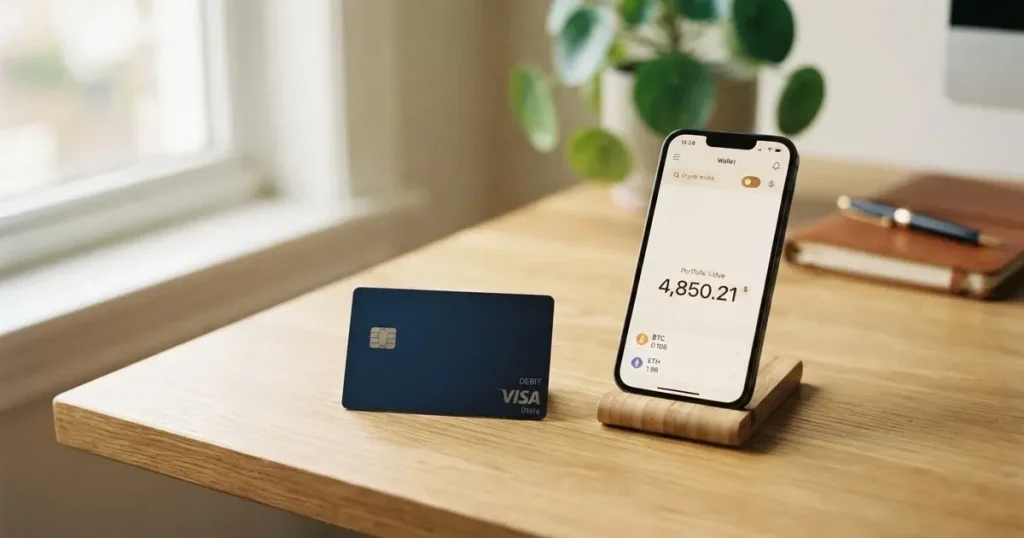
I spent time going through Dantown’s own pages, its app-store listing and the third-party sites that cover it, and what came back is a narrow product: a virtual US-dollar card sold as a cheap way for people in Nigeria to pay online. The marketing is bold (“No transaction limit”, “$1 to create”, “24/7 support”) but the official paperwork behind those claims is thin, and several of the practical questions a normal cardholder would ask — what network it runs on, what FX fee applies, what the issuer is — are not answered on the company’s own site. This review walks through what I found, what is confirmed, what is not, and where it fits among the alternatives.
The information in this review is current as of October 28, 2026. For the latest details on fees, limits, and supported regions, please refer to Dantown’s official website and terms of service.
Verdict
Dantown lands at 4.2 out of 10 in my scoring. The single thing it does well is price: a one-dollar creation fee, with funding advertised as free, is hard to beat in this corner of the market. Everything else about it is either narrow or underspecified. It is pitched specifically at Nigeria — the page title reads “Get a Secure & Cheap Virtual Dollar Card in Nigeria for $1” and the FAQ asks “How can I create a virtual dollar card in Nigeria?” — so anyone outside that audience is at best a second-class user, and there is no published list of countries or exclusions to confirm the boundary. The issuer and the licences behind the card are not named on the official pages I read, and Trustpilot carries a “may be associated with high-risk investments” notice on the brand’s profile. Day-to-day, you get a virtual card only, in dollars, with no Apple Pay or Google Pay and no ATM access.
So who is this for? In plain terms, a Nigerian user who needs a cheap, virtual, dollar-denominated card to pay online with a Naira deposit through Pay-bridge, and who is comfortable with the limited information available about the company behind it. Who is it not for? Anyone outside Nigeria, anyone who needs a physical card or ATM withdrawals, anyone who wants a mobile-wallet tap-to-pay option, and anyone who places a premium on a clearly named, regulated issuer.
Score breakdown
| Criterion | Mark | Reason in short |
|---|---|---|
| Who can get it | 2 / 10 | Marketed for Nigeria only; no country list, no exclusion list |
| Cost | 8 / 10 | $1 to create, $0 funding; monthly fee and conversion amounts not stated |
| Top-up options | 3 / 10 | Naira via Pay-bridge officially; coins and networks not stated |
| Reliability and complaints | 4 / 10 | Issuer and licences not found; Trustpilot TrustScore 0 with a high-risk-investments notice |
| Everyday use | 3 / 10 | Virtual only, USD only, no Apple/Google Pay, no ATM |
| Total | 4.2 / 10 |
Will they give you the card
The product on the homepage is built for one country. Both the page title and the FAQ frame the card as a Nigerian offering, and I did not find a list of other supported countries, supported citizenships, or a list of excluded territories on Dantown’s own pages. There is no “we accept residents of…” table, and no “we do not accept residents of…” table either. If you are reading this from outside Nigeria, the safe assumption is that the product is not aimed at you, even if the app does install on your phone.
KYC is described in three short steps: download the Dantown mobile app, sign up and verify your account, then create and personalise the card. The official pages do not say which documents are accepted, whether a proof of address is required, or what the minimum age is. The closest public statement is the generic instruction to “verify your account”, with no indication of whether that means a national ID, a BVN, an international passport, or something else. As a reviewer I would treat this as a yellow flag: if you are going to upload an ID, you should know in advance what kind, and Dantown’s pages do not tell you.
The card itself is virtual. The page repeatedly calls it a “virtual dollar card” and the app shows the card details — name, number, expiry, CVC — for online payments. There is no physical card, no delivery, and no replacement cost to consider, because there is nothing to ship. One unofficial source (Adomonline, 2026) describes it as a Mastercard, but the official Dantown text I read does not name the network, even though the marketing imagery is labelled “visacard”. That is a second yellow flag: a cardholder should be able to confirm whether a card is Visa or Mastercard before they try to use it at a particular merchant, and here the answer is genuinely unclear from the official pages.
A useful check before you sign up: open the app, look for the country selector, and see whether Nigeria is your only option. If it is not, or if the list changes, treat the published materials as the floor of what is actually enforced.
How to get it
The signup is positioned as three short steps and lives entirely in the app:
- Download the Dantown mobile app (Google Play for Android; the company’s December 2024 announcement also points to an iOS build on the App Store).
- Sign up and verify your account.
- Create and personalise your card.
There is no web-based signup in the materials I read, and the card is created and managed from inside the app. The “personalise” step in step 3 is not described in detail on the public pages, and the order of operations between completing KYC and being able to fund the card is also not spelled out. The Dantown app on Google Play lists 50,000+ downloads and was updated on 20 August 2026; the average rating shown by AppBrain (third party, 2026) is about 4.10 from roughly 1,100 ratings, while Adomonline (third party, 2026) reports 4.7 from about 1,120 reviews. I am citing both as unofficial figures because they come from third-party sites, not from Dantown itself, and the spread between the two is a good reminder that app-store ratings are not the same as customer satisfaction.
What this means for you in practice: budget time for the verification step, and assume that until your account is verified you will not be able to create or fund a card. If a deadline matters — a subscription renewing tonight, a purchase you need to make today — do not assume the three-step flow takes three minutes. Treat the official “verify your account” wording as a placeholder and be ready to provide whatever the app actually asks for.
What it really costs: Fees
The headline number is good. The detail behind it is patchy.
Card creation fee: $1.00. This is stated clearly on Dantown’s own page, and it is the most concrete figure in the entire pricing story.
Funding fee: $0. Also on the official page, alongside “deposit fee: $0” and “decline fee: $0” in the company’s December 2024 announcement.
Monthly or annual fee: not stated on the official pages I read. Third-party reporting from TechCabal (9 December 2024) and Adomonline (2026) describes a separate $1 maintenance fee on top of the $1 creation fee, but because that comes from outside the company’s own materials, treat it as unofficial until Dantown itself confirms it. The distinction matters: a $1 hit at signup is one thing, and a $1 hit every month is something else.
Conversion and FX fees: not stated. The page says “Specific transaction fees and conversion fees” apply to international transactions but does not give the percentages or fixed amounts. Naira-to-dollar funding happens through Pay-bridge; the rate and any fee charged for that conversion are not published.
ATM fees: not stated. This is consistent with a virtual card — there is no physical card to insert into an ATM, so ATM fees would be moot if they existed.
Limits: marketed as “no transaction limit” and “your spending should have no limit”. No figures are given per KYC tier, because KYC tiers are not published. Third-party sources disagree: one guide says Dantown imposes no official spending limits, while TechCabal reports that Dantown has some funding limits without naming them. Until Dantown publishes a clear number, treat the marketing claim with caution and assume there is a ceiling, even if the ceiling is internal.
Costs at a glance
| Fee or limit | Amount |
|---|---|
| Card creation | $1.00 (official) |
| Funding | $0 (official) |
| Monthly maintenance | Not stated officially; unofficial reports of $1 (TechCabal, Adomonline) |
| Conversion fee | Not stated |
| FX fee | Not stated |
| ATM fee | Not stated (virtual card) |
| Daily spending limit | Marketed as none; not published |
| Monthly spending limit | Marketed as none; not published |
What this looks like for everyday payments
Because the conversion and FX figures are not published, the only honest way to answer “what does it really cost me to use this card?” is to walk through three common scenarios and explain which fees could apply and where the unknown sits.
Online subscription in US dollars. This is the case Dantown is built for. The card holds a USD balance, the merchant is billed in USD, so conversion is not involved. If the merchant is a US or non-Nigerian business, Dantown’s page says “specific transaction fees and conversion fees” may apply, but the rate is not given. In practice, expect a small charge you cannot pre-calculate, and check the in-app receipt after the first payment to see what was actually deducted.
Online purchase billed in another currency (euros, pounds). The card is denominated in dollars, so the network will convert at its wholesale rate and Dantown may layer its own conversion fee on top. The official page confirms this happens; the page does not say how much. This is the most expensive path on a card like this and the one to avoid if the merchant gives you a choice of currency at checkout (always choose USD if you can, to push the conversion off Dantown’s books).
Buying something from a Nigerian site that prices in Naira. The card balance is in dollars, so the merchant’s Naira price is converted to dollars at the network rate plus Dantown’s (unstated) FX margin. This is the path where the missing numbers hurt the most, because the comparison against paying with a local Naira card is exactly the comparison you cannot make without them.
The takeaway: Dantown is cheap to create, possibly free to fund, and unclear in operation. If you can stomach an unknown FX cost, it is a fine tool for dollar-priced online purchases. If every basis point matters, you will want a card that publishes its full fee schedule.
Top up: funding the card
The official story is short. The Google Play description for the Dantown app lists “Naira deposit via Pay-bridge”, “Naira withdrawal via Pay-bridge” and “Secure wallet”. That is it on the official side: Naira in, Naira out, through Pay-bridge. There is no published list of cryptocurrencies, no published list of networks, and no published list of supported banks.
Third-party sources go further. Adomonline (2026) says you can fund with a local bank transfer and with crypto. If that is true in practice, it would broaden the card’s appeal beyond Naira holders, but the official app-store copy does not confirm it, so I would treat crypto funding as unofficial until you see the option in the app on your own phone.
A few things the official pages do not say, that you would normally want to know before funding:
- Which cryptocurrencies are accepted (USDT, USDC, BTC, ETH, others?)
- Which networks are accepted for each (Ethereum, Tron, Solana, BNB Chain, others?)
- What the minimum top-up is
- Who pays the network fee on a crypto top-up
- How long a deposit takes to clear
- What happens to a deposit sent on the wrong network
Each of these is a “not stated” on the public materials. The last one is the most important to know about in advance, because crypto transfers are generally irreversible, and a deposit sent on an unsupported network to an address that expects a different one is, in the worst case, lost.
A practical check before your first top-up: try a small amount first, see how long it takes to appear, and look in the app for any warning about networks or minimums. Until Dantown publishes the funding details, the safest workflow is the slow one.
Paying with it every day
The card is virtual and denominated in US dollars, which is the short version of the everyday-use story. There is no physical card to hand over, no ATM to visit, and no contactless tap. Mobile wallets are not mentioned in the official materials I read — neither Apple Pay nor Google Pay is named as a feature, and the card details (number, expiry, CVC) are shown in the app for manual entry at online checkouts. That works for online shopping and for adding the card to a digital wallet that accepts manual entry, but it is not a “tap to pay at a shop” experience.
Card features that are sometimes table stakes on this kind of product — cashback, rewards, spending insights, in-app freezes and limits — are not described in the official materials. The Dantown page does say that when a virtual card is blocked “all functionalities are disabled” and that the card can be blocked repeatedly, with notifications by email, transaction logs and push messages. That covers the basic safety controls. The Google Play listing also mentions “Secure wallet” and notes that data is encrypted in transit. Whether the wallet is custodial (Dantown holds the keys) or self-custody-linked (you do) is not stated. Two-factor authentication is not mentioned.
If you are a person who uses a card mostly to pay online subscriptions, this is enough. If you are a person who uses a card in a shop, on public transport, or at an ATM, it is not — and there is no path to that experience on the current product.
Dispute and chargeback handling is not described on the official pages. If you need to challenge a charge, the documented path is “24/7 Customer Service” advertised in the Google Play listing and the email address [email protected], but the process, the timelines, and the right of reversal under US or EU rules (Reg E, Reg Z) are not spelled out. For prepaid cards, US consumer protection coverage is not guaranteed, so it is worth assuming that a chargeback fight will be harder than it would be with a major bank-issued card.
What can go wrong
The single biggest risk on a card like this is the company behind it. The official Dantown pages do not name the issuer, the issuing bank, or the licences under which the card programme operates. Trustpilot’s brand page (read 21 October 2026) shows a TrustScore of 0 with no reviews yet, and carries a notice that the company “may be associated with high-risk investments”. That notice is a platform-level warning, not a finding of wrongdoing, but combined with the absence of an issuer name on the official site, it is something a prospective cardholder should weigh.
A few specific risk points worth walking through:
- Issuer not named. A payment card needs an issuing bank or e-money institution somewhere in the chain. Dantown’s public pages do not tell you who that is. Without an issuer name, you cannot look up the regulator that oversees the card programme, and you cannot easily check whether the issuer is licensed in your country.
- Licences not stated. In the EU, the relevant framework for crypto-card activity is MiCA (Regulation (EU) 2023/1114), which took legal effect in June 2023, with stablecoin rules applying from 30 June 2024 and the rest of the rules applying from 30 December 2024. ESMA keeps an interim register of authorised crypto-asset service providers. A Nigerian product may not need a MiCA authorisation, but the absence of any licence information on the official site is, on its own, something to verify before you load money.
- No published complaint history. Reddit and Nairaland searches turned up no relevant threads. That can mean the product is too small to attract complaints, or that complaints live on channels Dantown controls. It is not the same as a clean record.
- Programme closure risk. This is a category risk for crypto cards. Visa terminated its global agreements with FTX on 13 November 2022, and the FTX US debit card was wound down by its issuer. WaveCrest, a Visa issuer that supplied several crypto card brands, was suspended by Visa in Europe in 2018 and all WaveCrest-issued Visa programmes were closed. Programme closures typically give a notice period, then stop loading, then stop spending, and ask users to withdraw their balance. Dantown is small enough that the risk surface is different, but the lesson is the same: a card programme can end, and the speed at which you can recover your balance depends on the issuer and the wallet.
- Currency and stablecoin risk. Dantown’s funding story, on the official side, is Naira through Pay-bridge. If unofficial crypto funding does work, the same general risks apply: stablecoins aim to hold a stable value but are not necessarily stable (USDC briefly lost its peg in March 2023), and a deposit on the wrong network is generally irreversible.
- Security defaults are partly unclear. The official copy describes block-by-block controls and in-app notifications, but it does not state whether two-factor authentication is available, whether the wallet is custodial, or what happens if you lose access to your account.
A useful pre-flight check: search ESMA’s interim register, the relevant Nigerian regulator (the Securities and Exchange Commission), and Trustpilot for “Dantown” or “godantown” before you load money. If you cannot find a regulator that recognises the card programme, the marketing copy is the only thing standing between you and your balance.
What to take instead
Dantown sits in a small cluster of virtual dollar cards aimed at Nigerian and global users, and the three alternatives below are the ones I would look at alongside it. They each address a different frustration someone might have with Dantown: CardFlow if you want creation to be free, HyperCard if you want a card that is accepted in more places, and Card.fi if you want published fees, multiple tiers and a clear list of supported coins and networks.
| Card | Score | Country focus | Card type | Creation | Funding | Standout feature |
|---|---|---|---|---|---|---|
| Dantown | 4.2 / 10 | Nigeria | Virtual USD | $1.00 | Naira via Pay-bridge (official); bank transfer and crypto (unofficial) | Cheapest published creation fee |
| CardFlow | 4.9 / 10 | Nigeria | Virtual USD Mastercard | Free | BTC, USDT, ETH, Naira bank transfer | Free to create, three-minute setup |
| HyperCard | 4.7 / 10 | 176+ countries (acceptance) | Prepaid, USD or EUR balance | Not stated | USDT, BTC, ETH in app | Multi-currency balance, broad acceptance |
| Card.fi | 6.6 / 10 | 200+ countries (excludes sanctioned countries) | Virtual and physical, including metal | Virtual Classic $49, Virtual Premium $249 | 32 coins on 5 networks (Ethereum, Base, BNB Chain, Solana, Kaanch) | Published fees, multi-tier rewards, multi-network funding |
- CardFlow. Positioned as “Nigeria’s smartest fintech card platform” and aimed at both Nigerians and global users. A virtual USD Mastercard you can create in three minutes, with creation listed as free in the site FAQ. Funding covers Bitcoin, USDT, ETH and Naira bank transfer; networks are not stated. Cost score: 4.9 / 10. The trade-off against Dantown is that fees beyond creation are not stated, and the country list is just as loose.
- HyperCard. App Store says it works in more than 176 countries — that is the card’s acceptance footprint, not an eligibility list. The card is prepaid with a balance in USD or EUR, and you fund it by depositing USDT, BTC or ETH in the app, with conversion to the card’s balance currency. The App Store page lists no fees, which is the kind of clean story you want to see, but it is also thin. Cost score: 4.7 / 10.
- Card.fi. The most grown-up of the three. Cards ship to 200+ countries (excluding sanctioned countries) and come in virtual, physical and metal versions, with the network licence held by the issuer. Fees are published: a 1.5% plus $1.00 top-up fee on Classic and 1% on Premium, an FX fee of 3.5% on Classic and 2.5% on Premium. Funding covers 32 coins on five networks, with a deposit address per card and conversion at market rate on arrival — and a warning that a wrong chain can mean a permanent loss. Cashback is published too: 0.8% on Classic, 1% on Premium, 1.2% or 2% on Metal, with a 10% headline rate capped at 10 USDT/month at coffee shops. Cost score: 6.6 / 10. The trade-off is the upfront price: $49 for a Virtual Classic and $249 for a Virtual Premium.
If Dantown’s pitch is “the cheapest virtual dollar card for Nigeria”, the realistic comparison is with CardFlow for the same audience and Card.fi if you can absorb the higher creation fee in exchange for published fees, named coins and a named network. HyperCard is the option to look at if you need a multi-currency balance and broader acceptance, with the caveat that the cards on that side of the market tend to publish less.
Who I would recommend it to
I would recommend Dantown to a Nigerian user who:
- Needs a virtual US-dollar card for online payments and is happy to have that as the only form factor.
- Funds in Naira through Pay-bridge and does not rely on a specific crypto or network to top up.
- Is comfortable creating a card for $1 with the awareness that an unofficial $1 monthly maintenance fee has been reported, and that the conversion and FX fees are not published.
- Is willing to make a small first top-up to confirm the funding flow, the timing, and the actual fee deduction before loading meaningful amounts.
- Has read the missing-information list (issuer, licence, dispute process, limits) and is comfortable that those answers may not arrive until after the card is in use.
I would not recommend Dantown to anyone who:
- Lives outside Nigeria or travels frequently, because the product is positioned for Nigeria and no other country is confirmed.
- Needs a physical card, ATM withdrawals, or Apple Pay / Google Pay tap-to-pay, because none of those are available.
- Needs a card whose issuer and licence they can name, because that information is not on the official pages.
- Has to fund with a specific cryptocurrency on a specific network, because the official funding story is Naira only, and third-party reports of crypto funding are unofficial.
- Is comparing cards on a fee-per-transaction basis, because the conversion and FX numbers are not published.
If you fall into the second list, the alternatives above — CardFlow for the same audience, HyperCard for a multi-currency balance, Card.fi for published fees and a broader coin list — are the places to start. If you fall into the first list and you have made the small-first-top-up check, Dantown is a functional tool for the narrow job it is built for.
Frequently asked questions
What is the Dantown card?
It is a virtual US-dollar payment card sold by Dantown as a cheap way for people in Nigeria to pay online. The official page title describes it as a “Secure & Cheap Virtual Dollar Card in Nigeria for $1”. The card is created and managed inside the Dantown mobile app, and the card details (number, expiry, CVC) are shown in the app for online checkout. It is a virtual card only, with no physical version.
How does the Dantown card work?
You download the Dantown app, sign up and verify your account, create a virtual dollar card for $1.00, and fund it. The official funding route is Naira via Pay-bridge; the network that runs the card is not named on the official pages I read, and the conversion or FX fee that applies to international transactions is not published. The card is prepaid in the sense that it spends from a stored balance, and you cannot overdraw it.
Is Dantown a bank?
The official Dantown pages do not say. The brand’s Trustpilot page (read 21 October 2026) lists it as a cryptocurrency buying, selling and spending service based in Port Harcourt, Nigeria, and carries a “may be associated with high-risk investments” notice. The issuing bank or e-money institution behind the card programme is not named on the official pages I read, so I cannot confirm that Dantown itself is a bank.
Who owns Dantown?
The owner is not stated on the official Dantown pages. Trustpilot describes the company as a cryptocurrency service based in Port Harcourt, Nigeria. Without a company registration number or an “about” page I am willing to cite, the ownership is best described as not confirmed by the card’s own materials.
Is the Dantown card available in my country?
The product is marketed for Nigeria. The page title is “Get a Secure & Cheap Virtual Dollar Card in Nigeria for $1” and the FAQ asks “How can I create a virtual dollar card in Nigeria?”. I did not find a published list of other supported countries or a list of excluded countries. If you are outside Nigeria, assume the card is not aimed at you until the in-app country selector shows otherwise.
How do I get a Dantown card?
The official signup is three steps: download the Dantown mobile app on Google Play (the company also points to an iOS build on the App Store), sign up and verify your account, and create and personalise your card. The documents required for verification, the minimum age, and the time the verification step takes are not stated on the public pages I read.
Does Dantown require KYC?
Yes. The signup steps include “sign up and verify your account”. The exact documents accepted, whether a proof of address is required, and the age threshold are not published on the official pages. Plan to provide whatever identification the app asks for in step two before the card can be created and funded.
How do I top up my Dantown card?
The official funding route, from the Dantown app’s Google Play description, is a Naira deposit through Pay-bridge. The funding fee is listed as $0 on the official page. Which cryptocurrencies or networks are accepted, the minimum top-up, who pays the network fee, and how long a deposit takes to clear are not stated. Third-party sources (Adomonline, 2026) describe funding by local bank transfer and crypto, but that is unofficial and not confirmed by Dantown.
Can I add the Dantown card to Apple Pay or Google Pay?
The official materials I read do not mention Apple Pay or Google Pay as supported features. The card is virtual and the details (number, expiry, CVC) are shown in the app for manual entry at online checkouts. Whether tokenisation into a mobile wallet works on a case-by-case basis is not stated.
Is the Dantown card safe?
The official materials describe block-and-unblock controls, email and push notifications, transaction logs, and a “Secure wallet” with data encrypted in transit. The issuer and its licences are not named on the public pages, Trustpilot has a TrustScore of 0 with a “high-risk investments” notice on the brand page, and the dispute and chargeback process is not described. In practical terms, the card is a prepaid tool with limited public accountability behind it — fine for small online payments, worth a careful pre-flight check for anything larger.
Top virtual cards by score – cryptocardtop
Content created by the «cryptocardtop» team