
A virtual Visa tied to a stablecoin-funded USD wallet, with a tight country picture
 Available in US
Cleva is a virtual Visa card that spends from a Cleva USD wallet, and that wallet is funded by USDC and USDT deposits, US debit cards, ACH, FedNow, wire, and the Cleva account also lets you hold GBP and EUR. There is no physical card, and the headline prices look modest: a $3 creation fee, no monthly fee, and free loading from a US debit card. That is the version of the product Cleva puts at the top of its pages. The longer version, the one you actually have to live with, is more uneven, and the country picture is the first thing to get straight.
The conditions described in this review are current as of October 28, 2026.
Verdict
Cleva earns 5.8 out of 10. It is a tidy, well-rated product on the surface, with a 4.7 score on the App Store across 1,500 ratings and the same 4.7 on Trustpilot from 126 reviews, but the things it is good at are mostly the things that are easy to measure, and the things that matter more in practice are either thin or unstated. The card is virtual-only, USD-only, has no published list of supported countries, and only ships step-by-step KYC guides for Nigeria and the United States. It is the kind of card that does exactly what Cleva says it does, in the places Cleva says it does it, and not much more.
I would point it to freelancers paid in dollars in Nigeria and the US, who already have a US debit card to top up from and who want a clean virtual Visa for the usual SaaS and ad-platform stack. I would not point it to anyone whose country is not on the KYC help-centre page, anyone who needs a physical card, anyone paying in anything other than US dollars, or anyone who needs clear answers on what happens to their money if something goes wrong.
Score breakdown
| Criterion | Mark | Why it scored where it did |
|---|---|---|
| Who can get it | 3/10 | Country list is not published; KYC guides exist only for Nigeria and the US; an earlier check suggested Africa and the US |
| Cost | 7/10 | $3 card creation, no monthly fee, 2% + $0.80 on international transactions, free card funding from a US debit card |
| Top-up options | 6/10 | USD wallet with USDT/USDC deposit ($2), US debit card free, ACH, FedNow, wire; networks for the stablecoins are not named |
| Reliability and complaints | 8/10 | US-licensed partners, MSB registration with FinCEN; Trustpilot 4.7/5 from 126 reviews, App Store 4.7/5 from 1,500 ratings |
| Everyday use | 5/10 | Virtual USD card only, Apple Pay and Google Pay are supported, no ATM access |
| Total | 5.8/10 |
Who will they give you the card
The single most important question, and the one Cleva is least helpful on, is who is actually allowed to hold an account. The country list for the card is not published. The help centre ships step-by-step identity-verification guides for Nigeria and the United States only, and outside those two, the public pages do not say more than that accounts “can receive USD/GBP/EUR regardless of where you’re based”. Earlier reporting by third parties suggested Africa (including Nigeria, Ghana, Uganda and Kenya) and the United States, but that is unofficial, and Cleva’s current pages do not confirm it.
Two things in the verification process hint at who the card is really aimed at. For Nigerian users, the billing address on the account is taken from the verified identity document, so it follows the ID rather than where the person actually lives. For US users, the billing address is provided by Cleva itself, which is a fairly common arrangement for US-issued prepaid programmes. If you are reading this from anywhere else, the honest answer is: I do not know whether you can get a Cleva card, and the website does not tell me either. The safest thing to do is open the sign-up flow with the email you intend to use, and treat the identity step as the real test.
Cleva requires identity verification before a USD account can be opened, and there is one tier of verification, not a basic-plus-premium ladder. The documents Cleva asks for, in the two countries where the guides are public, are:
- Nigeria: an international passport, a voter’s card, a driver’s licence or a NIN number; the original physical ID plus a live selfie. Cleva does not state a typical review time.
- United States: an international passport, an ID card, a driver’s licence or a residence permit, an SSN, a residential address that must match the ID including a unit number, a connection to Stripe Link, and a live selfie. The app says US verification “takes only a few minutes”.
Cleva will reject an application for reasons it does spell out: details that do not match the ID, a blurry, cropped or unreadable image, an unsupported ID type or format (so an expired, photocopied, screenshotted, scanned or digital document is not accepted), or a failed facial check. The pages do not state whether a separate proof-of-address document is needed in addition to the ID, and they do not say what minimum age Cleva applies; the help pages simply say the card is for adults.
How to get it
There is one path, and it is the same path for everyone: sign up by email, verify your identity, open a USD account, then create a card for a $3 fee. Each step is a hard gate on the next: you cannot get to the card screen without a verified identity, and you cannot get a USD account without identity. The card itself is virtual, you can have more than one at a time, and you can customise the design. Cleva markets the card as accepted at “150 million+ merchants worldwide where Visa is accepted”, and the card currency is US dollars only.
Because the card is virtual, there is no delivery. Cleva does not publish a physical-card option, and the help pages do not describe a later upgrade to one. If you need a card you can hand to a waiter or insert into an ATM, this is the wrong product.
What it really costs
The price of a Cleva card is the price of a $3 creation fee, a free monthly account, and the per-transaction fees on top. There is no monthly fee, no annual fee, and the card funding from a US debit card is free, which is the most quoted line in Cleva’s own marketing. The cost only starts to bite when you actually spend.
The two fees that will show up on your statement on most days are a $0.80 authorisation fee on every transaction, and a 2% international transaction fee plus the same $0.80 when you pay a non-US merchant. Cleva does not state a separate fee for crypto conversion on the card itself; the conversion cost is bundled into the stablecoin deposit fee (a $2 flat fee on USDT or USDC, dropping to $1 for deposits under $2 — see the top-up section for the full schedule). A declined transaction costs nothing, and there is a $50 fee per card dispute.
Fees and limits
| Fee or limit | Value |
|---|---|
| Card creation | $3 one-time |
| Monthly fee | None published |
| Card authorisation | $0.80 per transaction |
| International transaction (non-US merchant) | 2% + $0.80 |
| Card funding (US debit card) | $0 |
| Decline | $0 |
| Card dispute | $50 |
| ATM | Not stated (virtual card, no ATM access) |
| Per-transaction spending limit | User-set, $1 to $3,000 |
| Cards per 90 days | Up to 3 |
| Daily and monthly spending limits | Not stated |
| Account closure after failed authorisations | 15 consecutive declines for insufficient funds; a successful spend of $0.5 or more resets the counter after 24 hours |
The Classic tier is the only tier, and there is no published upgrade path. The app notes say the card “works in multiple currencies” (Naira, Dirhams, Pounds, Euros) with automatic conversion, and the account layer separately offers USD, GBP and EUR accounts, but the card itself is a USD card; anything else is converted on the way in.
Three everyday payments and what they cost
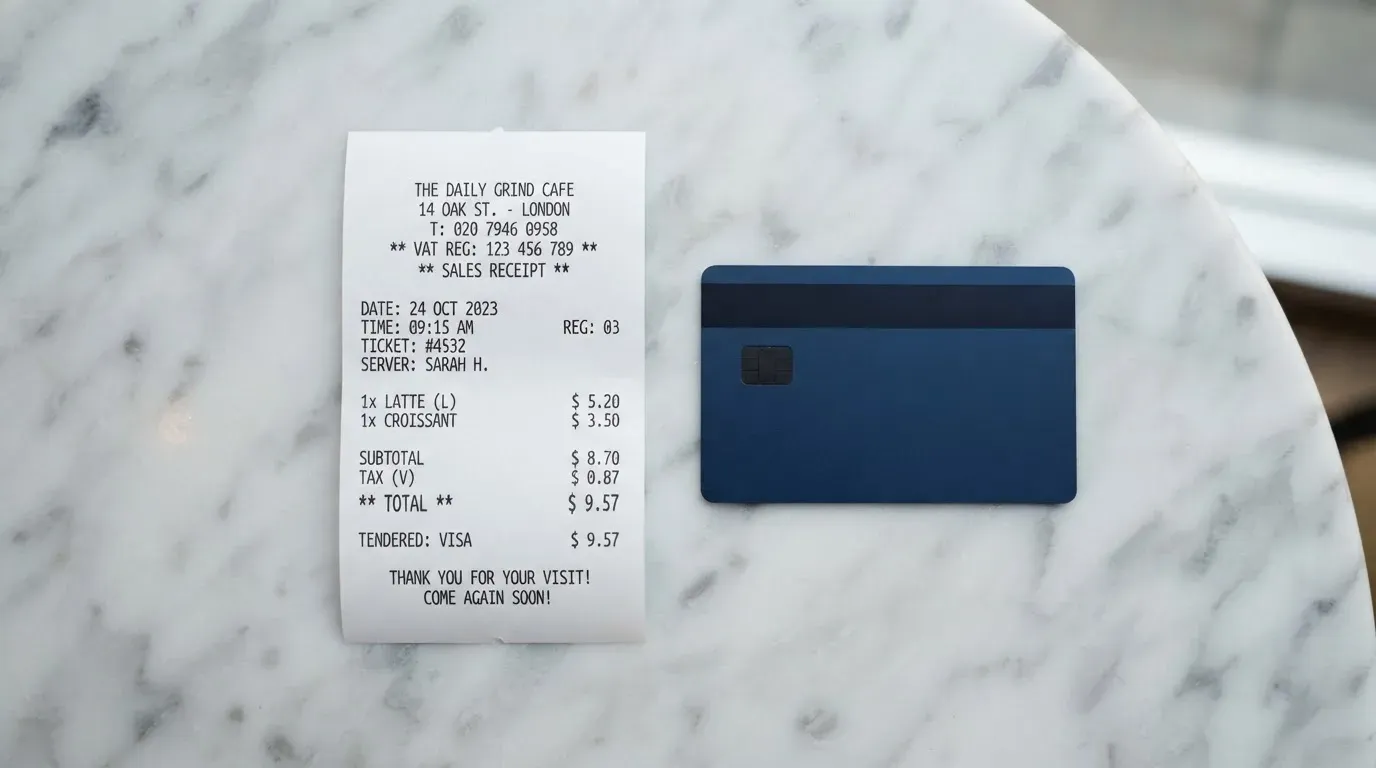
The way to read the fee schedule is to imagine three actual payments and run the math. Each line below uses the same $0.80 authorisation fee, because Cleva charges it on every transaction.
- A $50 Amazon order from a US billing address. Cleva does not publish a separate US-domestic rate, so this falls under the standard 2% + $0.80 international-transaction wording on the help pages; the cost in fees is 2% of $50 ($1) plus $0.80, or $1.80, on top of the $50.
- A $30 ChatGPT subscription paid from a US debit card that has just topped up the Cleva wallet. Same fee structure: $0.60 plus $0.80, or $1.40 on top of the $30. If the underlying top-up was free from a US debit card, the only friction is the per-transaction fee.
- A $100 ad spend on Meta or TikTok, paid from a USD wallet that was funded by a $100 USDT deposit. Cleva charges $2 on the USDT deposit, then $0.80 on the card transaction. If the merchant is treated as international, add 2% ($2) on top. Total drag: $4.80 against $100, or 4.8%.
The honest reading is that the per-transaction $0.80 is the most predictable cost, and it is the one that hurts on small purchases. The international-transaction surcharge is the one that hurts on cross-border SaaS and ad-platform spend, and the $2 stablecoin deposit is the one that hurts on a one-off top-up. Cleva has moved deposit pricing around recently (the $2 flat fee replaces a tiered structure, and ACH/FedNow pricing was reset on 7 August 2026), so check the current app screen before you commit to a routine.
Top up the card
The card spends directly from the Cleva USD wallet, so the question is how to get dollars into that wallet. Cleva lists several routes, and they charge very differently.

The headline option, the one Cleva puts first, is a US debit card. It is free, instant, and the route that makes the fee schedule make sense for a US user. A US debit card holder can run the card as a thin wrapper around an existing bank account and not pay for the privilege.
The route that takes crypto is a USDT or USDC deposit, and it costs $2 flat per deposit. Cleva is rolling out a $2 flat fee regardless of amount, with deposits under $2 charged $1. Cleva does not state which networks it accepts USDT or USDC on for deposits, and that omission is the most important practical point in this section. As a general rule for stablecoin-funded cards, USDC and USDT are issued on a long list of networks — Ethereum, Solana, Tron, Polygon, Base, Avalanche, Arbitrum, Stellar among others — and a deposit sent on the wrong network can be lost, because blockchain transfers are not reversible. The Cleva help pages do not show a network picker at the deposit step on the public marketing material I read, and a missing picker is the kind of thing that causes a support ticket at best and a lost deposit at worst. Treat this as a check-first item: open the app, see the network Cleva asks for, then send.
The other top-up routes are: ACH and FedNow (0.8%, minimum $2, maximum $5), wire ($10 flat), GBP and EUR deposits (0.8%, minimum $2, maximum $10, auto-converted to USD), and Upwork deposits (free). The minimum top-up amount and which side pays the on-chain network fee are not stated. Cleva advertises transfers to local bank accounts as free, but the fee for converting from USD and paying out is listed in the FAQ without a readable amount, and the policy on what happens to a balance if the account is closed is also not stated.
Paying with it every day
The card is a USD Visa, and the spend experience is mostly the spend experience of any prepaid Visa, with two notable additions: it can be added to Apple Pay or Google Pay, and Cleva’s app-based controls let you set a per-transaction spending limit anywhere from $1 to $3,000.
Cleva publishes a short list of merchants the card works with, which reads like a freelancer’s stack: Amazon, Upwork, PayPal, Claude, OpenAI, TikTok and Meta. The list is illustrative, not exhaustive — it is a sample of where users have reported the card working, not a guarantee. Some merchant categories are blocked by merchant category code, and Cleva does not publish the full list; the typical categories crypto-card programmes block are gambling (MCC 7995), adult content, and a few other high-risk verticals, but Cleva does not say which.
The card rewards picture is unusual. Cleva does not publish card cashback. Cleva Points, which are redeemable for USD, and a USD Savings feature paying up to 3% a year, are account-level perks, not card rewards. They are worth knowing about if you are choosing between holding dollars in the Cleva account and holding them somewhere else, but they are not a reason to spend on the card.
The dispute process is in-app chat or email, and the cost is $50 per dispute. Cleva does not publish the chargeback time frame or the reason codes it accepts, which is par for the course for a small programme but is also the kind of gap that matters when a chargeback is the only practical remedy. Cleva’s app is on iOS and Android, with a 4.7 score on the App Store from 1,500 ratings (read on 21 October 2026); the Google Play rating was not read for this review.
What can go wrong
Cleva is a young product with a US-facing banking footprint, and the practical risks fall into three groups: company and regulatory, customer service, and product limits.
On the company side, Cleva Technologies, Inc. is the App Store seller of the app, and the website says funds are “securely processed by our licensed U.S-based financial partners” without naming them. Cleva is registered as a Money Service Business (MSB) with FinCEN, and a Cleva blog post (undated) says it holds an IMTO licence from the Central Bank of Nigeria. Cleva does not name the card issuer on its public pages. For a reader in Nigeria or the US, the regulatory floor is reasonably clear; for a reader anywhere else, the floor is unclear and that uncertainty is itself a risk.
On the customer-service side, Trustpilot is the most informative public signal. The score is high (4.7 from 126 reviews, 124 of them in the last 12 months, read 21 October 2026, with 5% one-star), and the negative themes are not catastrophic: high fees (13 October 2026), strict or slow verification (27 September 2026), and a long support resolution time on a specific ticket (14 October 2026). The Trustpilot page’s AI summary also mentions balance discrepancies and an account closed without reason, both undated. None of these are a single dramatic failure, and the direction of travel in user feedback is the kind of thing you would expect from a product that is still tuning its pricing and operations.
On the product-limits side, the risks worth knowing are:
- The card is virtual only, so anything that requires a physical card (an in-store restaurant, an ATM, a card reader that does not accept tokenised mobile wallets) is out.
- The card is USD only, so a Euro trip means a conversion on the way in, and a fee on the way in is the only fee Cleva does not give a number for.
- The account is custodial, which means Cleva (or its licensed partners) holds the funds. Cleva can freeze the account in the app; unfreezing needs a security PIN or an authentication code. Two-factor authentication is not mentioned on the pages I read.
- Cleva has a count of failed authorisations: an account can be closed after 15 consecutive declines for insufficient funds, raised from 3 to 10 in app version 2.3.0, with a successful spend of $0.5 or more resetting the counter after 24 hours. That is generous by industry standards, but it is a hard limit, and a long outage of income on the card side will eventually trigger it.
- Sending a stablecoin on the wrong network is the standard way to lose money on a card like this, and Cleva does not name the supported networks for USDT and USDC on its public pages.
What to take instead
Three cards make a reasonable comparison set: one that is similar in shape, one that is broader on currencies, and one that is more permissive on networks. None of these alternatives is Cleva, and I have not used any of them; the scores and facts below are from the providers’ own pages and from third-party review sites, and they should be read as starting points, not endorsements.
International Visa Card — 6.7/10
International Visa Card is closer to Cleva in shape than the others: a virtual card, USD-priced, USDC/USDT-funded, with a published list of countries it will not serve. That last point is the practical difference. International Visa Card names the countries it does not serve, including Belarus, mainland China, North Korea, Cuba, India, Iraq, Iran, Israel, Myanmar, Nepal, Nicaragua, Russia, Syria, Turkey, Ukraine, Venezuela and Vietnam, and reviews FATF grey-list countries case by case. For a reader who is not in any of those, the eligibility question is at least answerable. Pricing is $5 to issue, no maintenance fee, and three plan tiers: Classic (free), Pro ($9 a month) and Max ($19 a month). Card use in USD is free on all plans; foreign currency carries a 2% FX fee on top of the Visa exchange rate, and all deposits are free. Rewards are not published.
UNi Card — 6.1/10
UNi Card is the more multi-currency of the three. It runs on Mastercard, spends from a UNi.Global account balance, and converts at “live OTC (Over-the-Counter) rates” with no annual fee and no foreign transaction fee. The catch is that the public pages do not state who can get it (residency rules are not stated), how to fund the account, or what the issuance fee is. Rewards go up to 3% in “Spend-to-Earn”. For a reader who cares more about no FX markup than about knowing whether they qualify, UNi Card is the more interesting of the two Mastercard alternatives here, but the missing eligibility detail is real.
Morse — 7.5/10
Morse is the more self-custody-flavoured of the three. The card is fully virtual, runs on Visa, and spends from a Morse Balance in any currency with what Morse describes as the real-time Visa exchange rate and zero FX markup. Eligibility is by residence, not citizenship, and Morse says the app is available in over 140 countries for P2P, with local add and withdraw in over 70. A short list of countries is in closed beta and needs an invite code, including the UK, Australia, Singapore, Japan, Switzerland and Türkiye, and Morse says it cannot serve customers subject to US, UK, EU or UN sanctions. Funding is unusually broad: debit card, stablecoin transfer (USDC, USDG and EURC over Solana are free; other tokens and chains carry a fee), Bitcoin, USDT, Ethereum, and Account Details in USD, EUR, MXN, COP and BRL (with a Brazilian CPF). The Morse Wallet is self-custodial, which is a real difference from a Cleva-style custodial model, and it carries the usual self-custody risk profile: you hold the keys, you bear the loss if the keys are lost or copied. Rewards on the card are not stated on the public pages I read.
At a glance
| Card | Score | Currency | Card form | Funding | Headline fee |
|---|---|---|---|---|---|
| Cleva | 5.8/10 | USD | Virtual | USDT/USDC, US debit, ACH, FedNow, wire | $3 creation, $0.80 per transaction, 2% + $0.80 international |
| International Visa Card | 6.7/10 | USD | Virtual | USDC/USDT, USD, EUR, SEPA, SWIFT, FedNow | $5 creation, 2% FX |
| UNi Card | 6.1/10 | Multi | Mastercard, form not stated | Not stated | No annual or FX fee |
| Morse | 7.5/10 | Any (prepaid balance) | Virtual | USDC, USDG, EURC, USDT, BTC, ETH, bank rails | “Zero FX”, free on-chain deposits on Solana for some tokens |
Who I would recommend it to
Cleva is a small, well-rated, US-anchored virtual card with a stablecoin-funded wallet and a free top-up from a US debit card. That combination is genuinely useful for one reader: a freelancer in Nigeria or the US who is paid in US dollars, who wants a clean virtual Visa for the usual SaaS, advertising and platform stack, who has a US debit card to top up from, and who is comfortable with the card being USD-only and virtual-only. For that reader, the $0.80 per-transaction fee and the 2% international surcharge are real but tolerable, the $3 creation fee is trivial, and the missing country list is not a blocker because Nigeria and the US are exactly the two places Cleva has published KYC guides for.
For everyone else, I would look at the alternatives first. A reader who needs a published eligibility list and clear non-US pricing should look at International Visa Card. A reader who needs multi-currency spending without a foreign transaction fee should look at UNi Card. A reader who needs self-custody, broader network support, or a card that explicitly does not hold the funds should look at Morse.
The bigger reason for caution is the same in every case: Cleva is a custodial product that does not name its card issuer or its US banking partners, and the public pages are quiet on a few things that would matter if anything went wrong. A US debit card top-up into a Cleva USD wallet is a small bet; a year of income routed through Cleva is a bigger one, and the answers to “what happens to my balance if the account closes” and “which network do I send USDT on” should be on the screen, not in support, before you commit.
Frequently asked questions
What is the Cleva card?
The Cleva card is a virtual Visa debit card that spends from a Cleva USD wallet. The wallet is funded by USDC or USDT stablecoin deposits, by US debit card top-ups, by ACH, FedNow, wire and by GBP or EUR transfers that are auto-converted. The card is USD-only, virtual-only, and is issued under a programme run by Cleva Technologies, Inc. in partnership with licensed US financial institutions. There is no physical card.
How does the Cleva card work?
Cleva converts a stablecoin deposit, a US debit card top-up, or an ACH or wire transfer into a USD balance inside a Cleva account. The virtual card draws on that balance, and Cleva charges $0.80 per transaction. International transactions on non-US sites add a 2% FX fee on top of the $0.80. Cleva does not publish a separate crypto-conversion fee for card spends; the conversion cost is part of the stablecoin deposit fee, which is $2 per deposit.
Is Cleva a bank?
No. Cleva Technologies, Inc. is the company behind the app, registered as a Money Service Business (MSB) with FinCEN in the US and (per an undated Cleva blog post) holding an IMTO licence from the Central Bank of Nigeria. Cleva’s own pages say funds are “securely processed by our licensed U.S-based financial partners”, but the card issuer and the partner banks are not named on the public pages.
Where is the Cleva card available?
Cleva does not publish a country list. Step-by-step KYC guides on the help centre cover Nigeria and the United States only, and an earlier third-party check suggested support for several African countries and the US. Outside Nigeria and the US, the public pages do not say more than that accounts “can receive USD/GBP/EUR regardless of where you’re based”. The most reliable test is to start the sign-up flow and see what the identity step accepts.
How do I top up the Cleva card?
The fastest and cheapest way is a US debit card, which is free. USDT or USDC stablecoin deposits cost $2 per deposit (or $1 if the deposit is under $2, during the transition to a flat fee). ACH and FedNow transfers cost 0.8% with a $2 minimum and $5 maximum. Wire transfers cost $10. GBP and EUR deposits cost 0.8% with a $2 minimum and $10 maximum, and are auto-converted to USD. Upwork deposits are free. Cleva does not publish the network on which it accepts USDT or USDC.
Can I use the Cleva card with Apple Pay or Google Pay?
Yes. Cleva supports adding the card to Apple Pay and Google Pay, which tokenises the card number into a device-specific account number held in the phone’s Secure Element. Each tokenised payment uses a one-time dynamic security code. Tokenisation does not change the underlying $0.80 per-transaction fee or the 2% international surcharge, and the issuer can still restrict a tokenised number on specific channels.
What fees does the Cleva card actually charge?
A $3 card-creation fee, no monthly fee, $0.80 per transaction, 2% + $0.80 on international transactions with non-US merchants, $0 on a declined transaction, $50 per card dispute, $2 per USDT or USDC deposit (or $1 for deposits under $2), and the ACH/FedNow, wire and GBP/EUR schedules listed in the top-up section above. ATM access is not stated because the card is virtual and has no ATM presence.
Is the Cleva card safe?
Cleva describes the funds as held with licensed US financial partners and the app as supporting in-app freeze and unfreeze, a user-set per-transaction spending limit and a count of failed authorisations that closes an account after 15 consecutive declines for insufficient funds. Two-factor authentication is not mentioned on the public pages I read. The dispute fee is $50 and the dispute time frame is not published. Cleva’s Trustpilot score is 4.7 from 126 reviews, and the App Store score is 4.7 from 1,500 ratings.
How do I get a refund or make a dispute on a Cleva card transaction?
Cleva’s stated process is in-app chat or email at [email protected]. The fee is $50 per card dispute. Cleva does not publish the time frame, the reason codes it accepts, or the documents it asks for, and a chargeback is a refund ordered by the card issuer rather than by Cleva, so the speed and outcome depend on the issuer’s process.
Can I delete my Cleva account?
Cleva does not publish a self-service account-deletion flow on the help centre pages I read. The most reliable route is to ask in-app chat or by email, and to withdraw the balance first, since the policy on what happens to a balance on closure is not stated. If you have active cards, delete them before closing the account; the rules say up to three cards per 90 days and a fresh account may be restricted if those limits are still in play.
Top app and neobank cards by score – cryptocardtop
Content created by the «cryptocardtop» team